• sales

    +86-0755-88291180

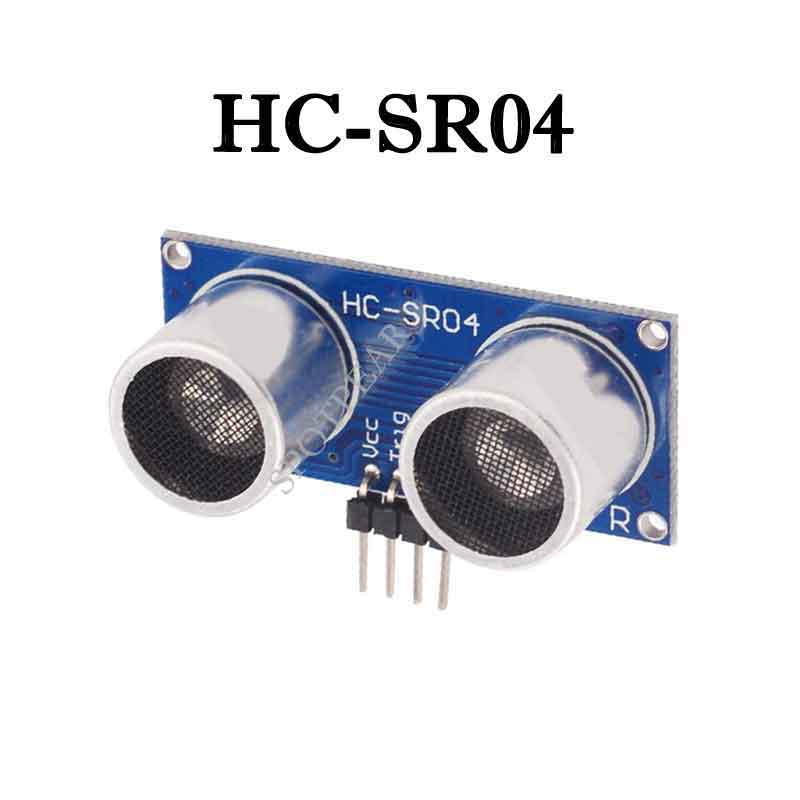
HC-SR04 User Guide

Arduino connects ultrasonic sensor for distance measurement 

Ultrasonic sensors are suitable for static distance measurement of large flat surfaces. The range of ordinary ultrasonic sensors is about 2cm-450cm, and the resolution is 3mm (the test environment is not so good, and the personal measurement is relatively stable. The distance is about 10cm-2m. If this distance is exceeded, accidental inaccuracies often occur. Of course not Eliminate technical issues.)


The test object is the SRF-04 ultrasonic sensor, which has four pins: 5v power supply pin (Vcc), trigger control terminal (Trig), receiving terminal (Echo), and ground terminal (GND) 
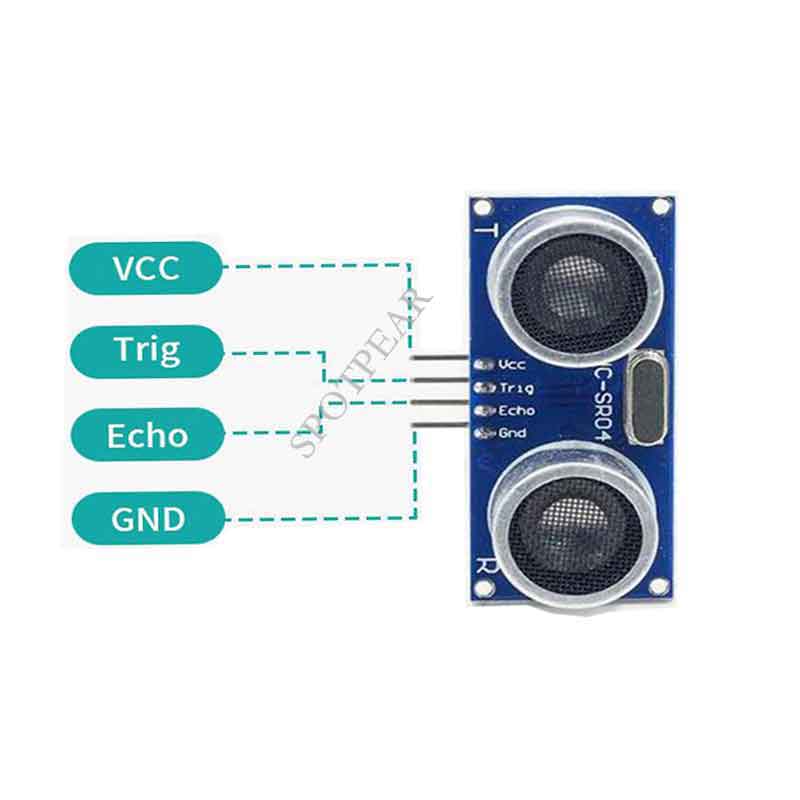


How to use the module: 
Using this module, occupies two IO ports of the single-chip microcomputer, and one IO port is used as the trigger terminal. One IO port is used as the echo PWM signal capture pin. When writing the program, firstly set the level of 8 40K cycles at the TXD pin, and the program is processed into a PWM signal and output from the RXD pin. Once an echo signal is detected, the echo signal is output for our convenience. When we use it, we only need to read the low level time (T). The echo signal is a distance object proportional to the pulse width. The distance can be calculated from the time interval between the transmitted signal and the received echo signal. Formula: uS/58=cm or uS/148=inch. The formula L=340T/2 can also be propagated in the air by sound waves. You can find L (measured distance). If no reverberation signal is detected, the module’s reverberation signal pin will output a level of about 140uS to prevent the transmitted signal from affecting the reverberation signal. 


The working principle of the module: 

IO trigger ranging to at least 10us high signal;

module automatically sends eight 40kHz square wave, automatically detect whether a signal return;

a signal to return to a high IO output, high duration of the ultrasonic time from launch to return.

Test distance = (time high * speed of sound (340M / S)) / 2;


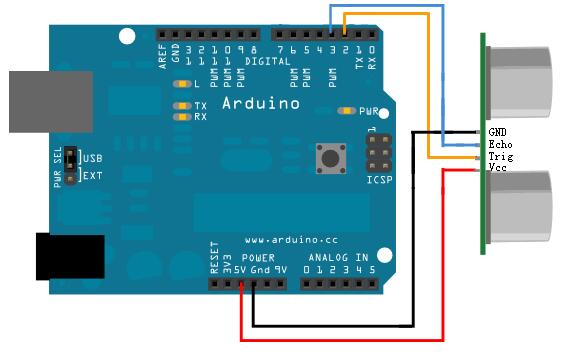
Circuit connection method: 


Arduino program example: 
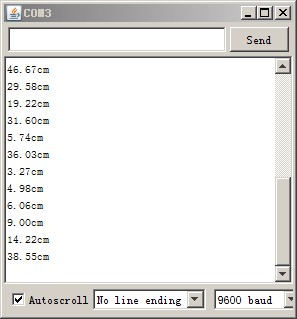
const int TrigPin = 2
const int EchoPin = 3
float cm; 
void setup() 

Serial.begin(9600); 
pinMode(TrigPin, OUTPUT); 
pinMode(EchoPin, INPUT); 

void loop() 

digitalWrite(TrigPin, LOW); //Send a short time pulse to TrigPin  
delayMicroseconds(2); 
digitalWrite(TrigPin, HIGH); 
delayMicroseconds(10); 
digitalWrite(TrigPin, LOW); 

cm = pulseIn(EchoPin, HIGH) / 58.0//Convert the echo time to cm  
cm = (int(cm * 100.0)) / 100.0//Keep two decimal places  
Serial.print(cm); 
Serial.print("cm"); 
Serial.println(); 
delay(1000); 


TAG: User Guide Changeable Photo Frames luckfox-pico-ultra-w-WIFI-Bluetooth ESP32-S3N8R8 7inch LCD Display TouchScreen 800×480 WiFi Bluetooth CAN RS485 Sensor RoArm M2 4 DOF High Torque Serial Bus Servo ROS2 WIFI ESP NOW UART USB ST3235 QMI8658C For ESP32 Raspberry Pi 5 IMX219 LuckFox Pico max Raspberry Pi 5 PCIe to SSD Milk-V Duo S WIFI Configuration ESP32 C6 Development Board 1.47 inch LCD Touch Screen 1.47inch Display 172×320SD AXS5106L JD9853 Raspberry Pi 11.6 inch LCD HDMI /Type C Display In-Cell Capacitive TouchScreen 1768x828 For Jetson Nano/mini Computer PC GPS LCD Driver Board Omni-Directional Lidar Raspberry Pi Pico Display Xiaozhi AI video tutorial UGV Beast PT AI 4G 5G OpenCV Robot Car MediaPipe For Raspberry Pi4B/5 Jetson Nano 5G module X1202 Raspberry Pi 5 UPS Board Uninterruptible Power Supply For 18650-Li-Battery (NOT includ) 4-Ports RP2040 1.5inch LCD BG95-M3-Zero QuecPython EVB development support LTE/EGPRS and GNSS