- sales/support
Google Chat:---
- sales
+86-0755-88291180
- sales01
sales@spotpear.com
- sales02
dragon_manager@163.com
- support
tech-support@spotpear.com
- CEO-Complaints
zhoujie@spotpear.com
- Only Tech-Support
WhatsApp:13246739196
- Purchase/Shipping/Refund
WhatsApp:13424403025
- HOME
- >
- ARTICLES
- >
- Common Moudle
- >
- LCD
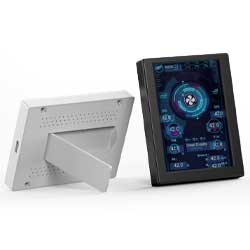
3.5inch PC Monitor Screen User Guide
Assembly mode
1. Connect the host via USB
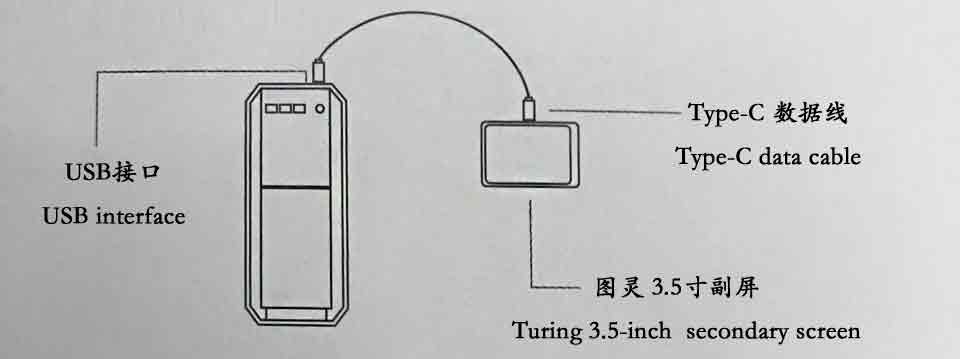
2. Connecting through a patch cord
Method 1: 5pin adapter cable
If you purchased a 5pin adapter cable, please make sure that the black wire of the adapter cable is aligned with the empty pin of the motherboard 9pin interface
Method 2: 9pin adapter cable
If you purchased a 9Pin adapter cable, you can insert it into the interface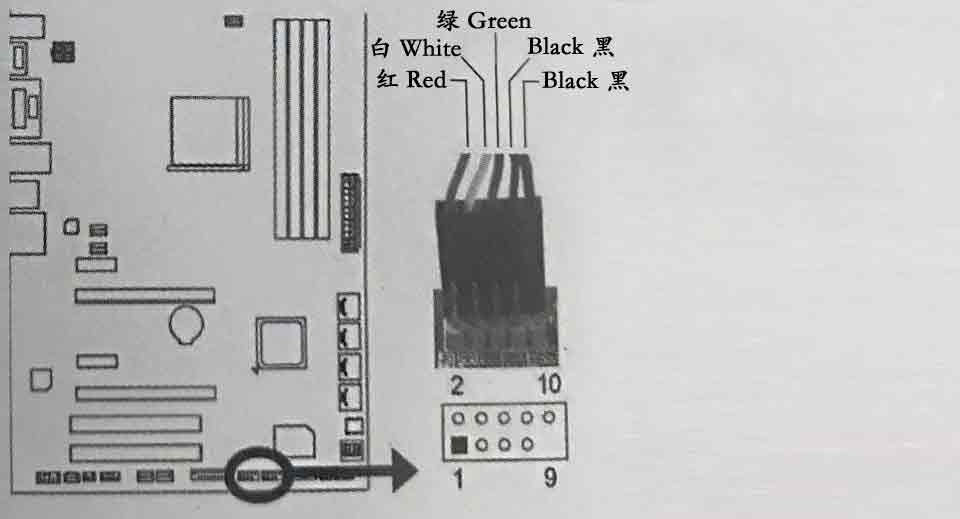
Step 1. Download and run the software
1. Download the new 3.5-inch driver software: 3.5-inch PC Monitor Screen Driver
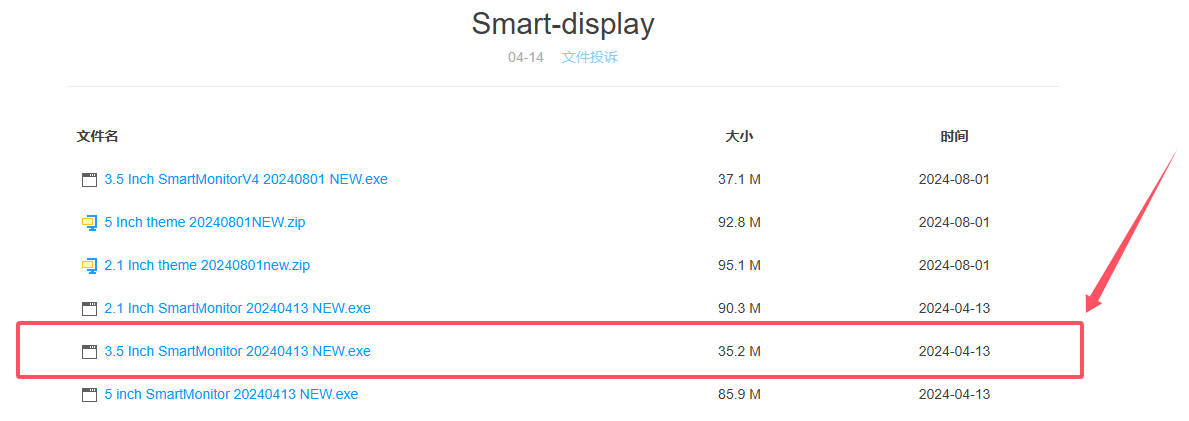
2. Download the old 3.5-inch driver software: 3.5-inch PC Monitor Screen Driver
Step 2. Theme Settings
Screen flip: 0 or 180 degrees can be set,
Theme: Click the drop-down box1 to switch between different themes
Custom information: You can enter custom information, such as CPU model, for example, enter 9900K
Step 3. Startup and Settings
1. Click the "Settings" button in the interface to pop up the settings interface
2. Check the self-starting box to start at boot
3. Click the settings in the menu to select the network card to be monitored, and the software will take effect after restarting
4. Weather forecast settings: Enter your city, click search, select the corresponding city from the list, and save it
5. Auxiliary sensor: If there is abnormal data display, you can check it