




- sales/support
Google Chat:---
- sales
+86-0755-88291180
- sales01
sales@spotpear.com
- sales02
dragon_manager@163.com
- support
tech-support@spotpear.com
- CEO-Complaints
zhoujie@spotpear.com
- Only Tech-Support
WhatsApp:13246739196
- Purchase/Shipping/Refund
WhatsApp:13424403025
PCIe TO 2.5G ETH Board (C) User Guide
Overview
Introduction
This is a PCIe to 2.5G Ethernet adapter board designed specifically for the Raspberry Pi 5, featuring driverless support for Raspberry Pi OS
Features
- PCI-E×1 Gen2 mode
- Only supports PI5B
- Ethernet port status indicators: the green LED flashes during data transmission, and the yellow LED stays on when a connection is established
- Equipped with the original high-performance Realtek RTL8125 controller chip
Usage Guide
Hardware Connection
Pay attention to the orientation of the cable. Connect as shown in the diagram: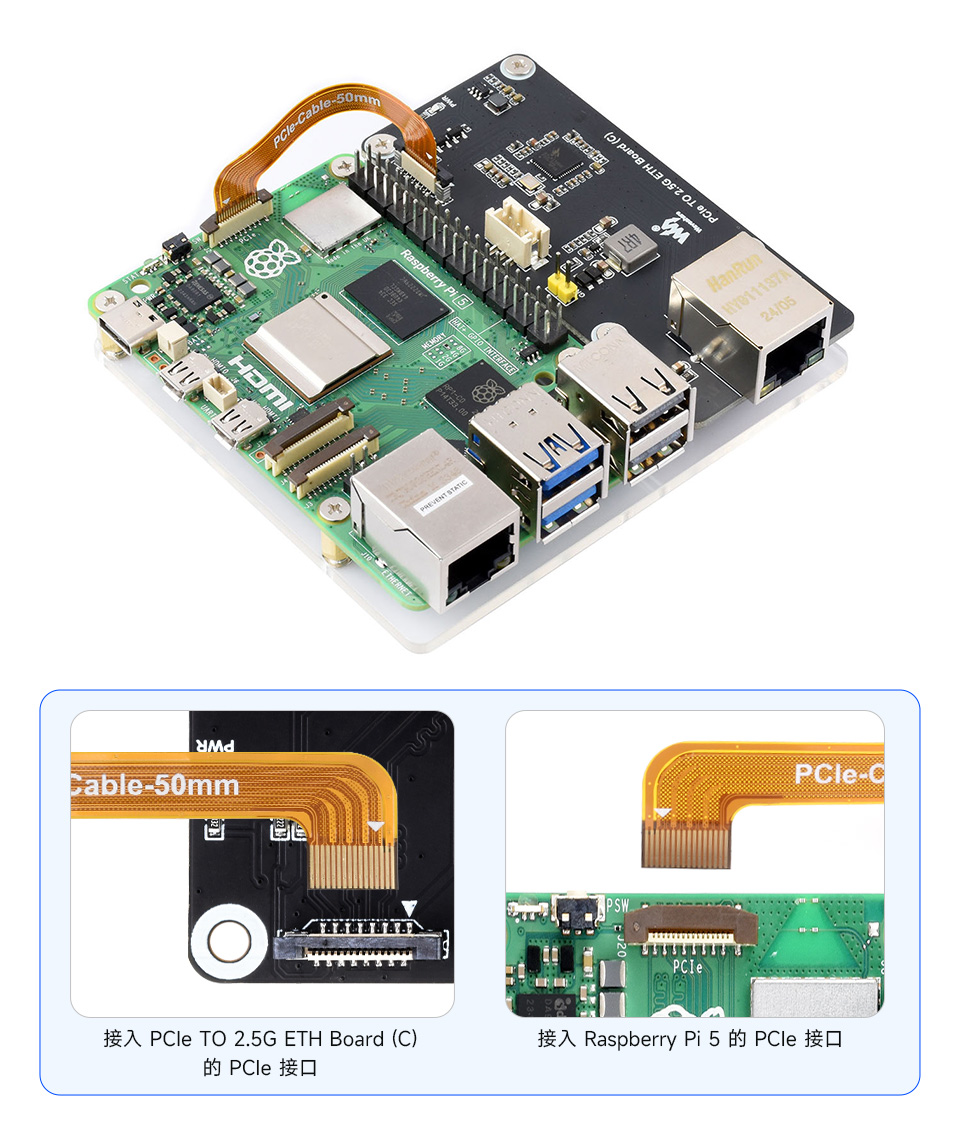
Power is supplied by the PCIe interface by default; no external power connection is needed
User Guide
1. Enable the PCIe interface
The PCIe interface is disabled by default on the PI5B. Add the following line to /boot/firmware/config.txt:
dtparam=pciex1
2. The default PCIe mode is Gen2. If you need to enable PCIe Gen3 (for other devices), add this to /boot/firmware/config.txt:
dtparam=pciex1_gen=3
#Note that this module only supports Gen2. Setting the PI5 to Gen3 will not make a difference or increase speed for this board
3. After the modification, reboot the PI5, and the device can be recognized.
As shown below, you can use the lspci command to identify our RTL8125 device

4. Execute ifconfig to confirm that the network card has been recognized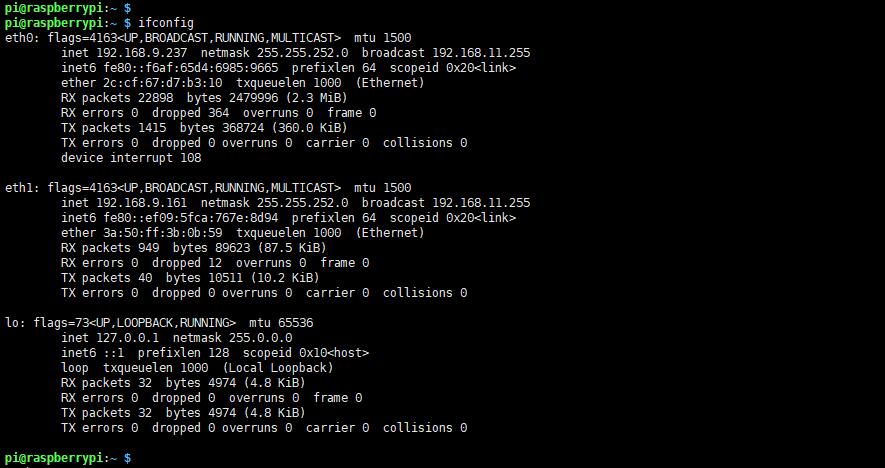
5. Use the ping command to test
ping baidu.com -I eth1
#-I Specify the network port

Other Systems
If you are not using Raspberry Pi OS but another system supported by the Raspberry Pi, you may encounter an issue where the PCIe device is detected but the corresponding network card will not appear
The kernel needs to be recompiled
Device Drivers
 > Network device support
   > Ethernet driver support
     > Realtek devices
       > Realtek 8169/8168/8101/8125 ethernet support
You can also download the driver directly and install it (the probability of failure is high, so it is not recommended)
Support
Monday-Friday (9:30-6:30) Saturday (9:30-5:30)
Email: services01@spotpear.com
