




- sales/support
Google Chat:---
- sales
+86-0755-88291180
- sales01
sales@spotpear.com
- sales02
dragon_manager@163.com
- support
tech-support@spotpear.com
- CEO-Complaints
zhoujie@spotpear.com
- Only Tech-Support
WhatsApp:13246739196
- Purchase/Shipping/Refund
WhatsApp:13424403025
- HOME
- >
- ARTICLES
- >
- Common Moudle
- >
- USB HUB
USB-TO-4CH-RS232-485 User Guide
Overview
Introduction
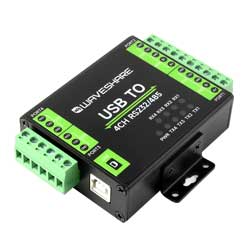
USB TO 4CH RS232/485 is an industrial isolated USB to RS232/485 converter, adopts the original FT4232HL chip, with protection circuits such as built-in power isolation, ADI magnetical isolation, and TVS, and aluminum alloy case design. It is easy to operate with a zero-delay fully automatic transceiver circuit and features fast communication speed, stability, reliability, and security, which is suitable for industrial devices and applications with high communication requirements.
Features
- Adopts original FT4232HL chip, fast communicating, stable and reliable, better compatibility.
- Supports USB to RS232, USB to RS485.
- Onboard unibody power supply isolation, provides stable isolated voltage and needs no extra power supply for the isolated terminal.
- Onboard unibody digital isolation, allows signal isolation, high reliability, strong anti-interference, and low power consumption.
- Onboard TVS (Transient Voltage Suppressor), effectively suppresses surge voltage and transient spike voltage in the circuit, lightningproof and ESD protection.
- Onboard self-recovery fuse and protection diodes, ensure the current/voltage stable outputs, provide over-current/over-voltage proof, and improve shockproof performance.
- Built-in 120ohm resistance on RS485 output interfaces, and users can enable it through a DIP switch, easy and flexible.
- 9 LEDs for indicating the power, debugging status, and transceiver status.
- Industrial grade metal case, supports wall-mount and rail-mount installation, solid and beautiful, easy to install.
Parameters
| Types | Industrial USB to RS232/485 | ||||
|---|---|---|---|---|---|
| Host Interface | USB | ||||
| Device Interface | RS232, RS485 | ||||
| USB Interface | Operation Level | 5V | |||
| Form Factor | USB-B Interface | ||||
| Interface Protection | 200mA self-recovery fuse, isolated output | ||||
| PORT 1/2 Interface (RS232/485) | Isolated RS232 | Interface | Screw Terminal | ||
| Interface Protection | TVS diode protection, anti-surge and ESD protection, power, and digital isolation | ||||
| Transmission Mode | Point to Point | ||||
| Baudrate | 300bps ~ 921600bps | ||||
| Isolated RS485 | Interface | Screw Terminal | |||
| Protection | TVS diode protection, anti-surge and ESD protection, power, and digital isolation (120R balancing resistor enabled by jumpers) | ||||
| Hardware Direction | Hardware automatic direction | ||||
| Transmission Mode | Point to multi-point (up to 32 nodes, add the relay for up to 16 nodes) | ||||
| Baudrate | 300bps ~ 921600bps | ||||
| PORT 3/4 Interface (Isolated RS485 Interface) | Interface | Screw Terminal | |||
| Protection | TVS diode protection, anti-surge and ESD protection (120R balancing resitor enabled by the jumpers) | ||||
| Direction Control | Hardware automatic direction | ||||
| Transmission Mode | Point to multi-point (up to 32 nodes, add the relay for up to 16 nodes) | ||||
| Baudrate | 300bps ~ 921600bps | ||||
| Indicator | PWR | Power indicator, for connecting to USB; the red indicator is on when detecting the voltage | |||
| TXD | Transmitting indicator, the green indicator is on when the data is sent from the USB interface | ||||
| RXD | Receiving indicator, the blue indicator is on when the data is sent from the device port | ||||
| Usage Environment | Temperature Range | -15℃ ~ 70℃ | |||
| Humidity Range | 5%RH ~ 95%RH | ||||
| Operating System | Mac, Linux, Android, Windows 11 / 10 / 8.1 / 8 / 7 | ||||
Onboard Interface
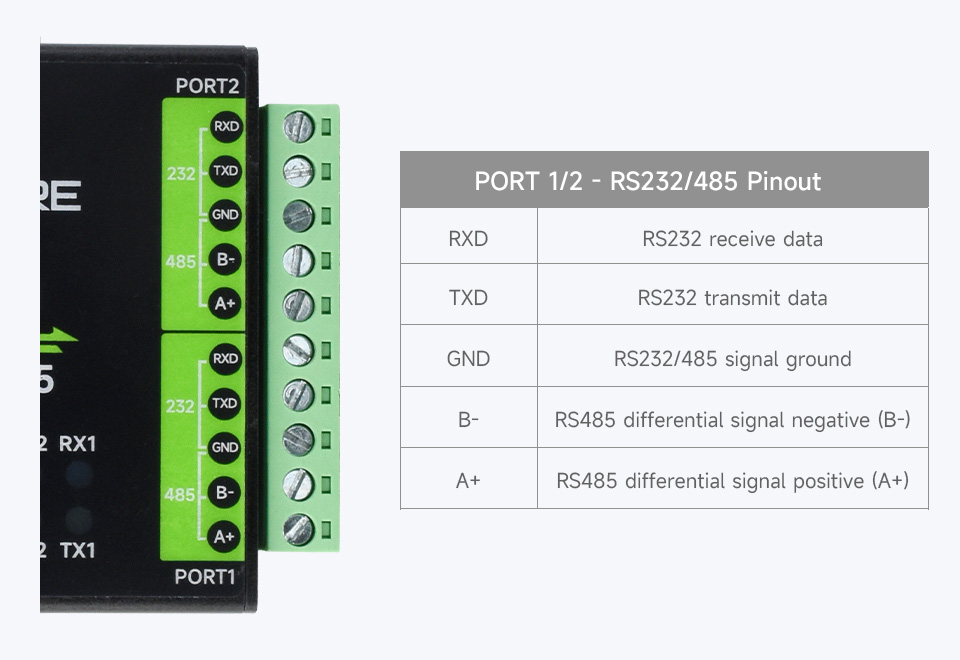
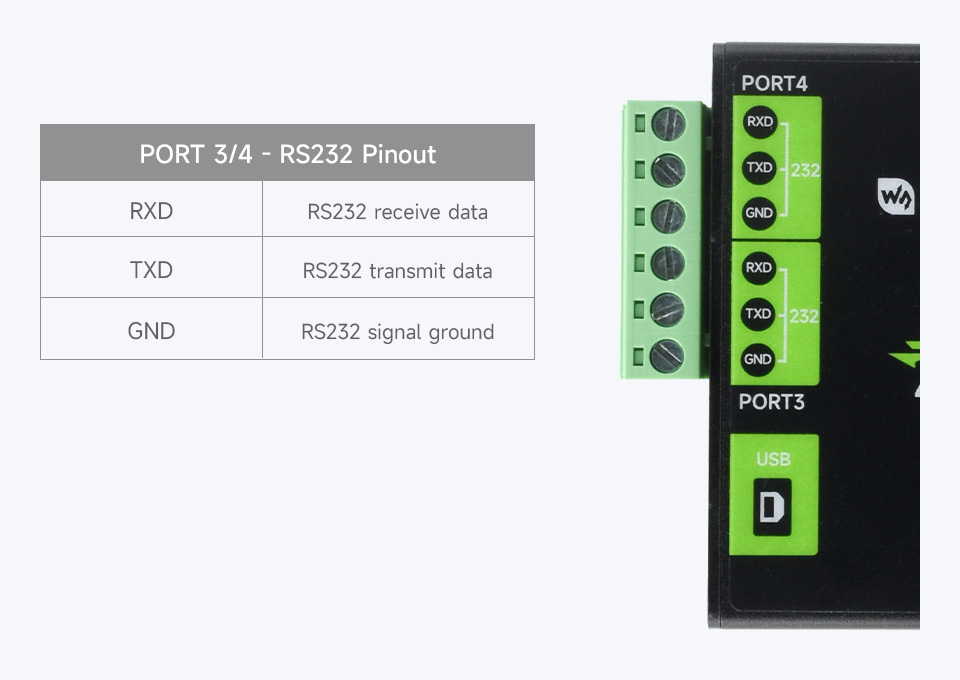
Dimensions
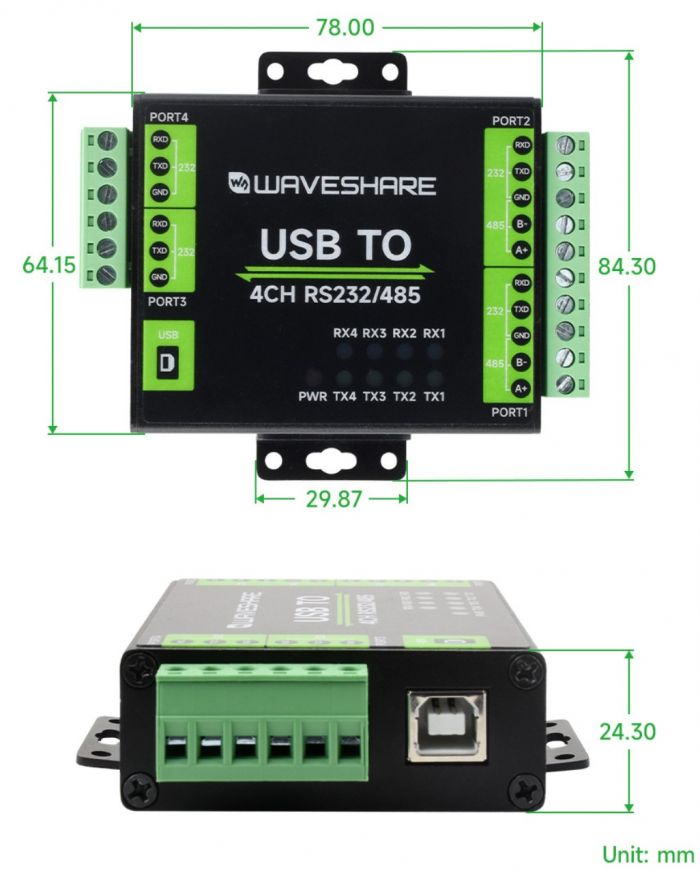
Driver Installation
- Download the driver file VCP Driver
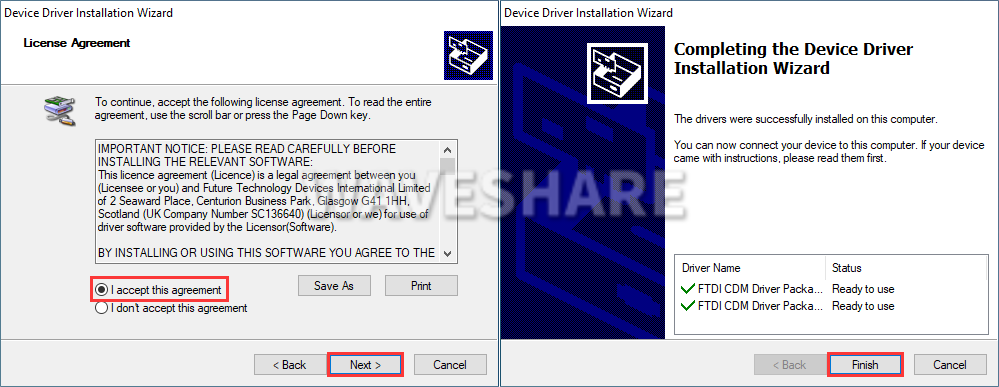
- Double click on CDM212364_Setup.exe and install it.
- Click on Extract, and then "NEXT".
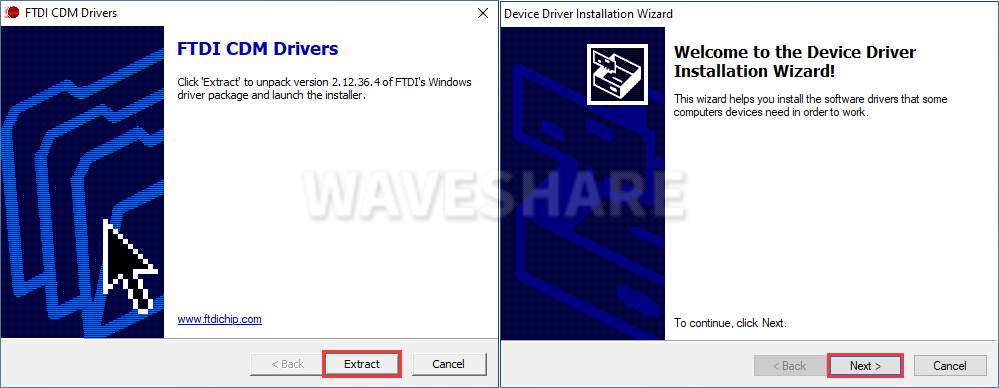
- Click on I accept this agreement, and then click on "NEXT", and click on "Finish".
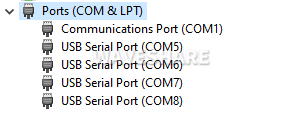
- After connecting the PC, you can see the usable COM port number in the device manager.
Communication Operation
Preparation
- Open the SSCOM software.
- Select the corresponding COM port according to the functions (Generally, the identifiable 4 COM port number is Port A to Port D in descending order).
| USB TO 4CH RS232/485 - PORT | Communication Mode |
| PORT A | RS232 |
| RS485 | |
| PORT B | RS232 |
| RS485 | |
| PORT C | RS232 |
| PORT D | RS232 |
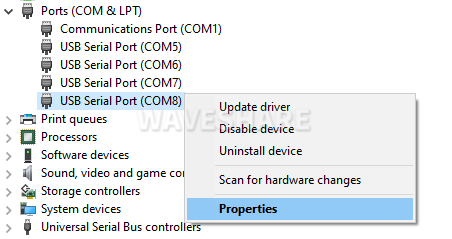
- You can check which PORT port is the corresponding COM port through the Device Manager.
- Right-click to check the PORT corresponding to the COM8 port.
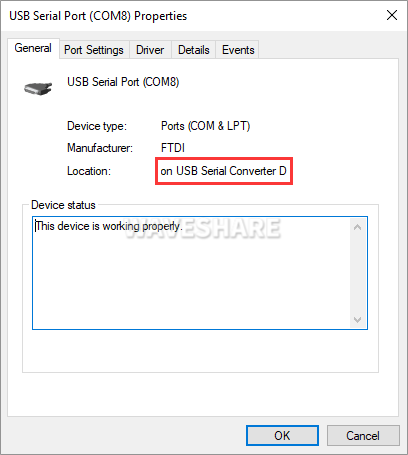
- And you can see the corresponding PORT D to the COM8.
RS232 Communication
The following demonstrates communication between RS232 of PORT C and RS232 of PORT D using the product.
Hardware Communication
| USB TO 4CH RS232/485 - PORT C | USB TO 4CH RS232/485 - PORT D |
| PORT C - RXD | PORT D - TXD |
| PORT C - TXD | PORT D - RXD |
| PORT C - GND | PORT D - GND |
Software Operation
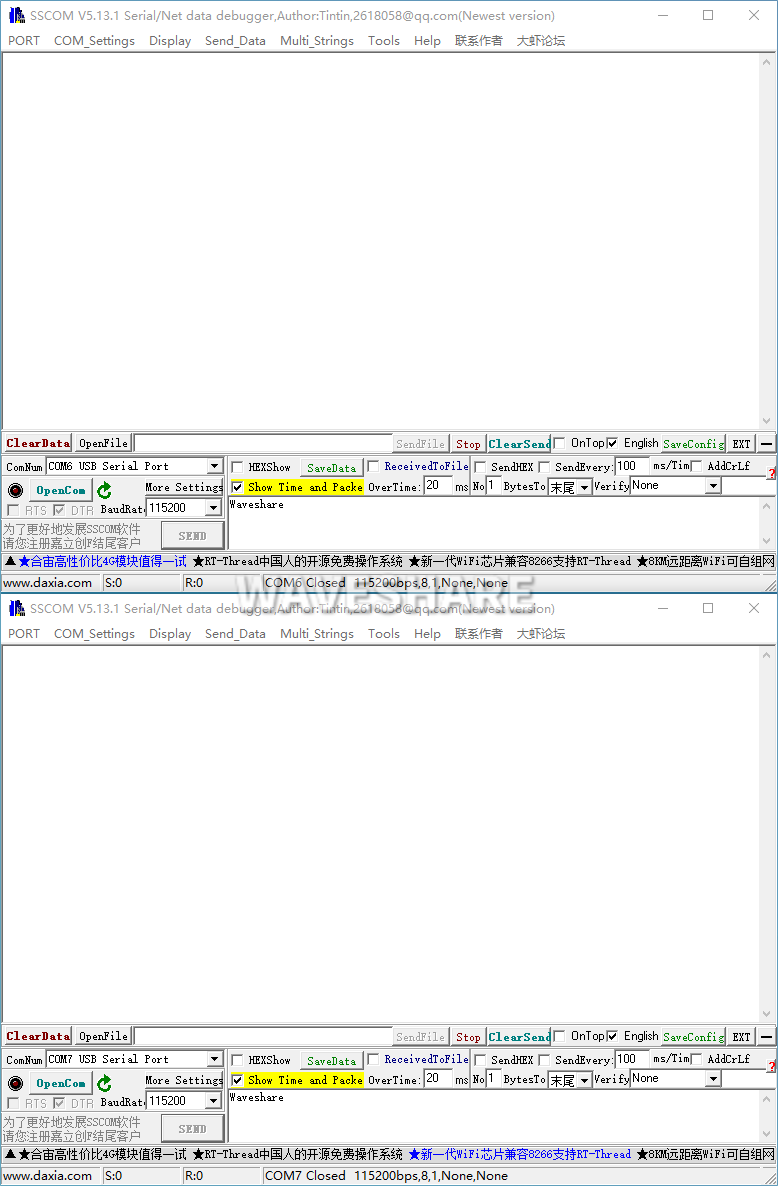
- Open 2x SSCOM windows.
- Respectively select the COM port corresponding to Port C and Port D.
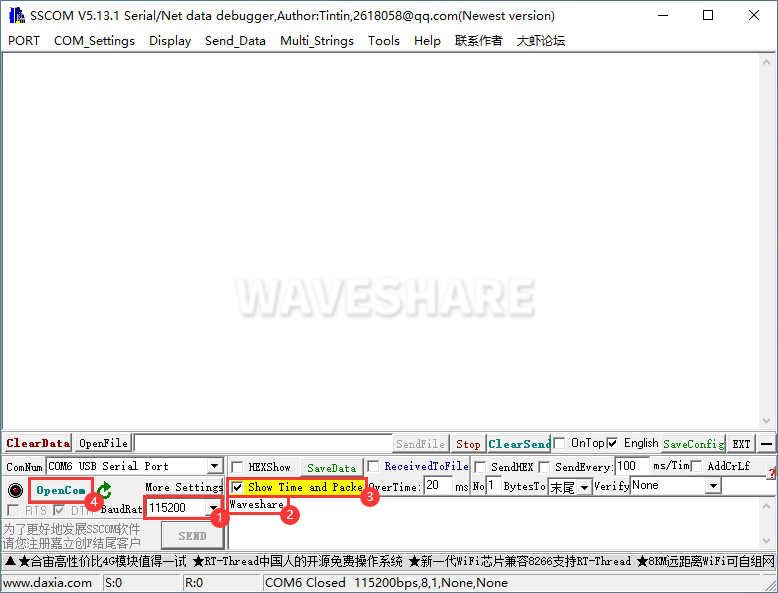
- Select the baudrate as 115200, input the characters to be send, select show time and package, click on Open COM.
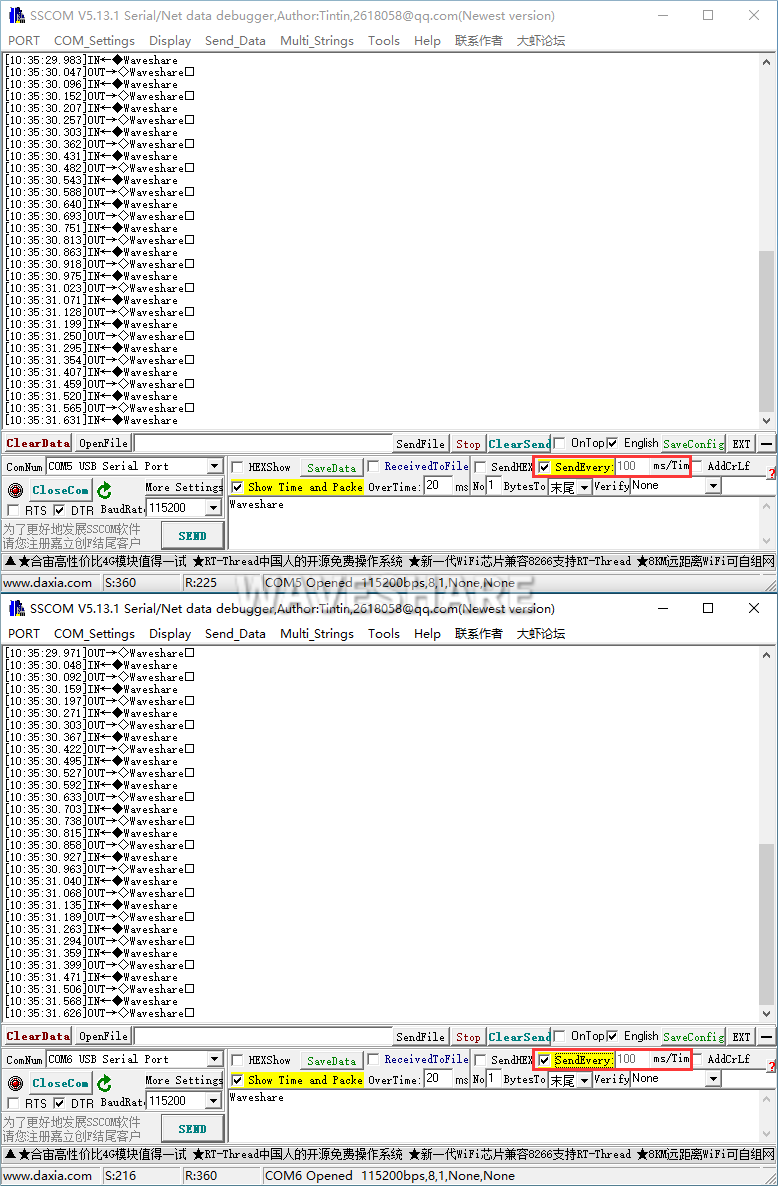
- Both select the 100ms of the SSCOM, and you can see these two windows normally transmit and receive, and the test effect is shown below:
RS485 Communication
The following demonstrates communication between RS485 of PORT A and RS485 of PORT B using the product.
Hardware Connection
| USB TO 4CH RS232/485 - PORT A | USB TO 4CH RS232/485 - PORT B |
| PORT A - A+ | PORT B - A+ |
| PORT A - B- | PORT B - B- |
| PORT A - GND | PORT B - GND |
Software Operation
- Open 2x SSCOM windows.
- Respectively select the corresponding COM port to the Port A and Port B.
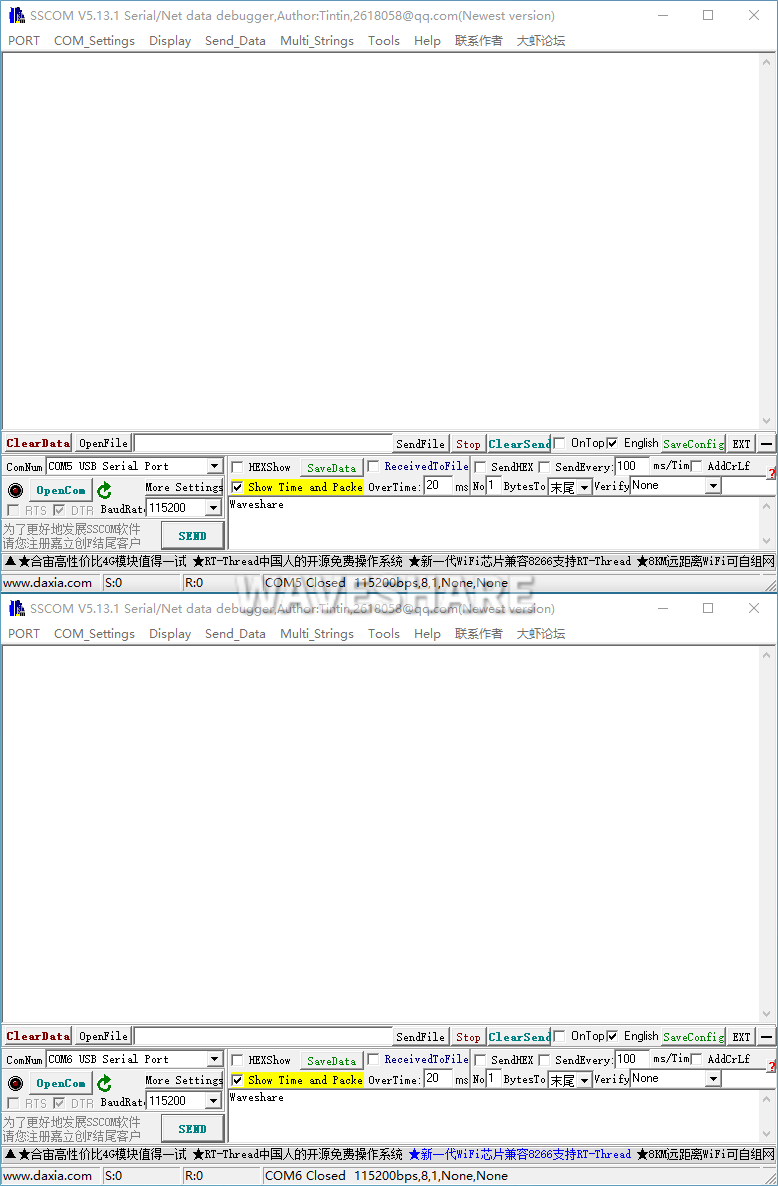
- Select the baudrate as 115200, input the characters to be send, select Show time and package, click on Open COM.
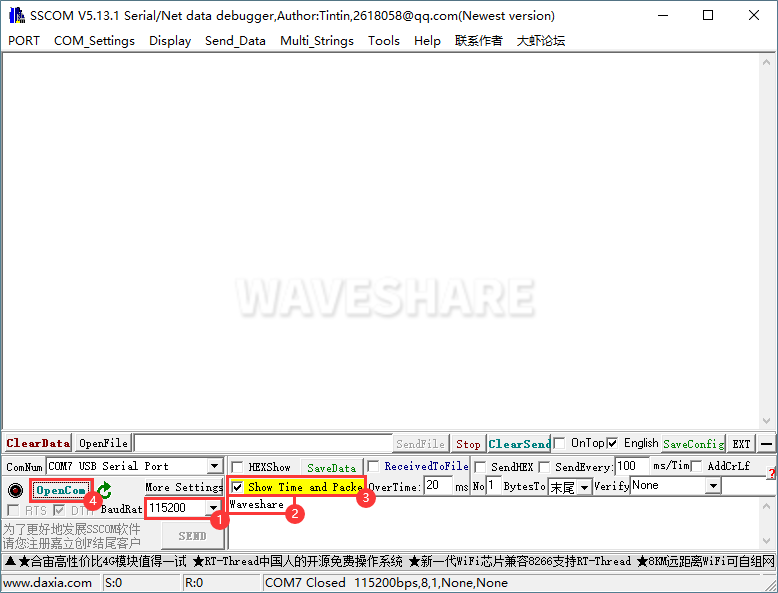
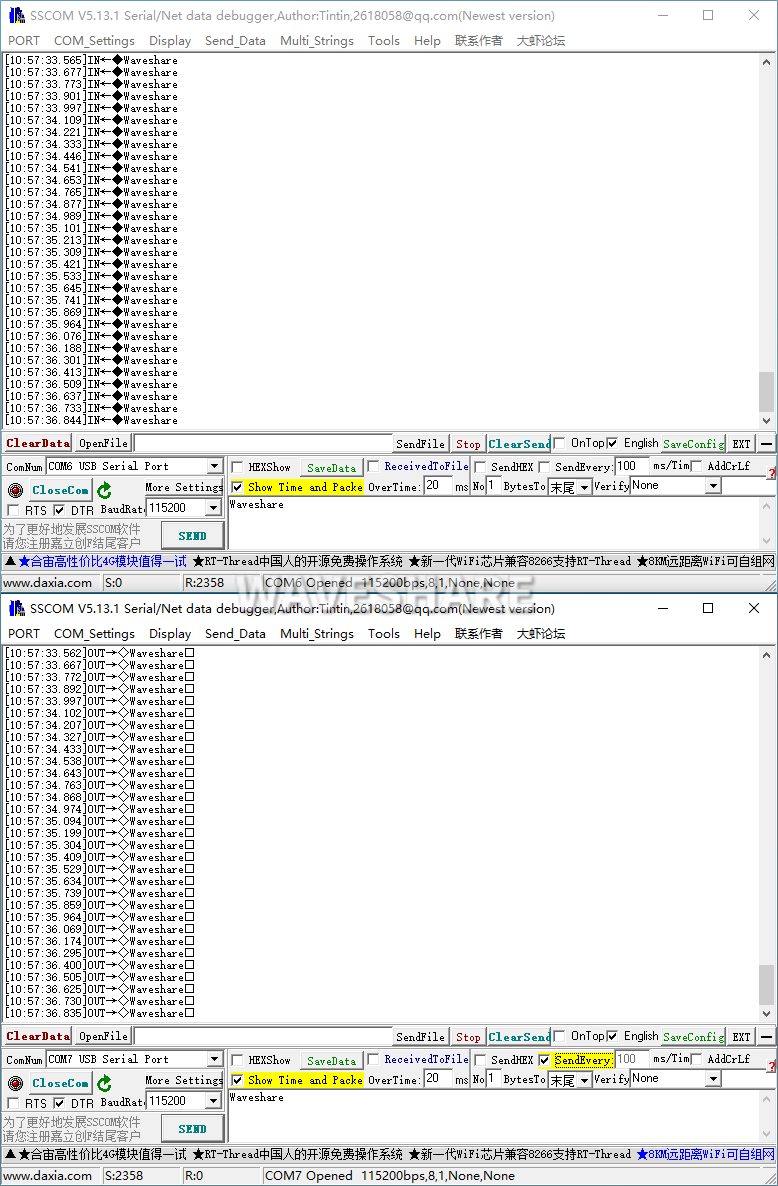
- Select one of the SSCOMs at 100ms interval, and you can see that the two ports are sending and receiving normally, and the test result is shown in the figure below:
Resource
Datasheet
Software & Driver
- VCP driver ( or you can download it from FTDI website )
- Support driver-free for Linux systems.
- SSCOM
FAQ
- It may be caused by a corrupt registry, and you can address it by performing the following steps:
1. Download the registry-related demo and run it.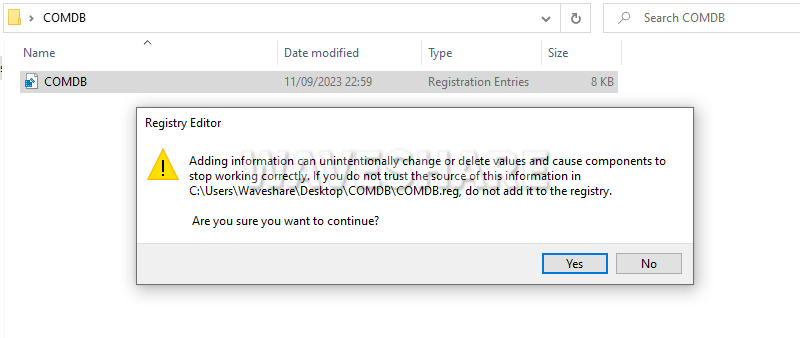
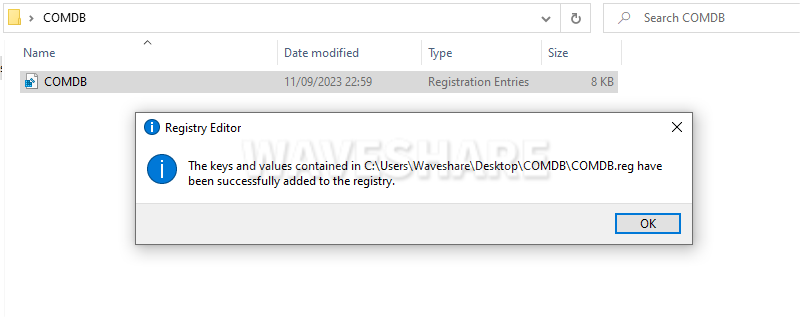
2. If there is a pop-up window, please allow the demo to run.
3. Download Configuration Software to select CDMUninstaller.exe and open. (If CDMUninstaller.exe can not successfully run, please use CDMuninstallerGUI.exe.)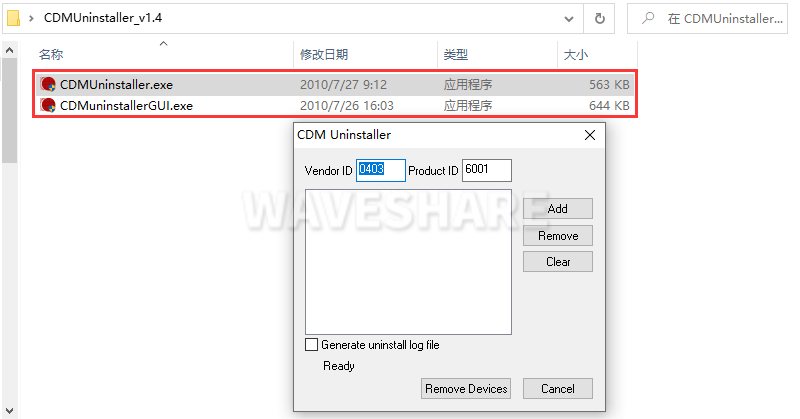
4. Configure and execute (please erase the value of "Product ID" -> Click "Add" -> ③ -> Click "Remove Devices" -> OK).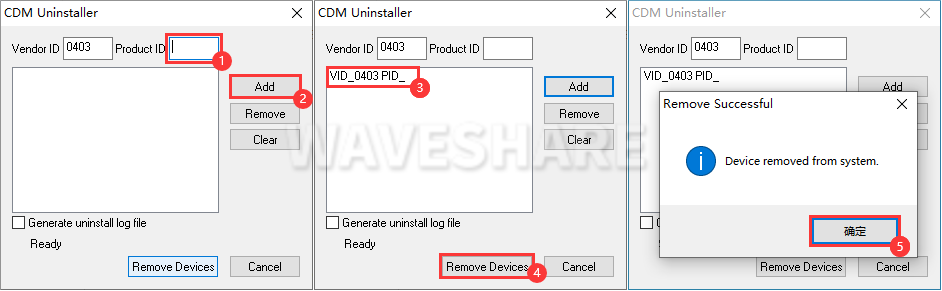
5. If the CDMUninstaller.exe can not successfully run (as the following shows), please use CDMuninstallerGUI.exe.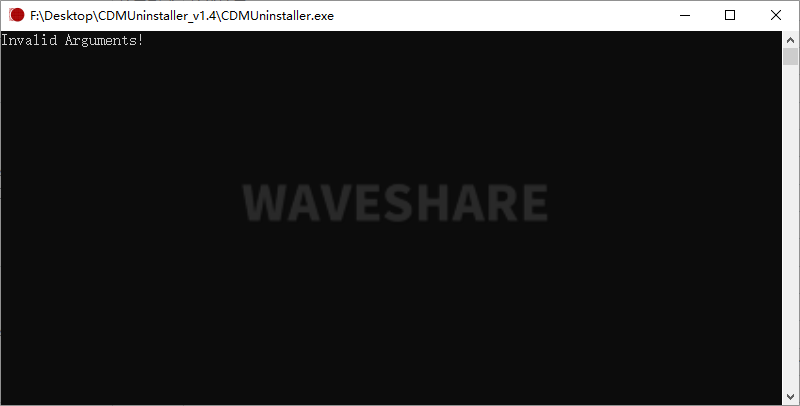
Question: Can this product work on 4 channels at the same time? Is it possible to support 4-ch RS232 or 4-ch RS485 communication?
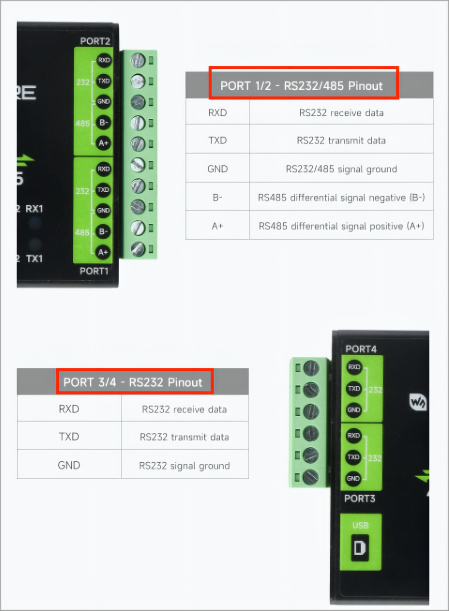
Port3 and Port4 do not have RS485 pins, that is, RS485 only leads to two channels, and Port1~4 all lead to RS232 pins.
- Support 4-channel RS232 working at the same time, do not support 4-channel RS485 working at the same time.
- Support 2-channel RS485 and 2-channel RS232 work at the same time.
- Support 1-channel RS485 and 3-channel RS232 work at the same time.
- Support Port1~4 work individually.
- Support USB to 1-ch RS232/485 + 1-ch RS232/485 + 1-ch RS232 + 1-ch RS232.
Question:Why WIN7 driver installation failed?
You can install this driver.
Question: Does USB TO 4CH RS232/485 support 4-CH RS485 communication?
- No, this product's PORT1 and PORT2 support RS485 communication, while the other 2 channels do not.
Support
Monday-Friday (9:30-6:30) Saturday (9:30-5:30)
Email: services01@spotpear.com
[Tutorial Navigation]
- Overview
- Driver Installation
- Communication Operation
- Resource
- FAQ
- Question:Only 1 COM port can be recognized when the device is connected to the computer (if the computer normally recognizes 4 COM ports, please do not do the following).
- Question: Can this product work on 4 channels at the same time? Is it possible to support 4-ch RS232 or 4-ch RS485 communication?
- Question:Why WIN7 driver installation failed?
- Question: Does USB TO 4CH RS232/485 support 4-CH RS485 communication?
- Support