- sales/support
Google Chat:---
- sales
+86-0755-88291180
- sales01
sales@spotpear.com
- sales02
dragon_manager@163.com
- support
tech-support@spotpear.com
- CEO-Complaints
zhoujie@spotpear.com
- Only Tech-Support
WhatsApp:13246739196
- Purchase/Shipping/Refund
WhatsApp:13424403025
- HOME
- >
- ARTICLES
- >
- Common Moudle
- >
- Power
RS485-HUB-4P User Guide
Overview
Introduction
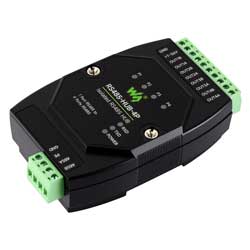
RS485-HUB-4P is an industrial-grade isolated RS485 hub that can expand one RS485 master port into four RS485 sub ports. It can achieve RS485 network relay, expansion, and isolation functions. It adopts a terminal-type power input and a rail-mounted enclosure design, enabling easy installation and cost efficiency. It is suitable for fields such as data acquisition, IoT gateways, security IoT, and intelligent instrument monitoring.
Specifications
| Interface standards | Compliant with RS485 standard |
|---|---|
| Physical interface | RS485 screw terminals |
| Communication rate | 300~460800bps baud rate (adaptive) |
| Supported nodes | Each RS485 port supports up to 32 nodes |
| Communication distance | 1200m (at 9600bps); distance decreases with higher baud rates |
| Operating mode | RS485 two-wire (A, B), half-duplex transparent transmission |
| Power Supply | DC 7~36V |
| Operating temperature | -45 ~ +85℃ |
| Environment humidity | <95%RH |
| Transmission medium | Normal parallel cables/twisted-pair cables |
Interfaces
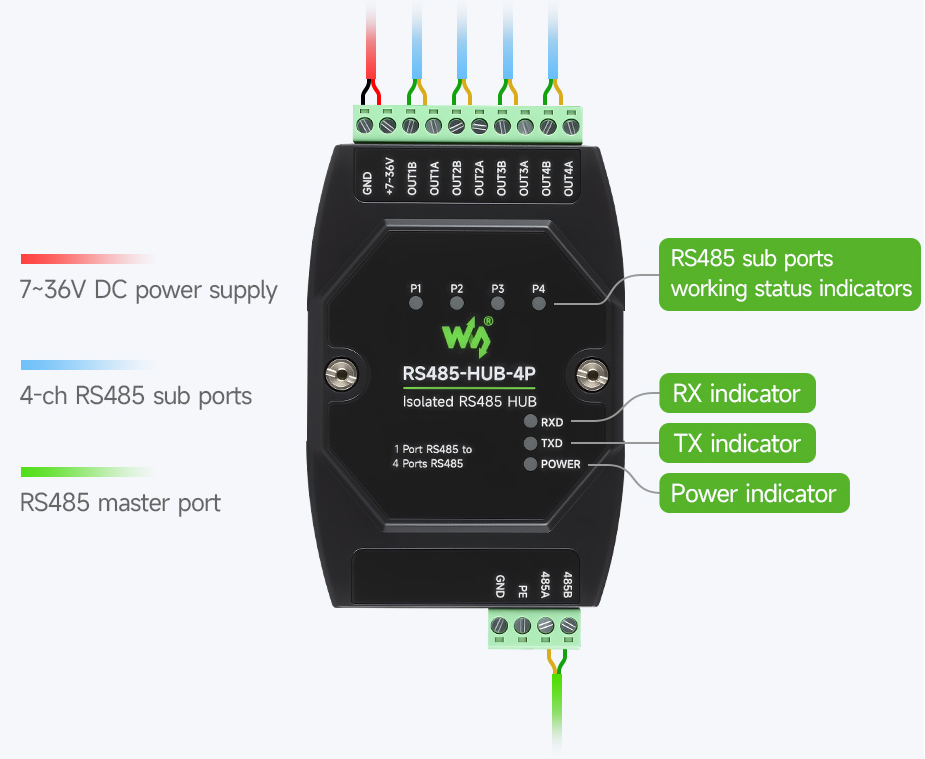
| Interfaces | Description |
|---|---|
| +7~36V, GND | Power supply terminal input |
| OUT1A~OUT4A, OUT1B~OUT4B | RS485 sub ports 1~4 |
| 485A, 485B, PE | RS485 master port |
| P1~P4 | RS485 1~4 sub port data reception indicators |
| RXD | 485 master port data reception indicator |
| TXD | 485 master port data transmission indicator |
| POWER | Power indicator |
Function Description
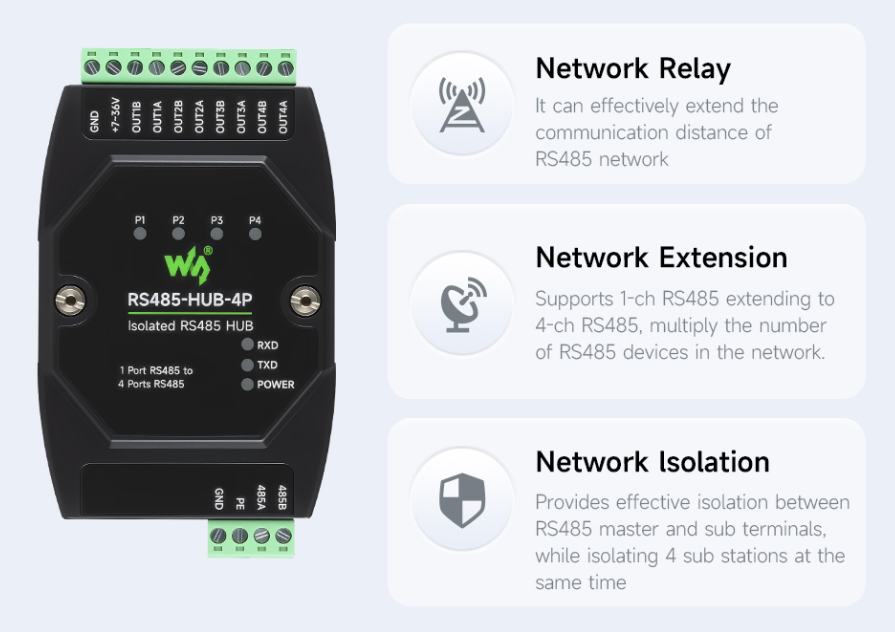
Network Relay
When RS485 cables exceed 1200 meters or longer distances, signals will attenuate and interference will increase. By using RS485-HUB-4P, the communication distance can be extended.
Network Extension
When the host RS485 device needs to connect 4 RS485 sub stations via a star connection, connect the master station to the master port of the RS485-HUB-4P, and connect the slaves to the sub ports of the RS485-HUB-4P. This can prevent interference between RS485 and achieve effective isolation.
Network Isolation
Connect one end of the RS485 to the RS485 master port, and the other end to any RS485 sub port. At this point, the RS485 line is effectively isolated, providing protection against lightning strikes and interference. This effectively protects the other end of the RS485 device from being damaged by high voltage and strong current.
Hardware Connection Diagram
The isolated RS485 interface on the master port can connect to the RS485 main control device, while the extended 4-channel isolated RS485 interface can connect to various RS485 slave devices, such as RS485 sensors.
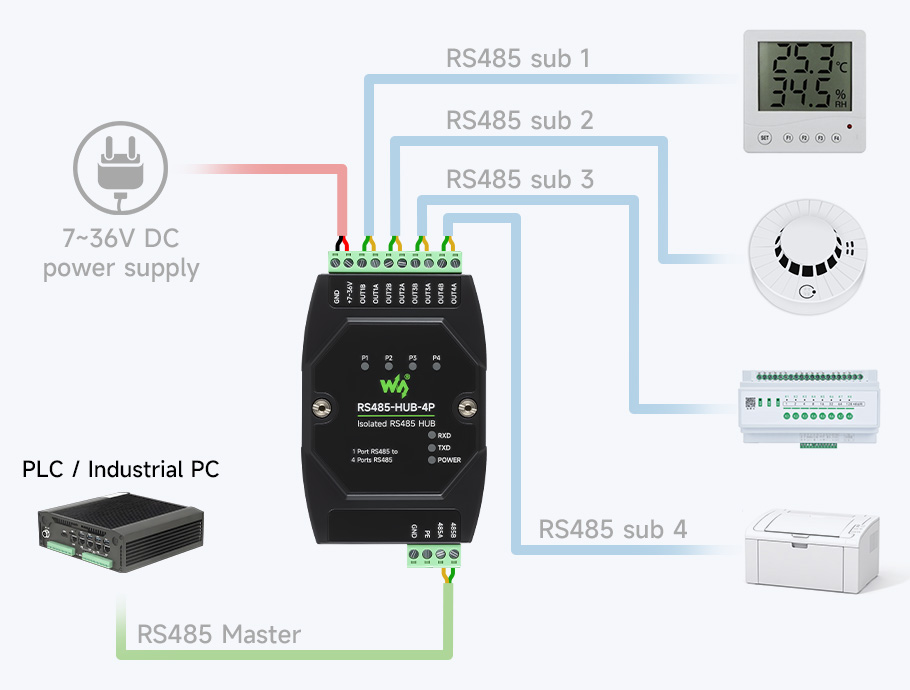
Note: Generally the RS485 requires a hand-in-hand connection, if a star connection (master station as the center) is required, this RS485 hub can effectively isolate the connection interference between multiple RS485.
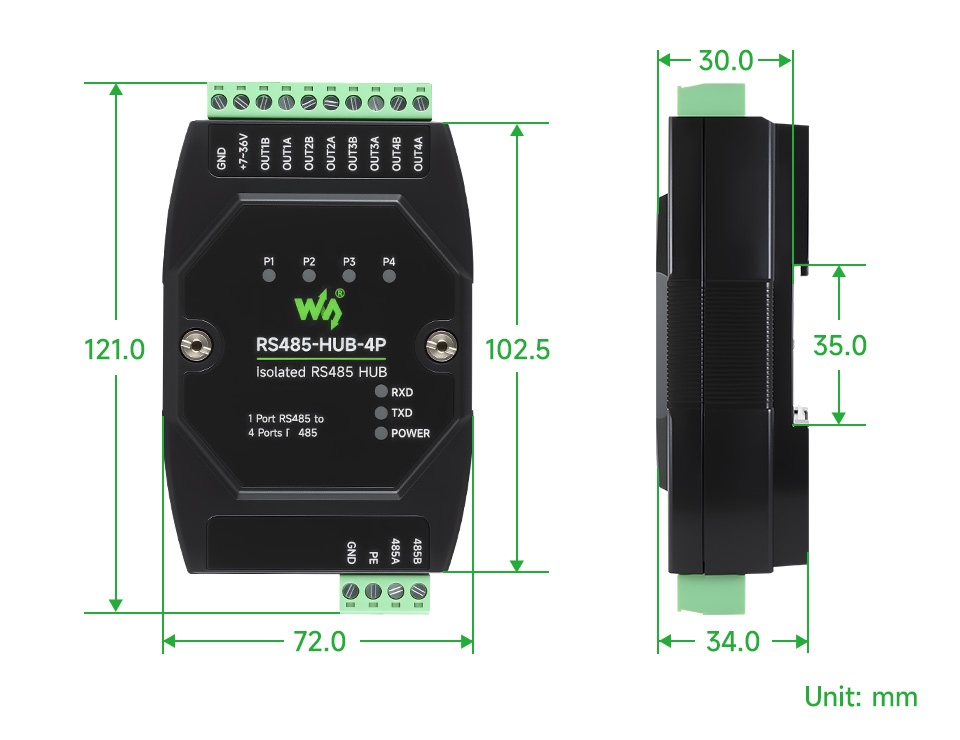
Dimensions
FAQ
It is a device with one host and eight slaves, purely hardware wired, and must meet three prerequisites:
- 1. The serial port parameters are consistent;
- 2. The communication protocol is half-duplex, one question and one answer type, such as the Modbus RTU protocol;
- 3. The device addresses are different. Seven RS485 sub ports can be connected to one RS485 device or a RS485 bus
- 4. The scanning cycle time set by the program should not be too short. Adjust the time as long as possible, as the device needs sufficient time
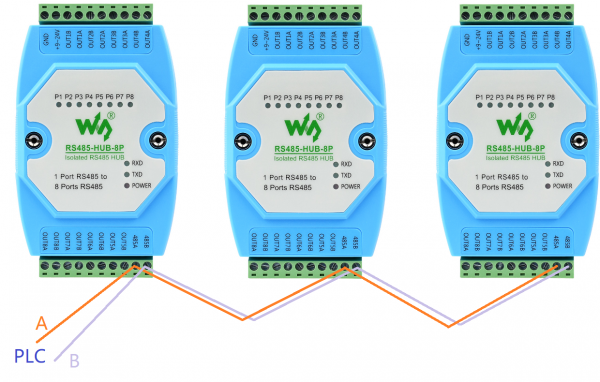
- 5. Cannot be connected in parallel to the host's RS485 port; it must be connected in handshake cascading, as shown in the figure below:
Question: We have purchased RS485-HUB-4P, can you send us its protocol?
- This device is mainly an extension of the physical layer, which does not involve specific communication protocols, but ensures that the electrical characteristics of the RS485 standard, such as differential signal transmission, multi-point communication, etc., are supported at the hardware level.
- The device does not contain any functionality to change its role or control communication protocols; it is merely a transparent signal forwarder.
Question: Does the RS485-HUB-4P have a 120Ω balancing resistor internally?
No, you can connect a 120 Ω balanced resistor externally, as shown in the following figure: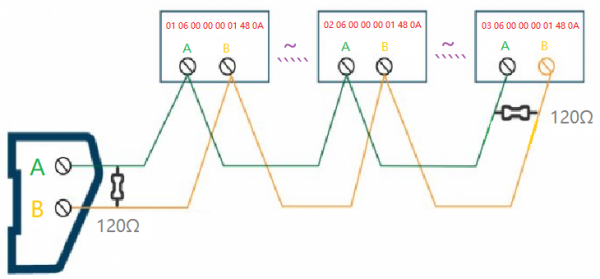
Support
Monday-Friday (9:30-6:30) Saturday (9:30-5:30)
Email: services01@spotpear.com