- sales/support
Google Chat:---
- sales
+86-0755-88291180
- sales01
sales@spotpear.com
- sales02
dragon_manager@163.com
- support
tech-support@spotpear.com
- CEO-Complaints
zhoujie@spotpear.com
- Only Tech-Support
WhatsApp:13246739196
- Purchase/Shipping/Refund
WhatsApp:13424403025
- HOME
- >
- ARTICLES
- >
- Common Moudle
- >
- LCD
1.28-inch-Rotary-LCD-EC013 User Guide
【Product Introduction】
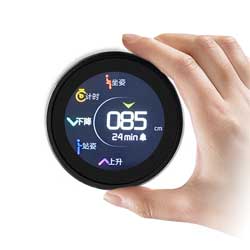
The EC013 module perfectly combines a display, encoder, and button into a rotary pushbutton display. Its unique innovation and sophisticated manufacturing process provide exceptional reliability and a superior control experience. It is suitable for rotary pushbutton control requirements in many industrial applications of electronic products..
①The module contains an MCU. The TFT display is driven and controlled by the MCU and its peripheral devices.
②The module MCU has the function of communicating with the external HOST MCU according to the specified protocol, and can transmit control commands and display information to each other.
③The module's GUI (graphical interface) can be stored in the submodule's flash memory (flash size: 128 Mbytes) and can be customized according to the product application.
④There is specialized software that can efficiently develop beautiful graphics and complex control GUIs.
【Product Parameters】
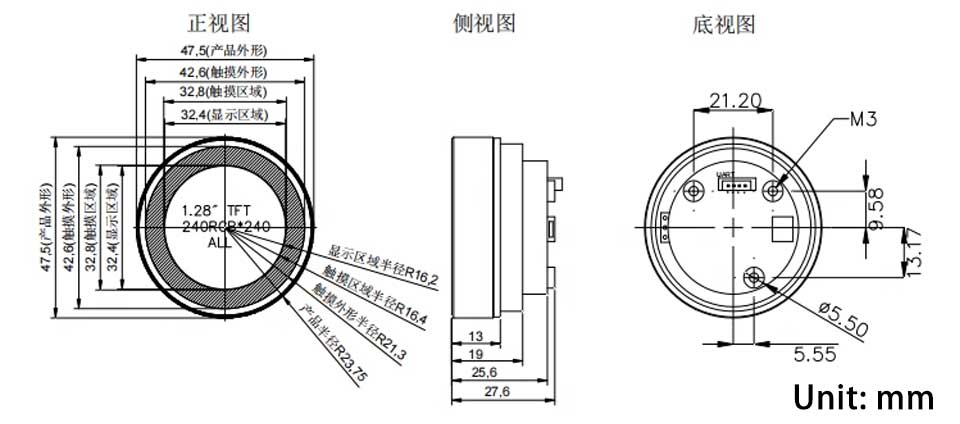
Knob screen size: 1.28 inches
Outer diameter: 47.5mm
Screen resolution; 240 x 240
flash capacity:Customizable
Serial port type: TTL
Serial port pin number: 4pin
Supply voltage: 5V
Trigger method: Press/Press+Touch (the version without touch does not have touch function)
Master:LT168A
touch:GC9A01
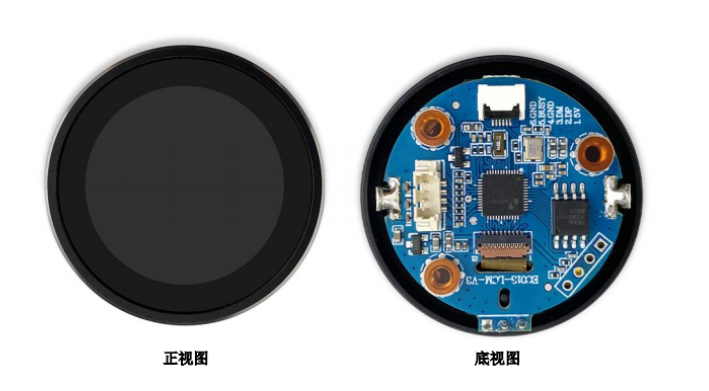
【Product size】
【Downloads】
[] 1.28 Knob screen complete set of information
[] 1.28 Knob screen factory BIN file
[] UI software information
【Frequently Asked Questions】
】What are the differences in the use of 8-bit and 16-bit data interfaces of MCU interface (i8080)?
The differences between 8-bit and 16-bit MCU interfaces are as follows::
1.Since the color screen data is 16 bits to light up one pixel, the 8-bit interface needs to be sent twice, first the high 8 bits and then the low 8 bits. However, the 16-bit interface only needs to be sent once to light up one pixel.
2.On the hardware interface, 8 bits occupy 8 data ports and 16 bits occupy 16 data ports.
】Can the STM32F103 drive a 5-10.1 RGB interface LCD display?
Driving an RGB (TTL) interface LCD requires a CPU with an LCD controller that can generate pixel clock (PCLK), horizontal synchronization (HSYNC), vertical synchronization (VSYNC), data enable (DEN) and an 8-24-bit data port.
The LCD screen with RGB (TTL) interface does not have video memory, so the CPU needs to have a large enough video memory to integrate the data and send it to the display.
Therefore, STM32F103 does not have LCD control and cannot drive the LCD display of this interface.
】How to design the backlight circuit?
Since the backlight of the LCD screen uses LED lights as the light source, some considerations for the use of LEDs need to be met during design:
1.The power supply current of a single LED cannot be greater than 20mA, otherwise the life of the LED will be shortened.
2. Since LED is a current-type device, use current to drive the LED as much as possible. If conditions do not allow and only voltage drive can be used, the current must be controlled well.