- sales/support
Google Chat:---
- sales
+86-0755-88291180
- sales01
sales@spotpear.com
- sales02
dragon_manager@163.com
- support
tech-support@spotpear.com
- CEO-Complaints
zhoujie@spotpear.com
- Only Tech-Support
WhatsApp:13246739196
- Purchase/Shipping/Refund
WhatsApp:13424403025
- HOME
- >
- ARTICLES
- >
- Common Moudle
- >
- UART Module
USB TO 4CH RS232 Users Guide
Resource
】Datasheet
】Software & Driver
VCP driver ( or you can download it from FTDI website )
Support Linux driver free.
Overview
USB TO 4CH RS232 is an industrial USB to RS232 isolated converter, featuring the original FT4232HL. It has onboard protection circuits such as built-in power isolation, ADI magnetical isolation, and TVS diode. With an aluminum alloy case, USB TO 4CH RS232 offers simple operation, zero-delay automatic transmission and reception conversion, and boasts characteristics such as fast, stable, reliable, and safe communication, suitable for industrial control applications with various communication requirements.
Features
[] Adopts original FT4232HL chip, fast communicating, stable and reliable, better compatibility.
[] Supports USB to 4-ch isolated RS232, convenient for expanding multiple RS232 industrial serial devices.
[] Onboard unibody power supply isolation, provides stable isolated voltage.
[] Onboard unibody digital isolation, allows signal isolation, high reliability, strong anti-interference, low power consumption.
[] Onboard TVS (Transient Voltage Suppressor), effectively suppress surge voltage and transient spike voltage in the circuit, lightningproof & ESD protection.
[] Onboard self-recovery fuse and protection diodes, ensure the current/voltage stable outputs, provide over-current/over-voltage proof, improve shock proof performance.
[] Onboard power supply screw terminal, allows 5V~36V DC wide range input.
[] 9x LEDs for indicating the power and transceiver status
[] Aluminum alloy enclosure with sand blasting and anodic oxidation, solid and durable.
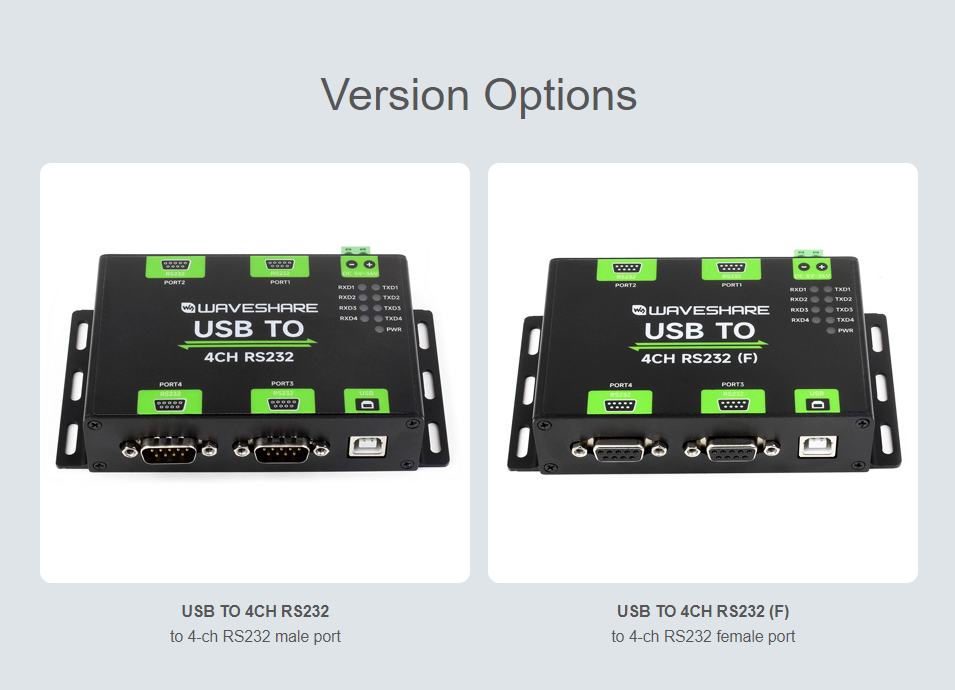
】Version Options
】Parameters
| Product Types | Industrial isolated USB to RS232 converter | |
| Host Interface | USB | |
| Device Interface | RS232 | |
| Communication Range | 300bps ~ 921600bps | |
| USB Interface | Operating Level | 5V |
| Connector | USB-B | |
| Protection | 200mA self-recovery fuse | |
| Transmission Distance | About 5m | |
| Power Port | Supply Voltage | 5 ~ 36V DC power screw terminal |
| Protection | Anti-reverse | |
| RS232 | Connector | DB9 male port / female port |
| Protection | TVS diode protection, anti-surge and ESD protection | |
| Transmission Distance | About 15m | |
| Transmission Mode | Point to Point | |
| Indicator | PWR | Red power indicator, lights up when the voltage is detected |
| TXD | Green Transmitting indicator, lights up when data is sent from the corresponding port | |
| RXD | Blue Receiving indicator, data sent back from the corresponding port | |
| Operating Environment | Temperature Range | -40℃ ~ 85℃ |
| Humidity Range | 5% ~ 95%RH | |
| Operating System | Mac, Linux, Android, Windows 11 / 10 / 8.1 / 8 / 7 | |
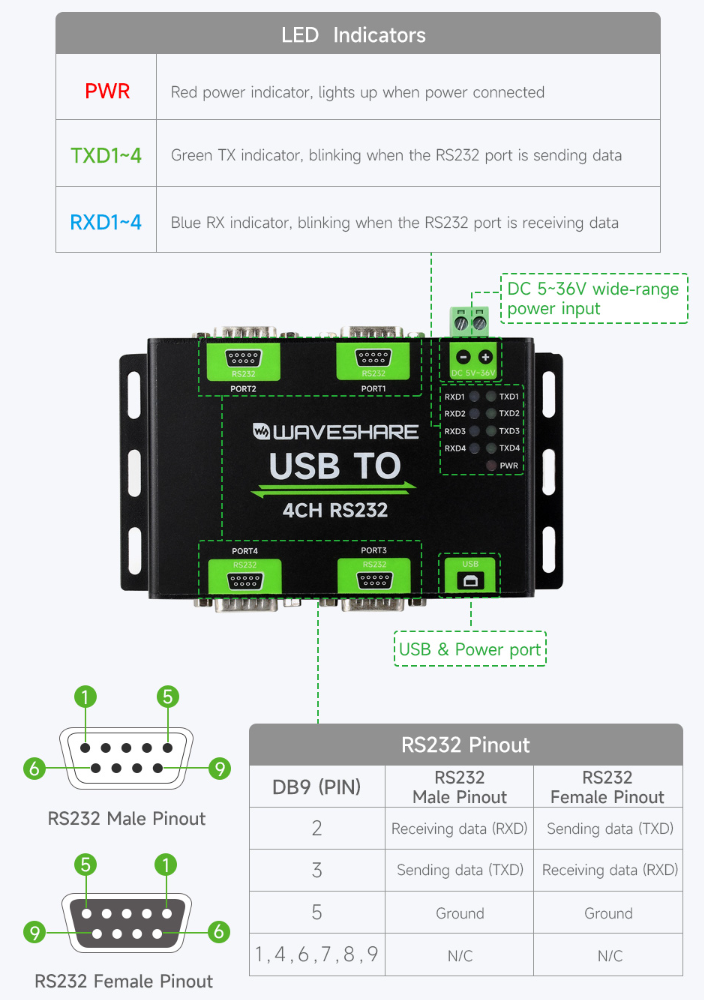
】Onboard Interface
】Dimensions
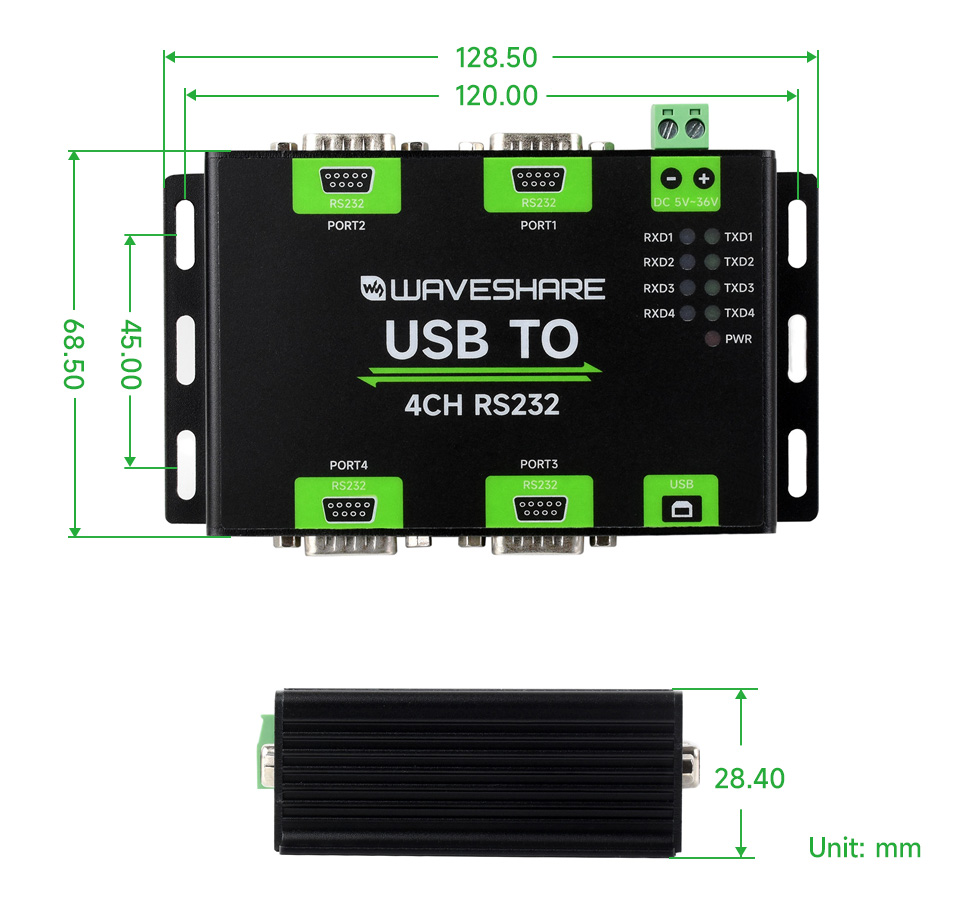
Driver Installation
】USB Driver Installation
Download the driver file VCP Driver
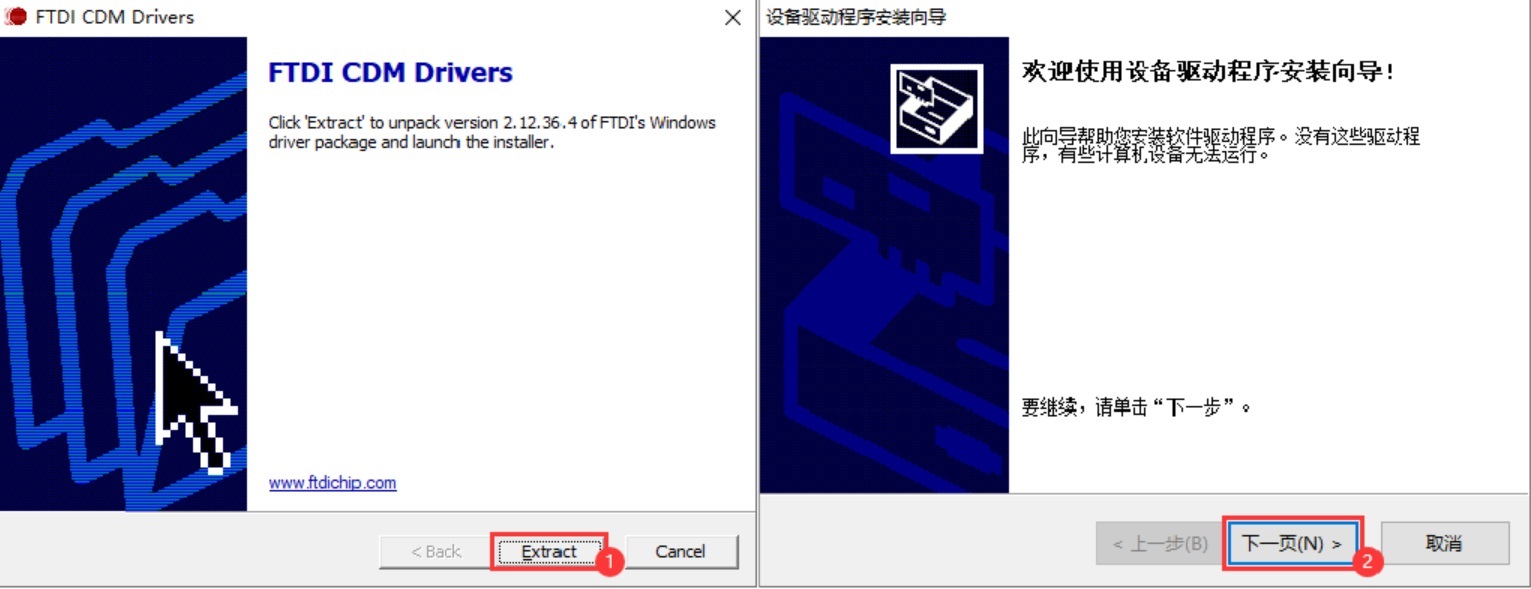
Double click on CDM212364_Setup.exe and install it.
Click on Extract, and then "NEXT".
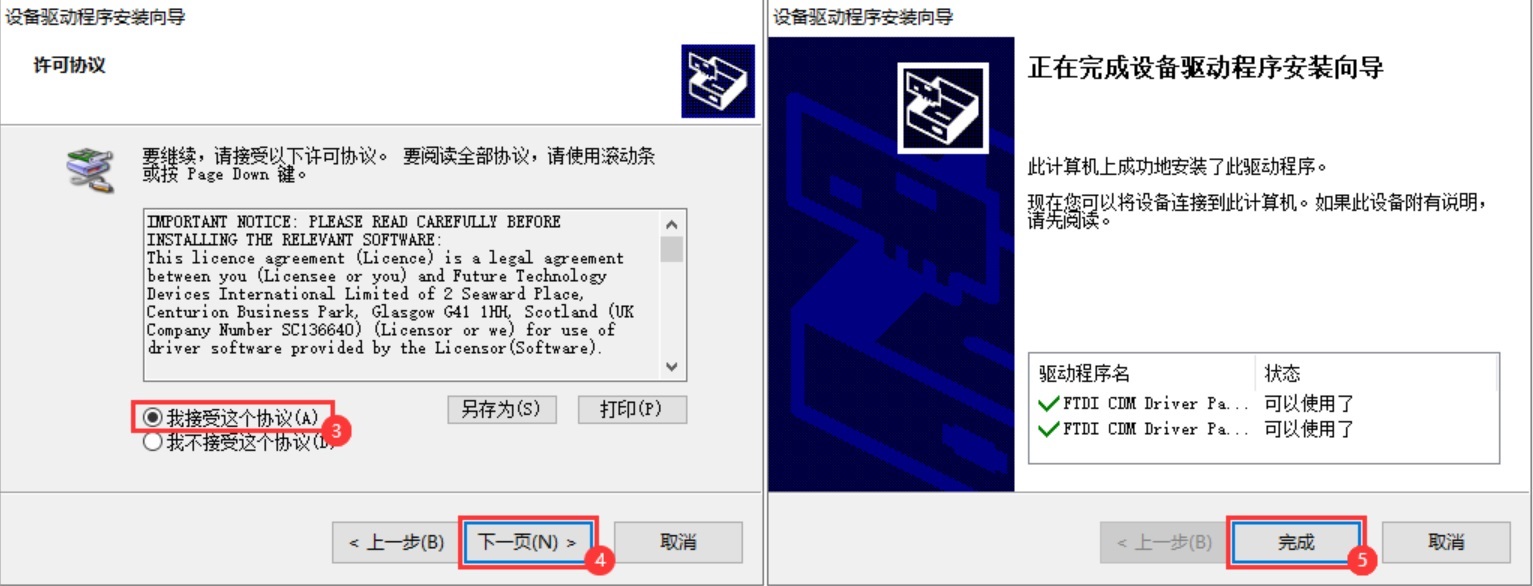
Click on I accept this agreement, and then click on "NEXT", and click on "Finish".
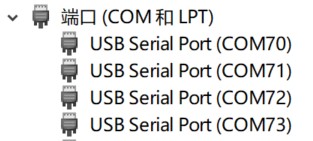
After connecting the PC, you can see the usable COM port number in the device manager.
Communication Operation
】Preparation
Open the SSCOM software.
Select the corresponding COM port according to the functions, the identifiable 4 COM port number is Port A to Port D in descending order.
| USB TO 4CH RS232-PORT | Communication Mode |
| PORT A | RS232 |
| PORT B | RS232 |
| PORT C | RS232 |
| PORT D | RS232 |
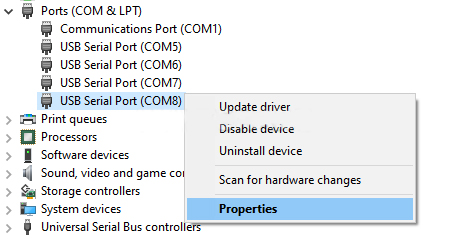
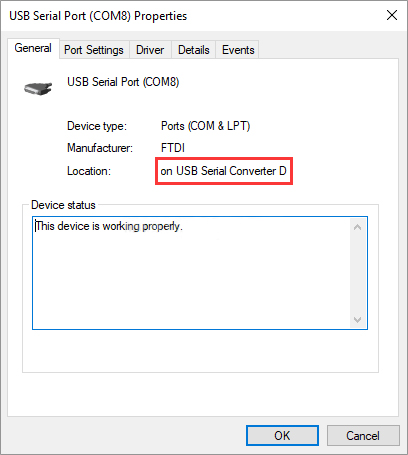
You can check which PORT port is the corresponding COM port through the Device Manager.
Right-click to check the PORT corresponding to the COM8 port.
And you can see the corresponding PORT D to the COM8.
】RS232 Communication
The following demonstrates communication between RS232 of PORT D and RS232 of PORT C using the product.
Hardware Communication
| USB TO 4CH RS232-PORT A | USB TO 4CH RS232-PORTB |
| PORT A - RXD | PORT B - TXD |
| PORT A - TXD | PORT B - RXD |
| PORT A - GND | PORT B - GND |
Software Operation
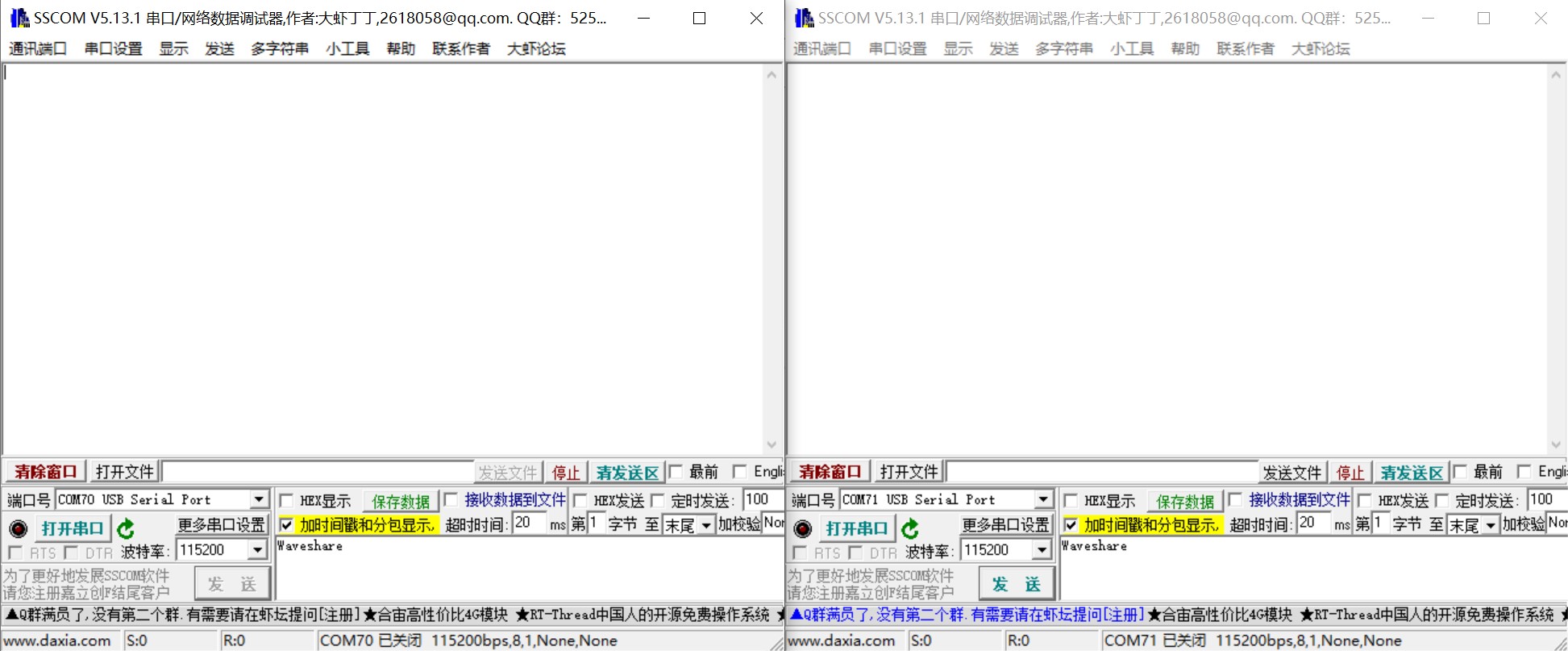
Open 2x SSCOM windows.
Respectively select the COM port corresponding to Port A and Port B.
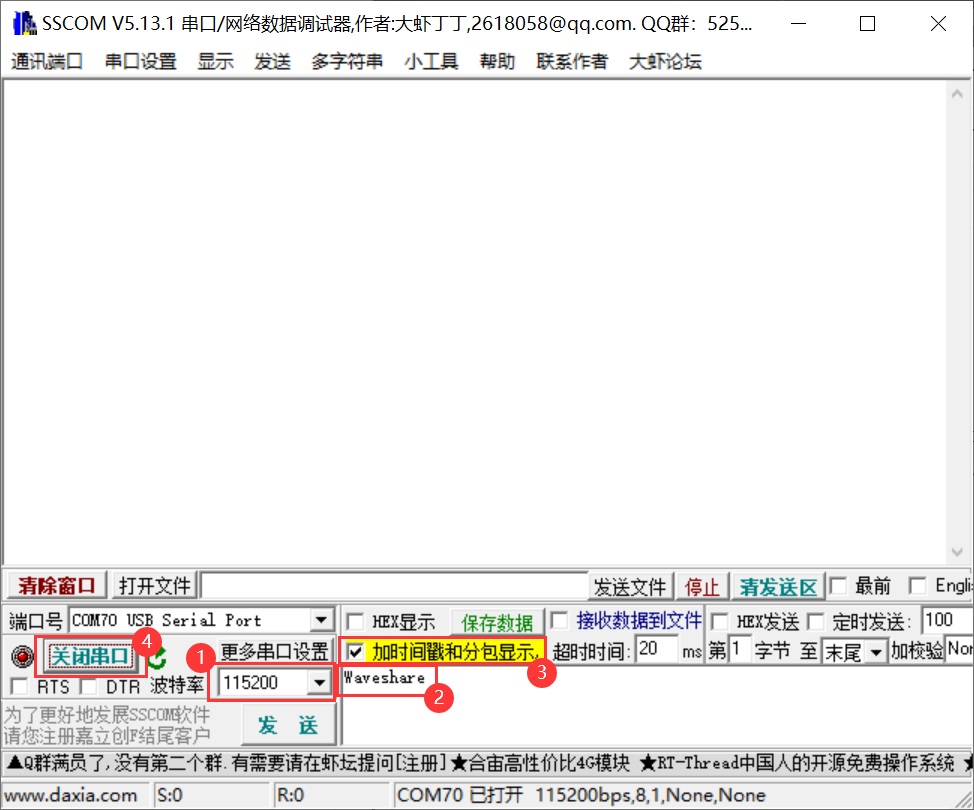
Select the baudrate as 115200, input the characters to be send, select Add time stamp and package, click on Open COM.
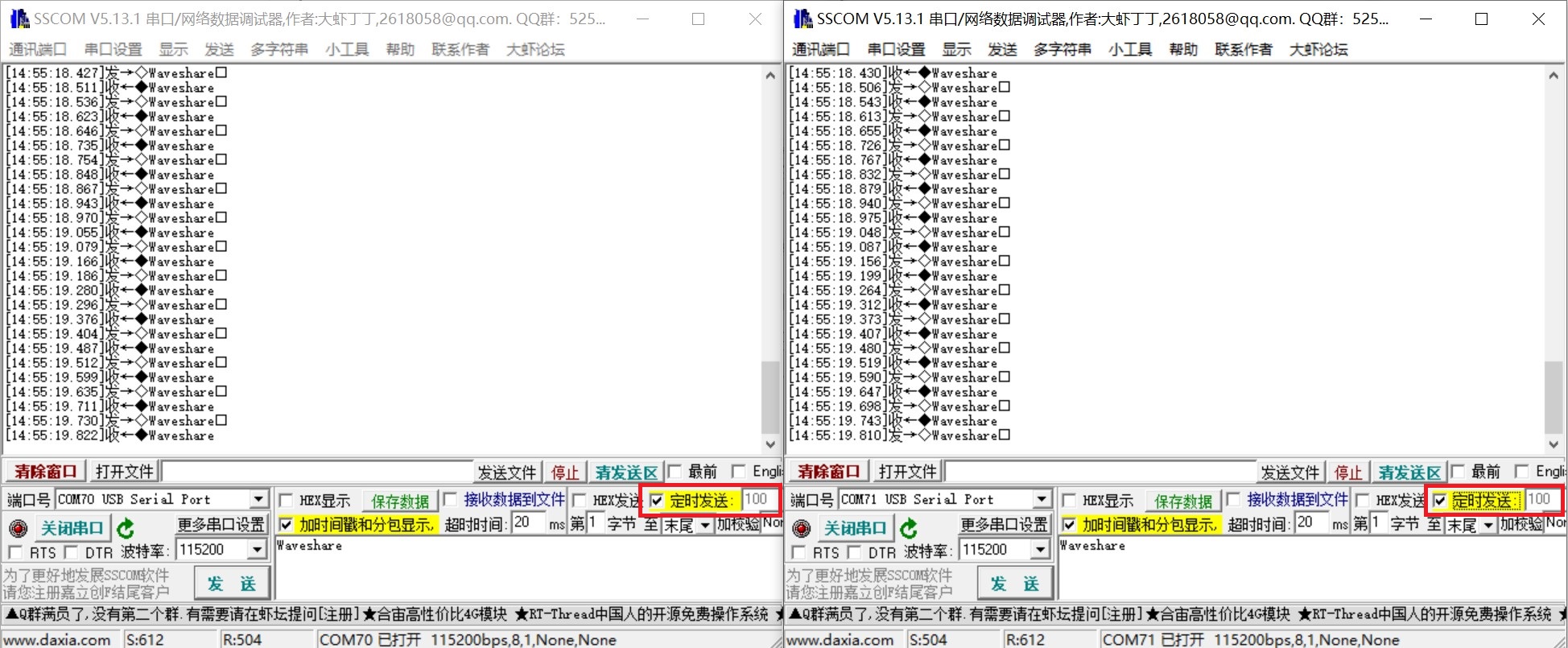
Both select the 100ms of the SSCOM, and you can see these two windows normally transmit and receive, and the test effect is shown below: