




- sales/support
Google Chat:---
- sales
+86-0755-88291180
- sales01
sales@spotpear.com
- sales02
dragon_manager@163.com
- support
tech-support@spotpear.com
- CEO-Complaints
zhoujie@spotpear.com
- Only Tech-Support
WhatsApp:13246739196
- Purchase/Shipping/Refund
WhatsApp:13424403025
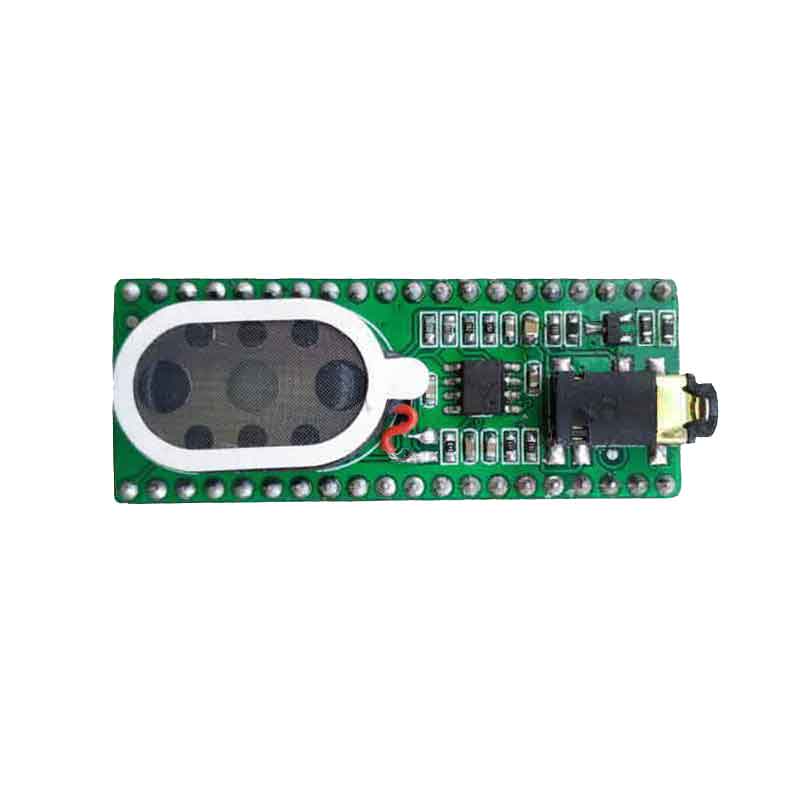
Raspberry Pi SPEAKER-FOR-PICO User Guide
1. Please refer to the official link to install Thonny IDE
https://projects.raspberrypi.org/en/projects/getting-started-with-the-pico/2
2. Connect the hardware
(1)

(2)

3. Run the program
Open the software


Run the audio program , You will hear music.
TAG:
Desktop
RS485 Interface
Capacitive Touchscreen
NVIDIA Jetson Orin Nano/NX PoE Mini Expansion Board Power over Ethernet RJ45 802.3af compliant
Raspberry Pi WatchDog
ESP32 S3 AI 4.3inch (C) Industrial Development Board 4.3 inch TouchScreen Display Sensor CAN I2C RS485 DeepSeek
Jetson Nano Heatsink
Raspberry Pi LCD Capacitive TouchScreen Display HDMI 6.25inch 720x1560
Raspberry Pi 3.5 inch LCD G Display Resistive TouchScreen 60fps ST7796 320x480 Also For Arduino/Pico2/ESP32/RP2040/RP2350
ESP32 Development Board C3 1.28 inch Round Rotary LCD Smart Screen 1.28inch Knob Display 240x240 LVGL for Arduino
Raspberry Pi 3.5 inch DSI Display MIPI LCD (H) Capacitive TouchScreen 480x800
Argon ONE V3 Case with FAN IR For Raspberry Pi 5
Spotpear
Raspberry Pi Pico 2 Plus RP2350 Board RP2350A
Raspberry Pi 5 Gen3
Raspberry Pi 5 Case
ESP32-S3 AI Camera 3.5inch LCD Dual MIC Development Board MINI TV BOX Display 3.5 inch Voice Interruption Object Recognition 10-in-1 Multifunctional
ESP32-C3-Ornament-Trinket-LVGL-Astronaut-Clock-Watch-MINI-TV-1.69inch-Round-LCD-TouchScreen-ST7789-240x280
ESP32 S3 Development Board 1.46 inch Round LCD 1.46inch Display 412x412 QMI8658 Sensor / MIC / SD /MP3 Audio /Battery Port LVGL/HMI For Arduino
DeepSeek XiaoZhi AI Voice Chat Robot BOX ESP32-S3 Development Board 3.5 inch LCD N16R8 Touchscreen Display 6-Axis /Camera /SD
TAG:
Raspber Pi 5
Case For VisionFive2 Lite Cooling Enclosure Aluminum Alloy Material Cooling Fan With Camera Mount
USB TO RS485
UART Serial Debug Module
X1006 Raspberry Pi 5 PCIe 2.5 SATA SSD HDD+ M.2 KEY-B 2280 SSD
RS485 to Ethernet
Raspberry Pi5 PCIe M.2 NVMe Solid State Drive 128 256 512G 1TB SSD 2280 2242
Raspberry Pi Pico 2 RP2350A USB-C Mini Development Board
Jetson Orin NX 8GB AI 70Tops Embedded Edge Systems NVIDIA
MAX9296A GMSL Camera Adapter Board 2-Ch High-Speed And Low-Latency Transmission For Raspberry Pi 5 Jetson Orin Nano/NX
Raspberry Pi Mini
Raspberry Pi Environment X6 Sensor 6-in-1 Odor Sensor Module UART Serial Port For Arduino ESP32
8 50mm Zoom C Lens Raspberry Pi High Quality Camera Global Shutter
Raspberry Pi Bumper Clip-on Silicone Case Raspberry Pi 5
Sipeed RISCV LicheeRV Nano Super-Mini Open PicoClaw SG2002 AI RAM-256MB
Raspberry Pi 5 PCIe to SATA Expansion Board with EEPROM HAT+
PCIE
SpotPear
Raspberry Pi 5
Industrial Modbus RTU RS485 4-ch Relay With isolation protection and guide rail