- sales/support
Google Chat:---
- sales
+86-0755-88291180
- sales01
sales@spotpear.com
- sales02
dragon_manager@163.com
- support
tech-support@spotpear.com
- CEO-Complaints
zhoujie@spotpear.com
- Only Tech-Support
WhatsApp:13246739196
- Purchase/Shipping/Refund
WhatsApp:13424403025
DA7212 Audio Board (A) User Guide
Features
- Do not plug or unplug any device interfaces other than the audio interface while powered on
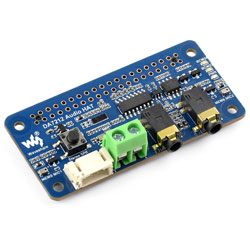
- Uses the DA7212 professional stereo codec chip, controlled via I2C interface and transmitting audio via I2S
- Onboard standard 3.5mm headphone jack for playing music with external headphones
- Onboard AUX input interface for easy connection to other devices
- Onboard speaker screw terminal and a PH2.0 dual‑channel speaker connector, offering multiple interface types for a wider range of usage scenarios
- Onboard dual microphones for recording without additional external devices
- Onboard programmable button and indicators for custom functions
- Supports sampling frequency up to 96KHz
- Supports up to 24-bit resolution audio data
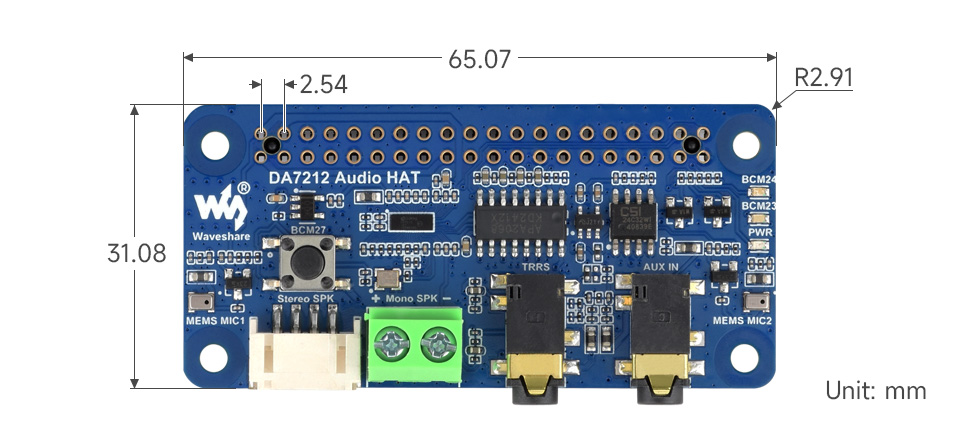
Dimensions
AUDIO
This section describes how to use GPIO to drive audio functions on the Raspberry Pi, laying the foundation for subsequent project development.
AUDIO Operations
Check Audio Devices
DANGER
The module must be connected before powering on to be properly recognized.
- Check currently recognized audio playback devicesaplay -l
Audio Playback
- Play the audio file
test.wav(using the corresponding device; here the recognized audio device is hardware sound card number 2). Ensure thetest.wavfile exists in the current directory.aplay -D plughw:2 test.wav - The speaker or headphones will then play the audio
alsamixer Audio Configuration
- Open the alsamixer audio configuration toolsudo alsamixer
- If the sound card is not set as the default, press F6 to select the sound card device.
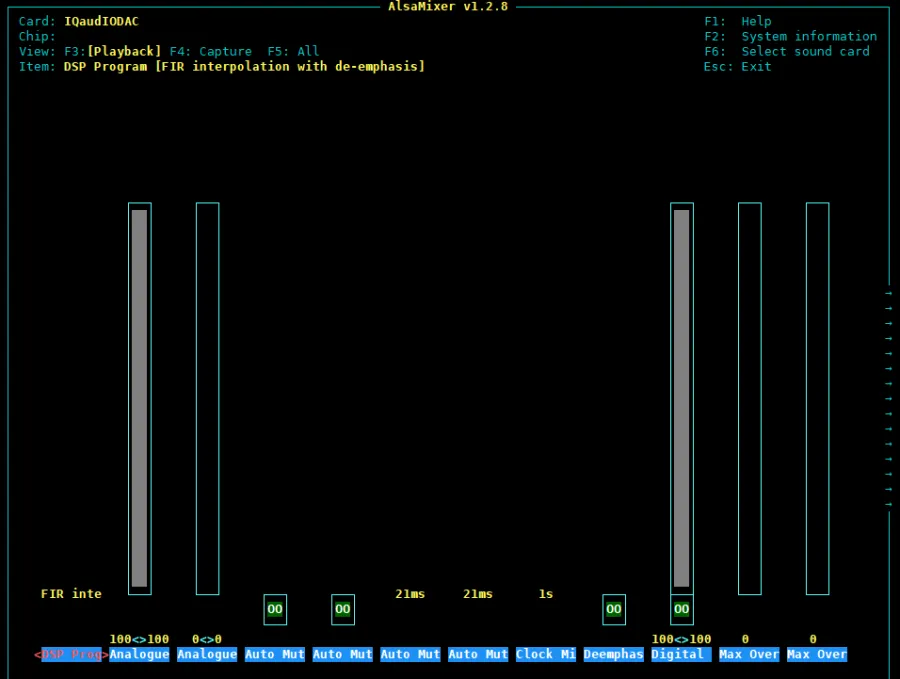
- Use the left/right arrow keys to select functions and the up/down arrow keys to adjust the corresponding volume.
Play MP3
- aplay only supports WAV audio. In practice, MP3 format audio is more common. Install the mpg123 playback tool.sudo apt-get install mpg123
- Play the music.mp3 audio file. Ensure the music.mp3 file exists in the current directory.sudo mpg123 music.mp3
Graphical Configuration
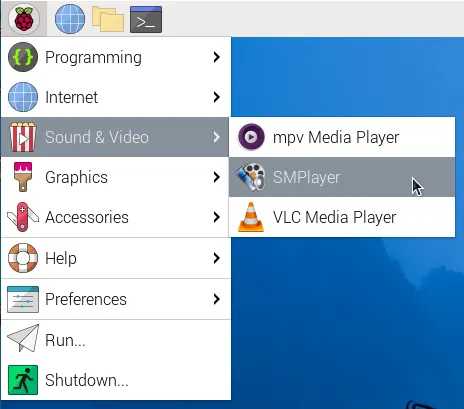
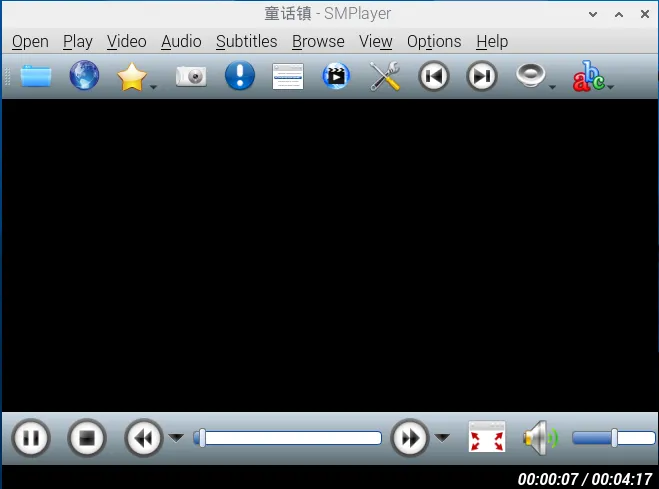
- Install the graphical audio control tool smplayersudo apt-get install smplayer
- Right-click in the interface and select IOaudIODAC as the default.
Resources
1. Hardware Resources
- Development Board Design File
- Dimension Drawings
TAG:
Raspberry Pi
Mini Uninterruptible Power Supply module Supports charging And Power output at the same time 5V 2.5A
ESP32-S3FH4R2
RS232 to CAN
ESP32 ST7789
Raspberry Pi 5 Camera User Guide
Raspberry Pi Pico DVI
ESP32-S3 IR Infrared Thermal Imaging Camera B 45/90 80×62 ESP32-S3-WROOM
ESP32-P4-Core Board with 32MB PSRAM USB With Camera Port / Display Port
Raspberry Pi Pico 2 Plus RP2350 Board RP2350A
ESP32-S3 Development Board 4 inch LCD TouchScreen Display 480x480 RS485 /SHT20 /Relay For Arduino LVGL 86 TVbox
Industrial ESP32-S3 Relay 8-Channel 8-Ch ESP32-WROOM IOT WiFi Bluetooth HAT For Arduino
Rockchip
Black
Raspberry Pi Pico 2 RP2350 0.85 inch LCD Display mini Development Board 0.85inch Screen RGB LED/SD Slot /QMI8658 Gyroscope Sensor
Modbus POE ETH Relay Waveshare User Guide
Orange Pi Zero 3
ESP32-P4 Pico Development Board DB C5 MIPI DSI 10.1-inch Display /CSI Camera /Audio Speaker Mic AI Deepseek
Tuya AI Voice Robot T5-E1 1.75 inch Round AMOLED TouchScreen GPS For XiaoZhi Development Board
UGV Rover ROS2 PT AI OpenCV Robot Car MediaPipe For Jetson Orin Nano