- sales/support
Google Chat:---
- sales
+86-0755-88291180
- sales01
sales@spotpear.com
- sales02
dragon_manager@163.com
- support
tech-support@spotpear.com
- CEO-Complaints
zhoujie@spotpear.com
- Only Tech-Support
WhatsApp:13246739196
- Purchase/Shipping/Refund
WhatsApp:13424403025
PCM5122 Audio Board (A) User Guide
Overview
Introduction
Preface
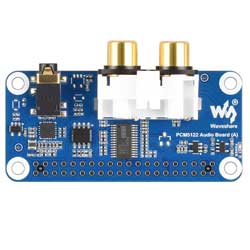
This product is an audio module designed for the Raspberry Pi, a dedicated audio sound card expansion board for the Raspberry Pi, with stereo encoding and decoding, supporting high-quality audio playback.
Features
- Supply voltage: 5V
- Logic voltage: 3.3V
- Audio codec chip: PCM5122
- Control nterface: I2C
- Audio interface: I2S
- DAC SNR: 112dB
Hardware Resources
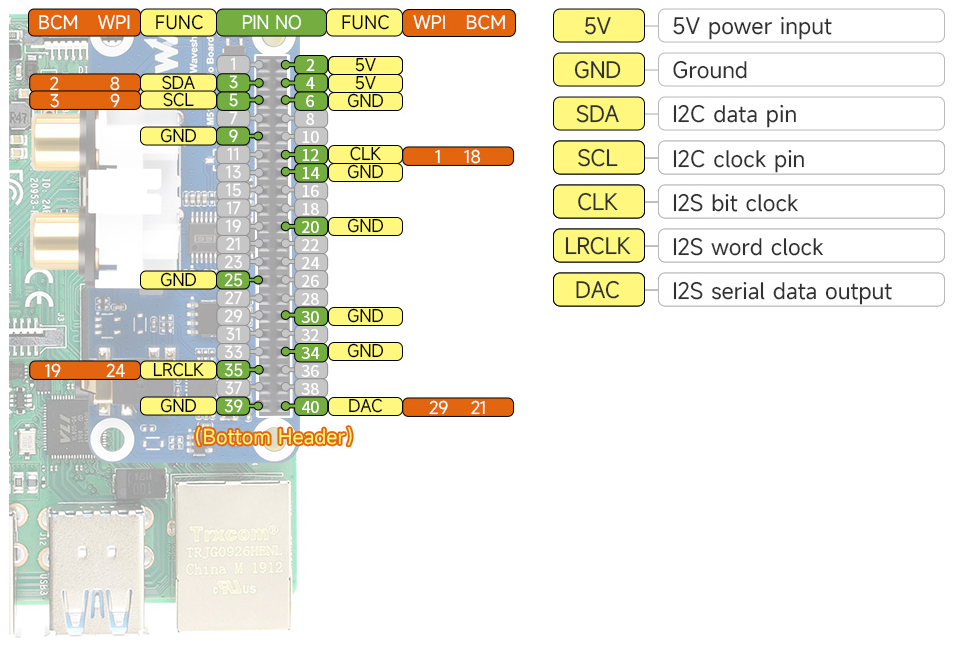
Hardware Connection
Before powering on, the module must be connected via the 40PIN header
- Control interface: I2C (I2C1 0x4C)
- Audio interface : I2S
- Firmware : I2C (I2C0 0x50)
Working with Raspberry Pi
Only Raspberry Pi is supported, and other controllers are not supported
Raspberry Pi OS
Detect Sound Card
- Check playback: aplay -l
pi@raspberrypi:~ $ aplay -l
**** List of PLAYBACK Hardware Devices ****
card 2: IQaudIODAC [IQaudIODAC], device 0: IQaudIO DAC HiFi pcm512x-hifi-0 [IQaudIO DAC HiFi pcm512x-hifi-0]
  Subdevices: 1/1
  Subdevice #0: subdevice #0
Audio Playback Test
Playback
sudo aplay -Dhw:0 test.wav
Play the audio you just recorded
Adjust Volume
The default volume is relatively high
sudo alsamixer
If the sound card is not set as the default sound card, you need to press F6 to select the sound card device.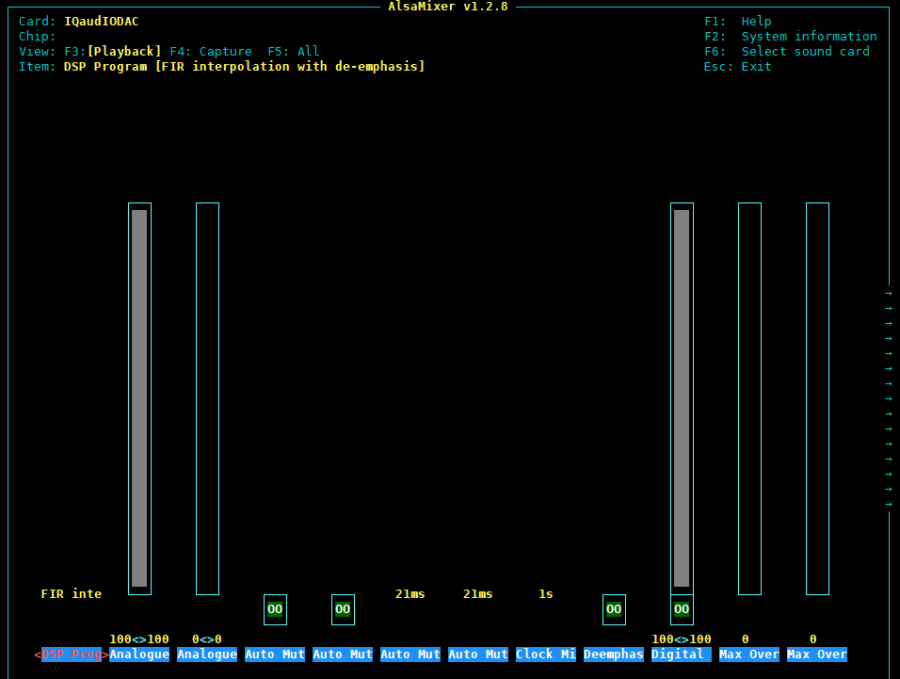
Adjust volume with Digital (Use arrow keys to select and adjust)
In fact, there are many options for adjustment on the right.
mpg123 Player
The aplay only supports music in wav, in fact there are more music in MP3 format. You need to install:
sudo apt-get install mpg123
sudo mpg123 music.mp3
Please note that music.mp3 here needs to be replaced with your MP3 music.
Graphical smplayer
If it's a command line system, you can skip this. If it's a desktop system, install:
sudo apt-get install smplayer
Right-click in the interface and select IOaudIODAC as the default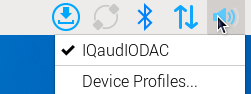
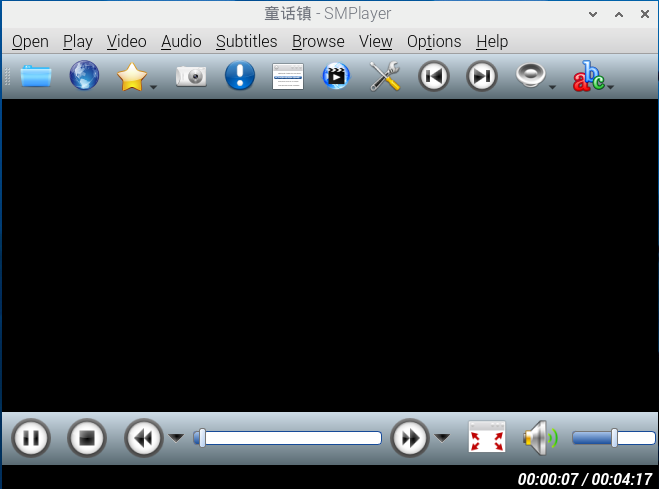
Open the smplayer software in the menu, and open the audio file to play it. (You can also use smplayer to play videos)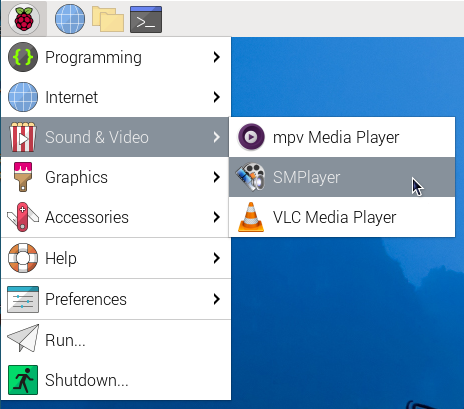
Volumio System
Open Driver
Disabled by default, needs to be turned on in settings
Open the option in the upper left corner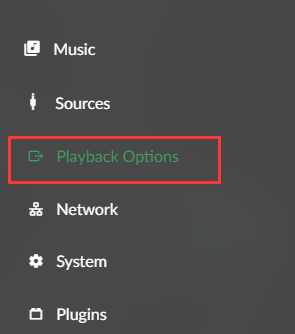
Select Playback Options
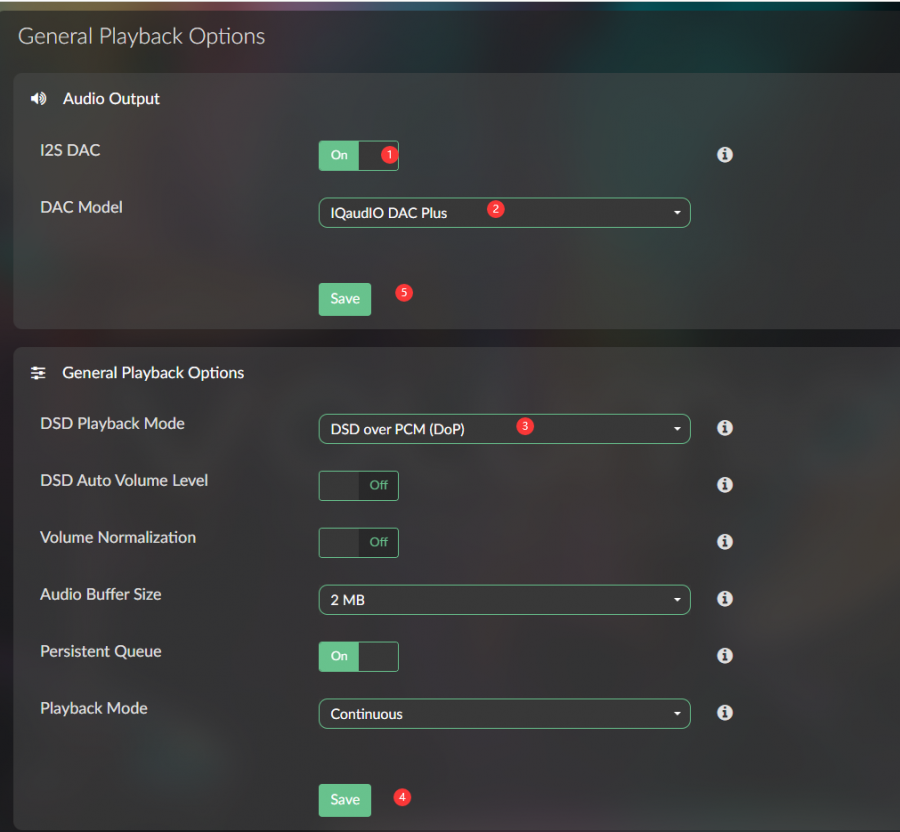
1. Enable I2S DAC
2. Select IQaudIO DAC Plus
3. Select DSD over PCM (DoP)
4. Save General Playback Options settings
5. Then save Audio Output settings, and the device will restart after saving
After the device restarts, SSH login and executing aplay -l will recognize the device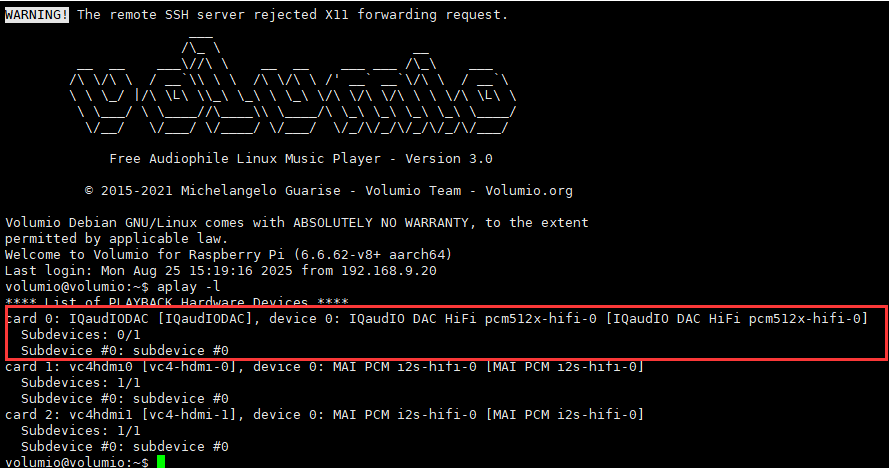
How to Use
If you want to play local music, you can copy the audio to a USB drive and connect it, or copy it to the local directory /mnt/INTERNAL/, then restart the device
After restarting, select Music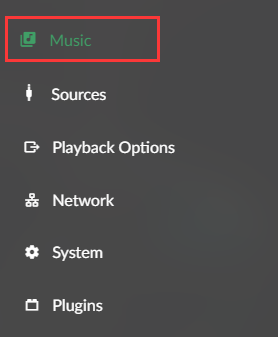
Select Music Library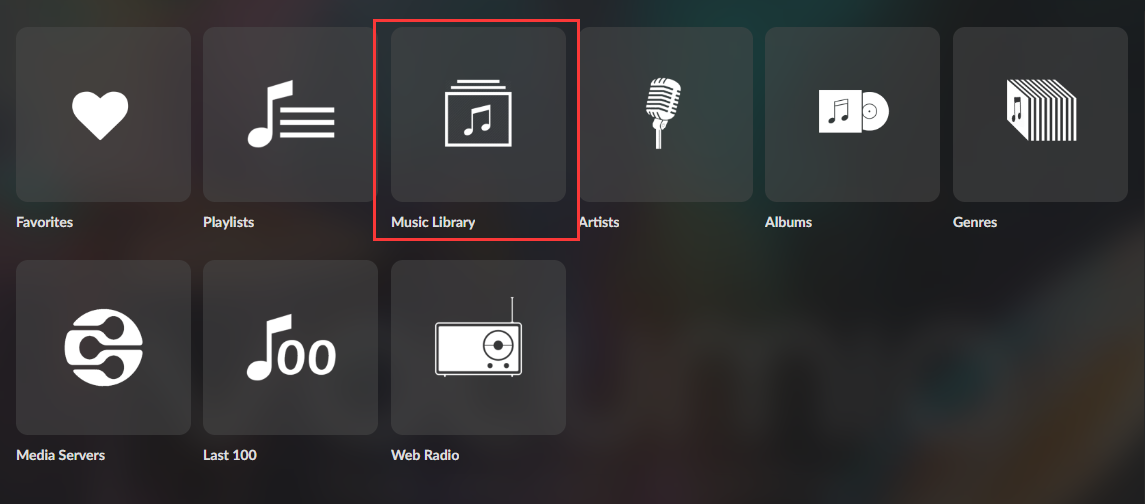
You can see the audio in the /mnt/INTERNAL/ directory in INTERNAL
Adjust Volume
The default volume is relatively high
sudo alsamixer
If the sound card is not set as the default sound card, you need to press F6 to select the sound card device.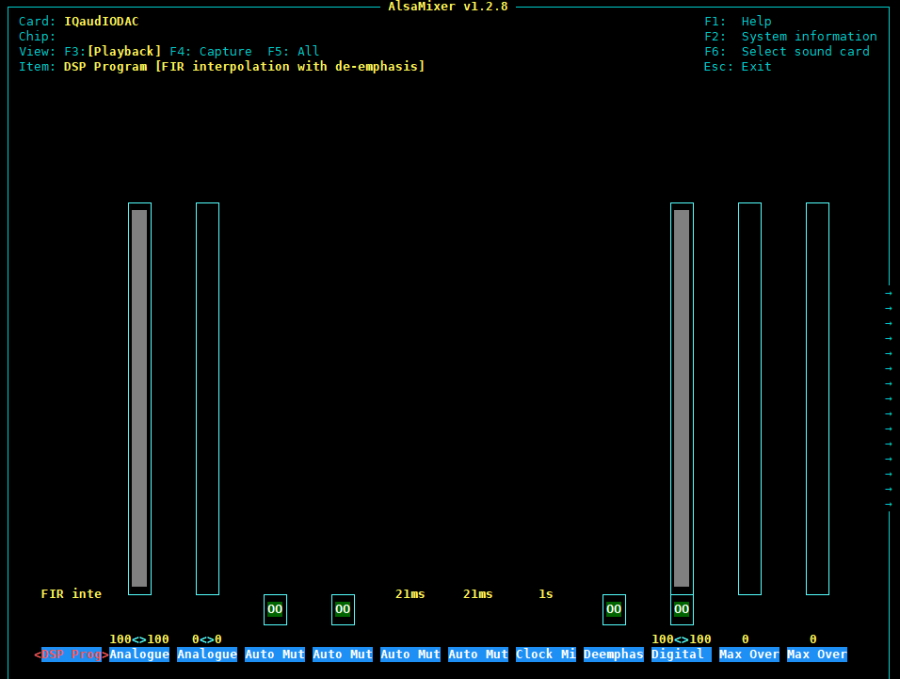
Adjust volume with Digital (Use arrow keys to select and adjust)
In fact, there are many options for adjustment on the right.
Moode Audio Player System
Connect the PCM5122 Audio Board (A), and the device will be automatically recognized upon reboot. Select the corresponding sound card accordingly.
Select Sound Card
Select Configure in the upper left corner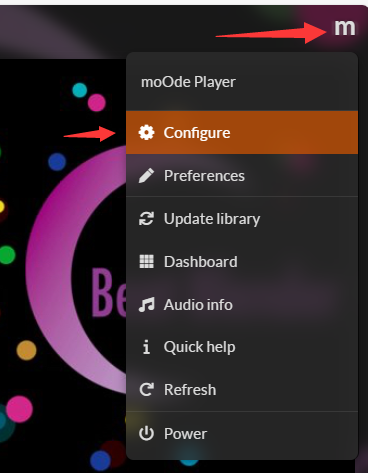
Select audio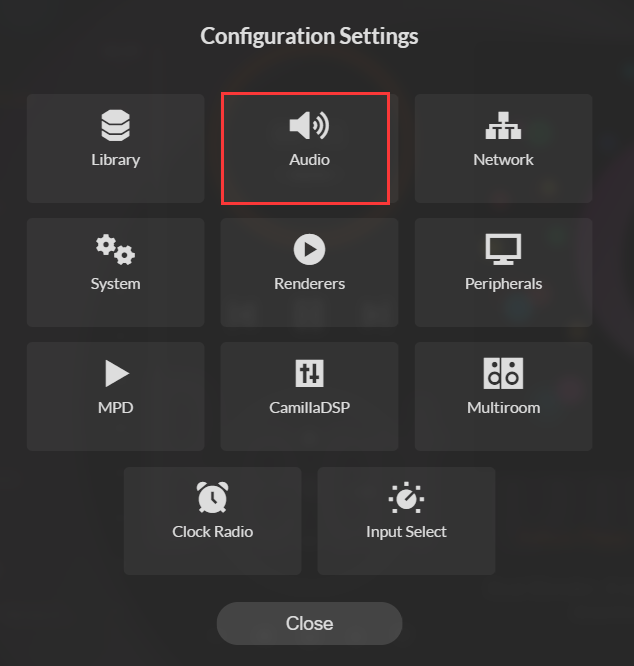
Select IQaudIODAC sound card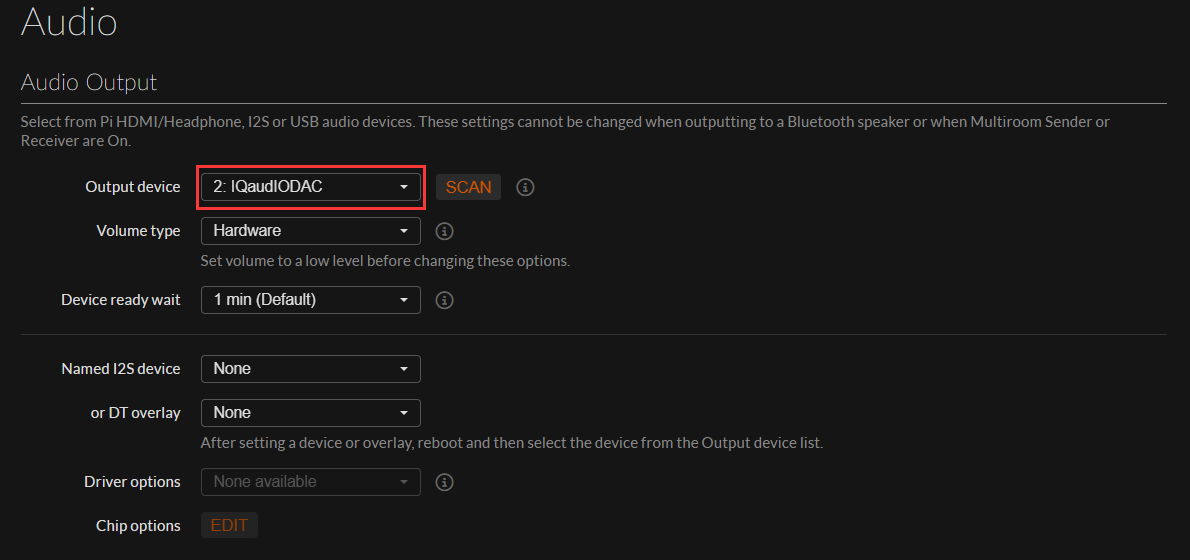
Resources
Datasheet
3D Diagram
FAQ
Question: Is installation of drivers required?
It depends on the operating system. If it's Raspberry Pi OS, it is not necessary. The firmware is automatically loaded by Raspberry Pi
Support
Monday-Friday (9:30-6:30) Saturday (9:30-5:30)
Email: services01@spotpear.com