- sales/support
Google Chat:---
- sales
+86-0755-88291180
- sales01
sales@spotpear.com
- sales02
dragon_manager@163.com
- support
tech-support@spotpear.com
- CEO-Complaints
zhoujie@spotpear.com
- Only Tech-Support
WhatsApp:13246739196
- Purchase/Shipping/Refund
WhatsApp:13424403025
- HOME
- >
- ARTICLES
- >
- Common Moudle
- >
- UART Module
RS485 TO ETH (B) Connect Alibaba Cloud And EMQX
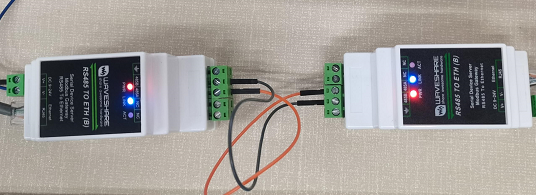
Hardware Connection
Preparation
- PC x 1
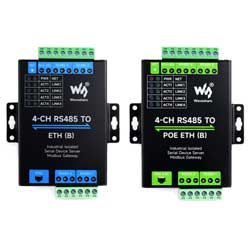
- RS485 TO ETH(B) x 2
How To Connect
Software Preparation
Start Communication
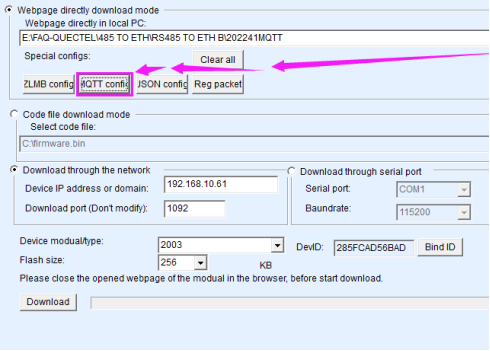
- Open Vircom->Device Management-> Double-click the corresponding device ->Firmware Config->MQTT Config.
- Alibaba cloud platform -> Device -> Device Information.
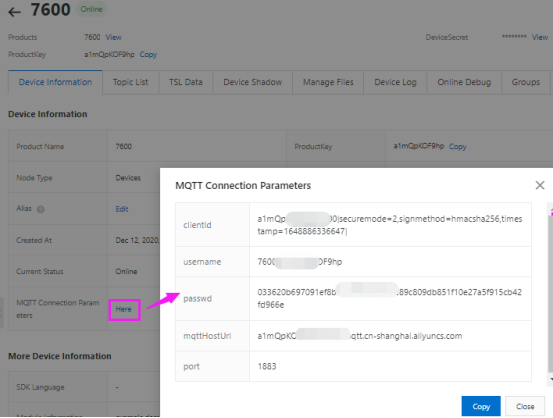
- Configure the MQTT parameters of the Alibaba Cloud IoT platform to one of the RS485 TO ETH (B).
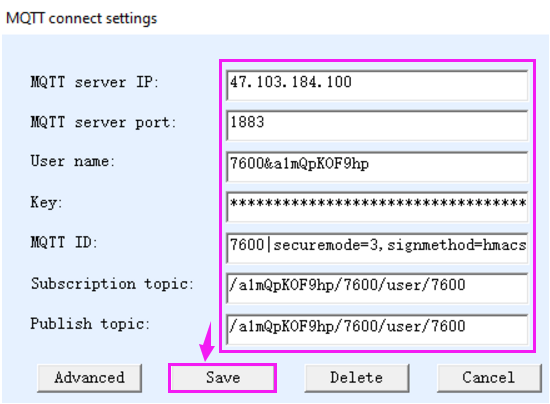
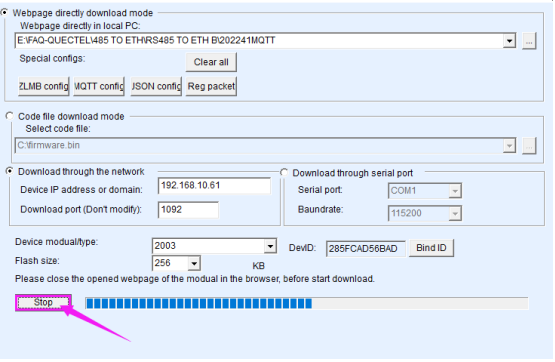
- Download MQTT parameters to RS485 TO ETH(B).
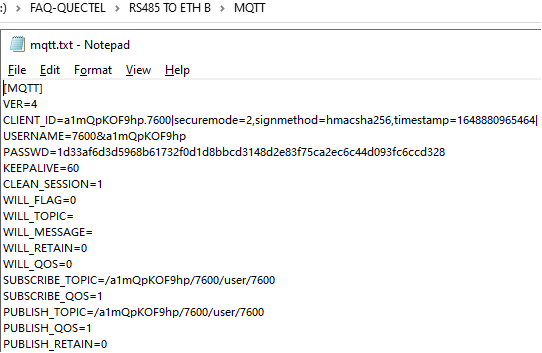
- Check the parameter of MQTT text in the corresponding file.
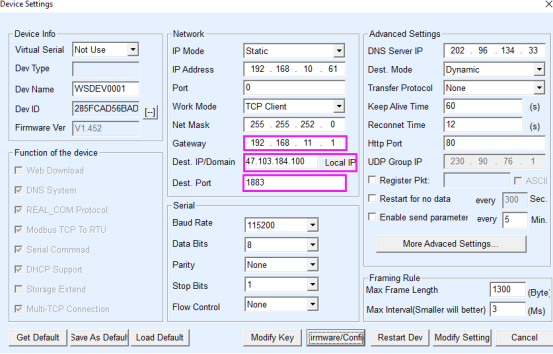
- Config MQTT parameter -> The Link light of RS485 TO ETH changes from yellow to blue -> successfully connected to the MQTT server
- IoT platform device display offline -> online.
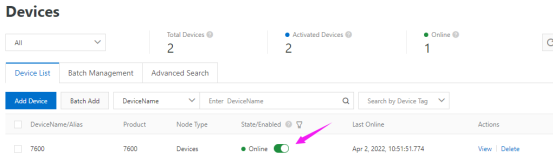
- RS485 TO ETH(B) sends data to Alibaba Cloud MQTT server.
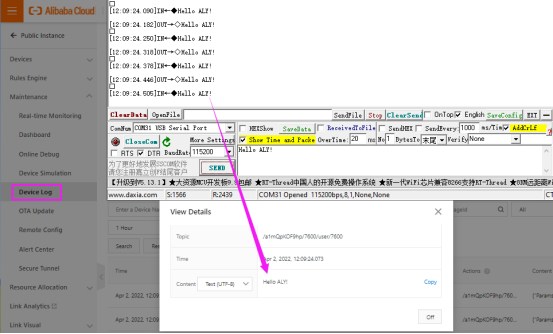
- Alibaba Cloud IoT platform sends information to RS485 TO ETH(B).
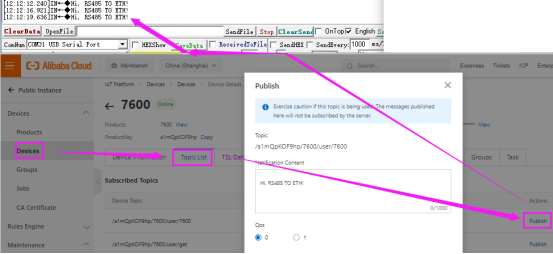
- RS485 TO ETH (B) Connect Alibaba Cloud and EMQX (optional).
Open Vircom->Device Management->Double-click the corresponding device->Firmware Config->MQTT Config.
- Configure EMQX's MQTT parameters to another RS485 TO ETH(B)
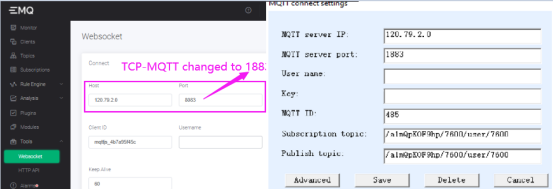
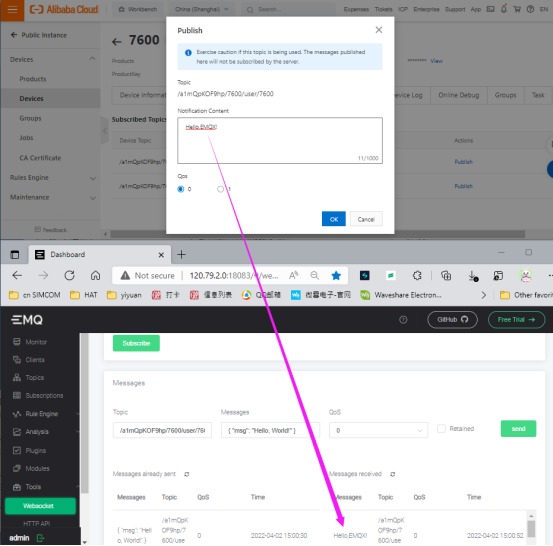
- Alibaba Cloud sends data to EMQX: Hello, EMQX!
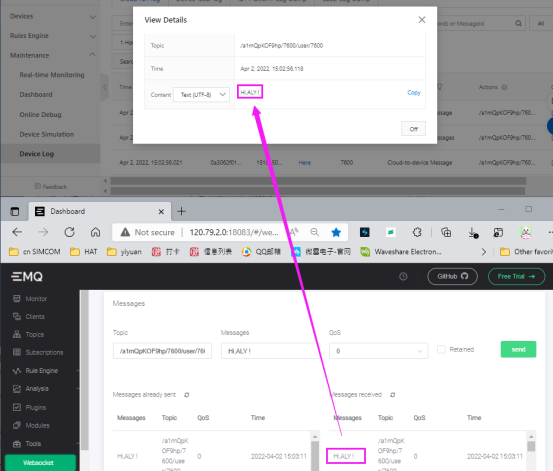
- EMQX sends data to Alibaba Cloud: Hi, ALY!
TAG:
Raspberry Pi Camera OV5647 Camera (F)
UGV Rover PT AI OpenCV Robot Car MediaPipe For Raspberry Pi
Raspberry Pi 5 PCIe to 4 Port 2.5G Gigabit Ethernet Adapter RJ45 Ports
ESP32-S3FH4R2 Matrix 8x8 RGB-LED-WiFi Bluetooth QST Attitude Gyro Sensor QMI8658C Arduino Python
Industrial Modbus RTU Dual Ethernet RJ45 To 8ch POE ETH Relay (C) PoE Power over Ethernet
2.13 inch Passive NFC e-Paper ink (G) RYBW Display Screen No Need Battery Wireless Power & Data Transfer
Milk V Duo
LuckFox Pico
Sipeed RISCV LicheeRV Nano Super-Mini SG2002 AI RAM-256MB
ESP32 1.9 inch LCD Capacitive TouchScreen 1.9inch Display ST7789 170x320 for Arduino /Raspberry Pi /Pico
Raspberry Pi LCD
Raspberry Pi Pico
SpotPear
ESP32-C6
JETSON-IO-BASE-A
Servo
Milk V
ESP32 ST7789 tutorial
PC USB Monitor Screen
ESP32-S3 GC9A01A