




- sales/support
Google Chat:---
- sales
+86-0755-88291180
- sales01
sales@spotpear.com
- sales02
dragon_manager@163.com
- support
tech-support@spotpear.com
- CEO-Complaints
zhoujie@spotpear.com
- Only Tech-Support
WhatsApp:13246739196
- Purchase/Shipping/Refund
WhatsApp:13424403025
- HOME
- >
- ARTICLES
- >
- Common Moudle
- >
- LCD
E-Paper Floyd-Steinberg
Instroduction
- Floyd-Steinberg dithering algorithm is suitable to show a rich sense of gradation based on a picture that has few colors. This makes it possible to obtain more color combinations and perform better shadow rendering on the original picture, especially suitable for e-Paper display.
- This instruction we will show you how to made Floyd-Steinberg image
- You can also refer to the demo codes of ESP32 or ESP8266 about the realization of the Floyd-Steinberg algorithm.
How to do
- Download the color table to your PC and unzip it

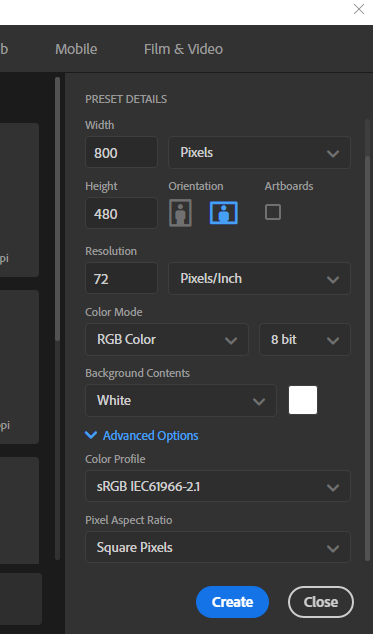
- Create a new Photoshop project, and set the resolution according to the e-Paper you use, set the color mode to RGB. For example, we use 7.5inch e-Paper whose resolution is 800*480 as example.
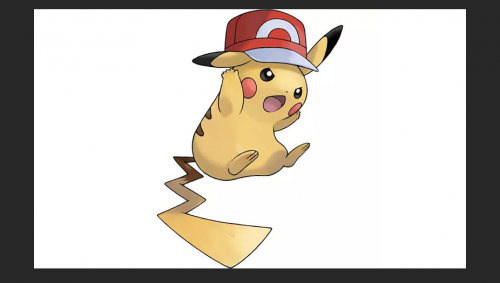
- Import the image to project, adjust the image as you want
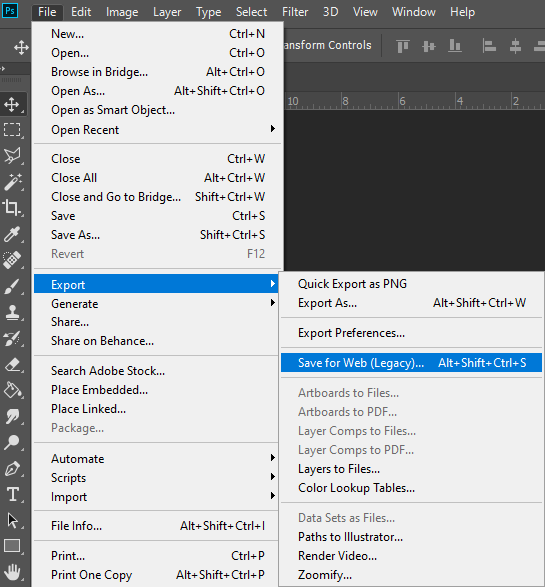
- Select File -> Export -> Save as Web...
- Import the color table
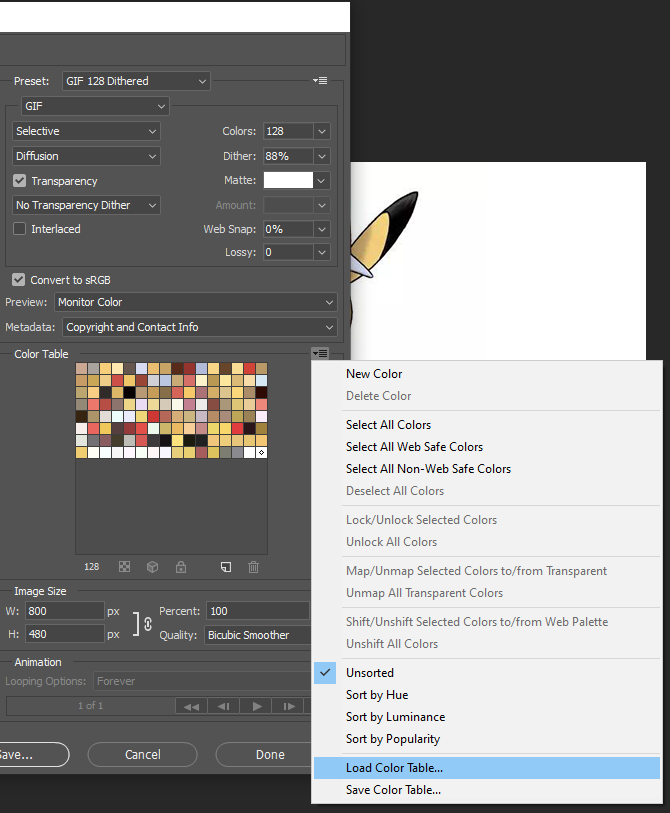
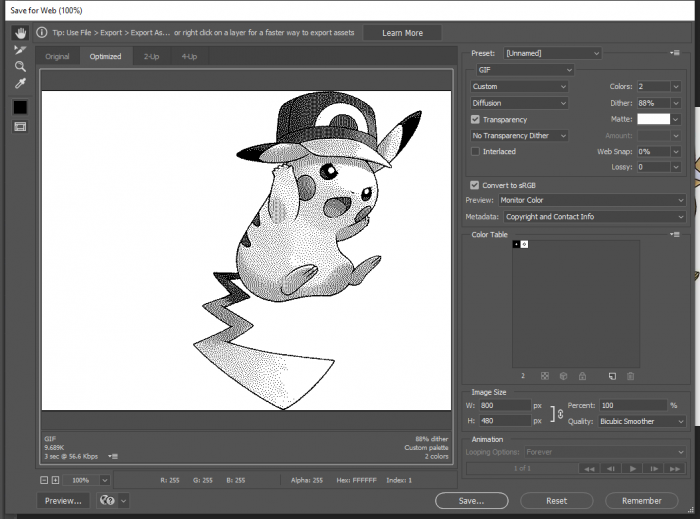
- For black/white e-Paper, import Black-White.act, and save the image.
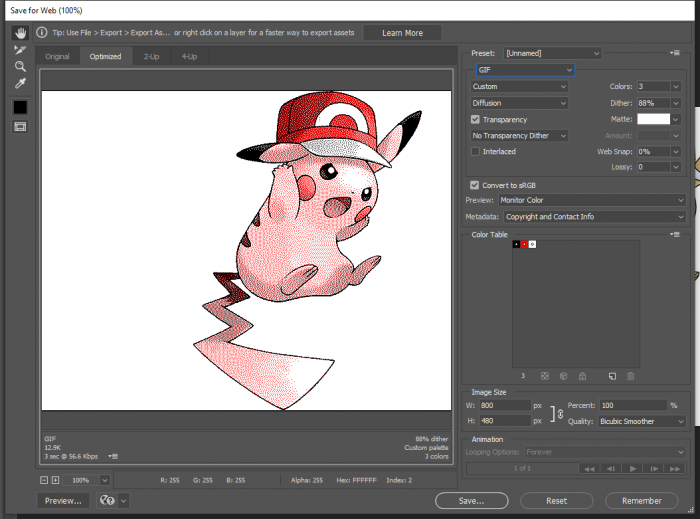
- For black/white/red e-Paper, import Black-White-Read.act and save.
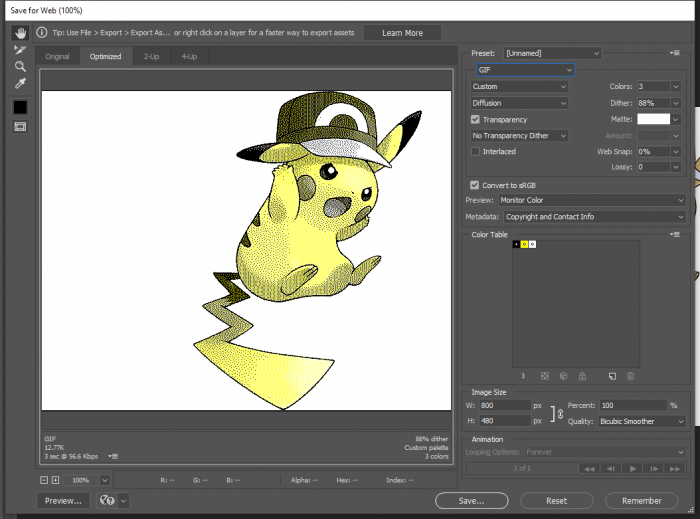
- For black/white/yellow e-Paper, import Black-White-Yellow.act and save.
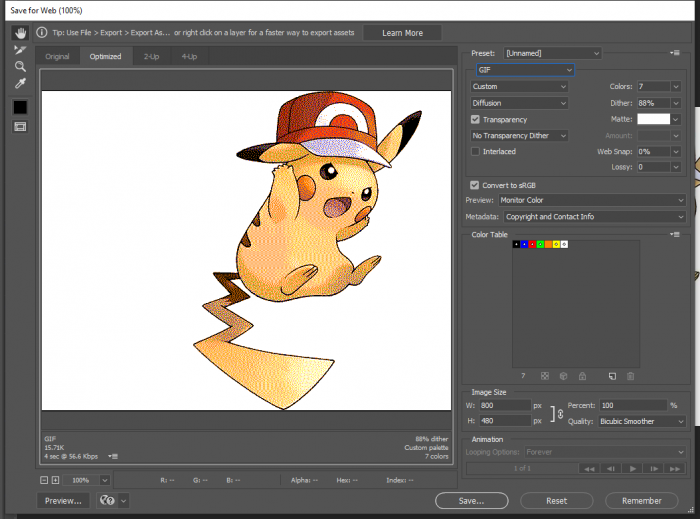
- For Seven-colors e-Paper, import N-color.act and save.
TAG:
AI Board
ESP32-S3
Raspberry Pi
Raspberry Pi 10.85 inch e-Paper ink screen display black white 1360×480 For Arduino /Jetson /STM32 /ESP32
Raspberry Pi 15.6 inch FHD Monitor (C) LCD 1080P Capacitive TouchScreen Display Type-C/HDMI For Computer PC
ESP32-S3 LCD
3.5 inch LCD Computer CPU GPU RAM Monitor PC USB Secondary Display Screen
Raspberry Pi 5 Sound
Core3566002000
Milk V Duo IO Board Tutorial
SpotPear
ESP32 C3 LCD
SpotPear
ESP32 C3
RV1103 SC3336
Raspberry Pi 5 USB Audio
Windows Environment User Guide
Raspberry Pi 5 RTC charge configuration
VGA to RGB
ESP32 C6 AI 0.85inch Development Board 0.85 inch DeepSeek RGB surround light Dual mike


TAG:
Raspberry Pi 5 CR2032
ESP32 1.51inch transparent OLED display Screen Car Desktop trinket Mini TV LVGL
ESP32 Thermal imaging
Raspberry Pi
ESP32-S3FH4R2 Matrix 8x8 RGB-LED-WiFi Bluetooth QST Attitude Gyro Sensor QMI8658C Arduino Python
LuckFox
RS485 Interface
Weather ornaments
Raspberry Pi Official Original Capacitive TouchScreen Display 2 7 inch LCD 720x1280
64MP-AF-Camera-Board
Arducam
RV1103
Raspberry Pi 5 PCIe to NVMe
Raspberry Pi Camera Module 2MP IMX290 Distortion Free Excellent Low Light Performance
ESP32 S3 display
Raspberry Pi 7 inch DSI MIPI LCD TouchScreen Display 7inch 1024x600 For Luckfox Lyra RK3506/ESP32-P4/Luckfox Omni3576
Raspberry Pi Camera
LCD1602 I2C Arduino Raspberry Pi Pico Jetson Nano ESP32
Industrial Isolated USB TO 4CH RS485 BConverter UART CH344L
Raspberry Pi 4 Model B Case Kit