- sales/support
Google Chat:---
- sales
+86-0755-88291180
- sales01
sales@spotpear.com
- sales02
dragon_manager@163.com
- support
tech-support@spotpear.com
- CEO-Complaints
zhoujie@spotpear.com
- Only Tech-Support
WhatsApp:13246739196
- Purchase/Shipping/Refund
WhatsApp:13424403025
X1010 User Guide
Overview
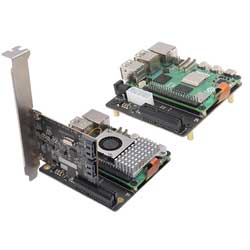
The X1010 PCIe FFC connector to standard PCIe x4 slot expansion board, designed for effortless integration of various PCIe add-on cards such as Graphics cards (GPUs), RAID cards, USB expansion cards, High-speed ethernet cards, Wi-Fi cards, and SSDs to enhance the capabilities of your Raspberry Pi5.
The X1010 features versatile power options, supporting 12V input via a common DC jack or ATX 4-pin peripheral power connector. Equipped with high-efficiency DC/DC step-down converters, it delivers a maximum of 5.5A to power your Raspberry Pi5 and provides 3.3V at 5.5A for your PCIe device.
By connecting to the underside of the Raspberry Pi 5, the X1010 eliminates the need for a GPIO passthrough, allowing you to seamlessly use your preferred HATs while maximizing the functionality of the expansion board.
Features
- Compatible With Raspberry Pi 5B
- PCIe 2.0x1 FFC connector to standard PCIe x4 slot, enabling compatibility with a wide range of PCIe expansion cards
- PCIE_DET_WAKE pin pulled high and automatically probe the PCIe bus at boot time
- Flexible powering options via a common DC jack or ATX 4-pin peripheral power connector
- Efficient power delivery to the Raspberry Pi5 via pogo pin, streamlining the power supply to a single source
- Equipped with a high-efficiency DC/DC step-down converter, providing a maximum of 5.5A to power your Raspberry Pi5
- Compatible with the HAT+ STANDBY power state, automatically powering off the PCIe device when the Pi 5 is shut down.
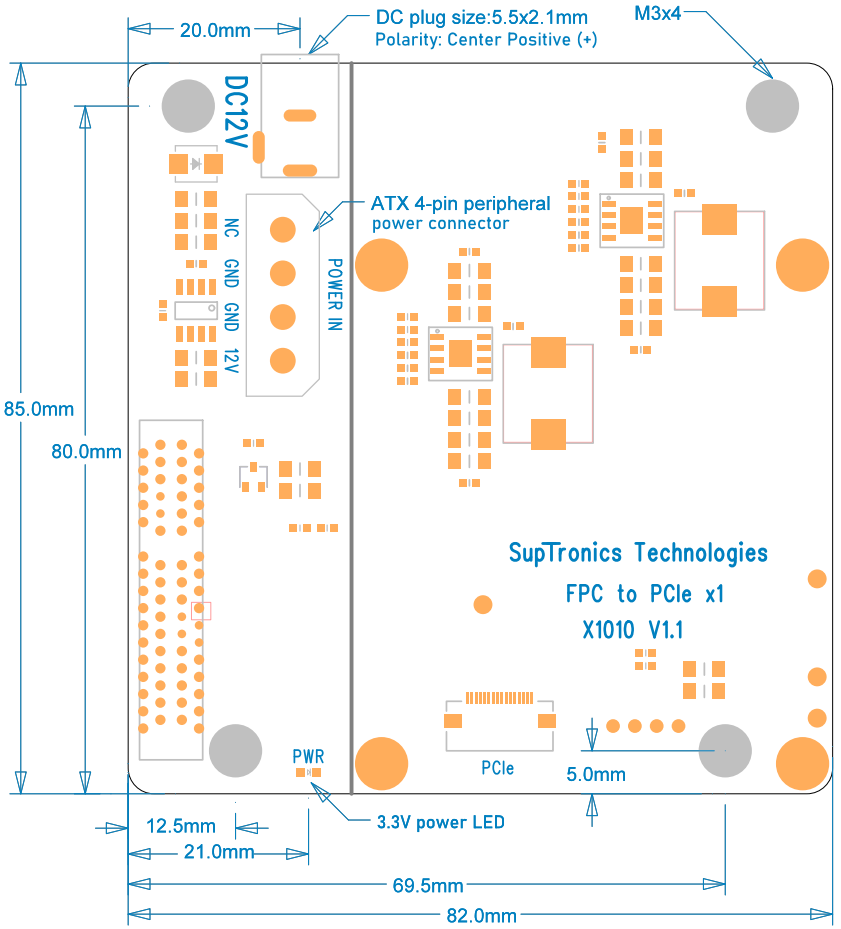
- PCB Size: 85mm x 82mm
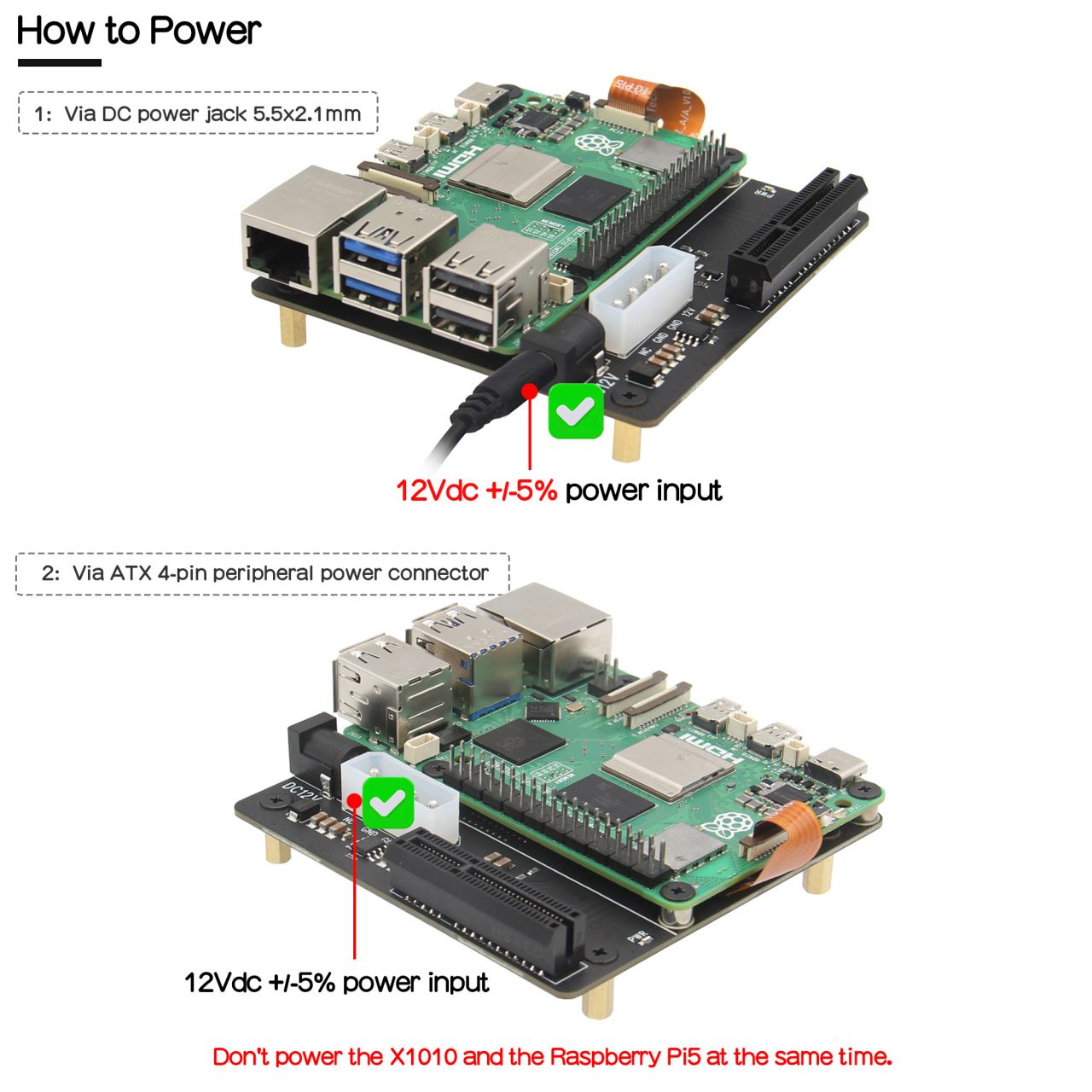
How to Power
- 12Vdc +/-5% power via DC power jack 5.5x2.1mm
- Or 12Vdc +/-5% power via ATX 4-pin peripheral power connector
- Don't power the X1010 and the Raspberry Pi5 at the same time.
Ports & Connectors
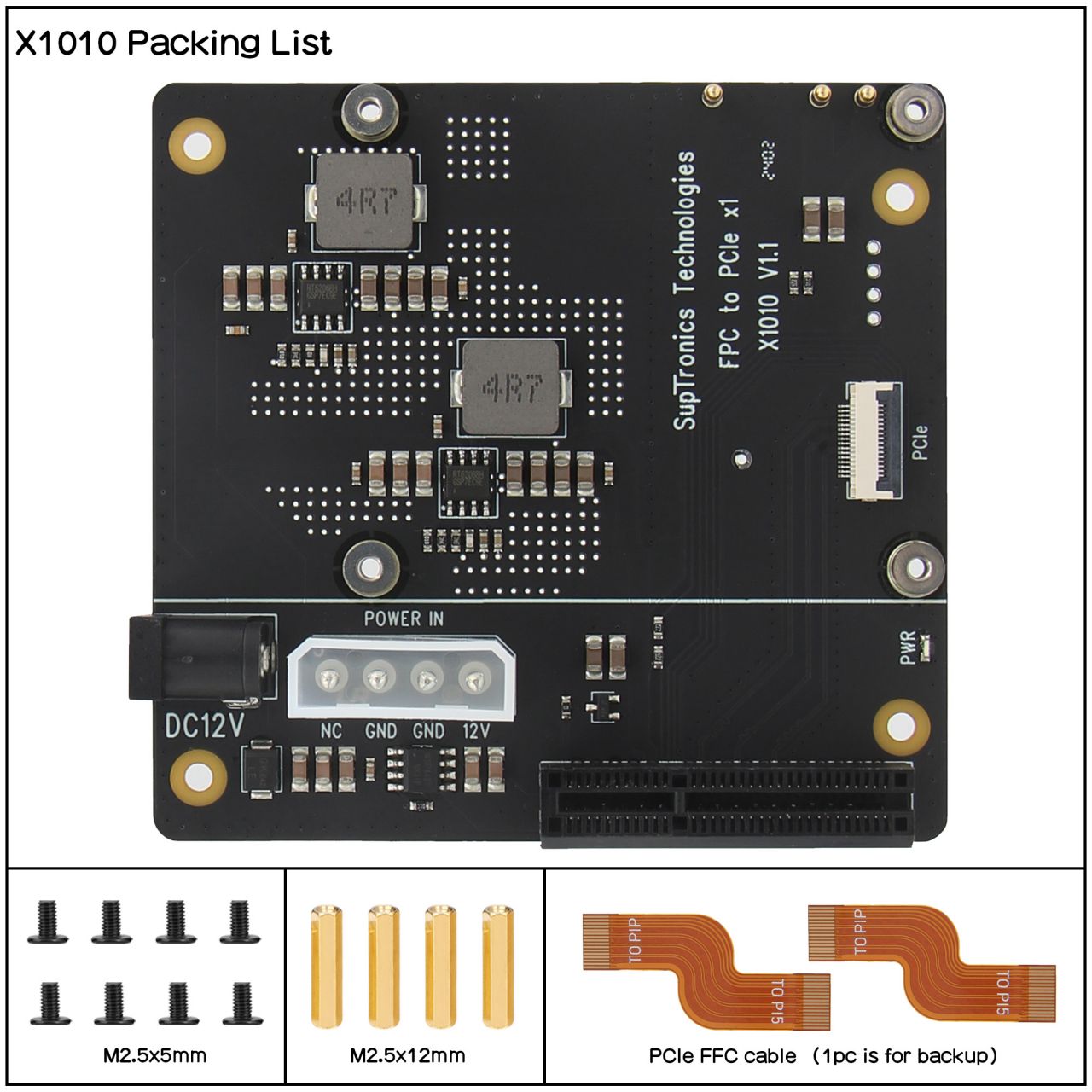
- DC power jack: 5.5x2.1mm, polarity: center positive (+)
- ATX peripheral power connector - 4P, pitch5.08mm
- PCIe connector x1 - 16-pin pitch0.5mm
- PCIe x4 connector x1 - 64P
Packing List
- 1 x X1010 V1.1 Shield
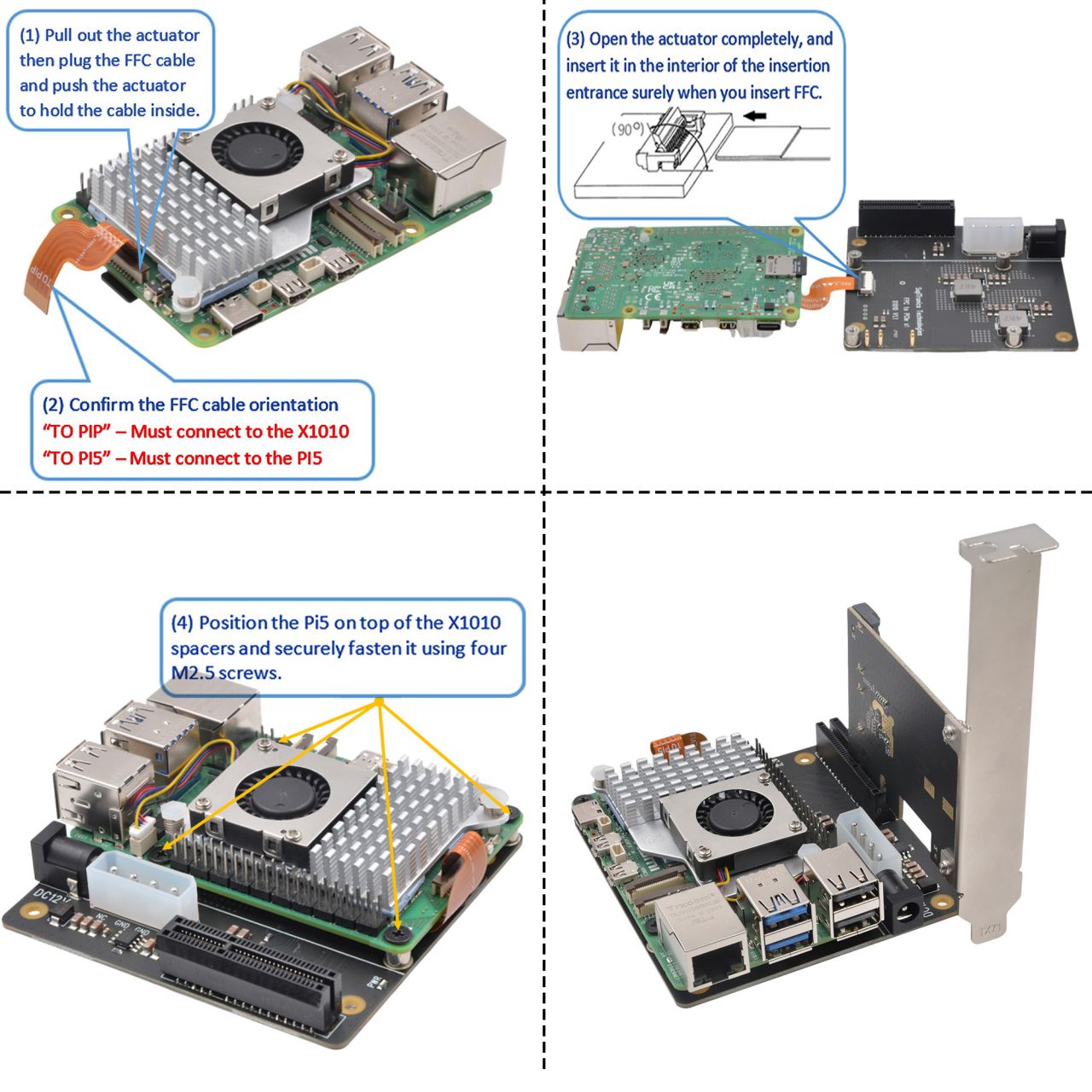
- 2 x 37mm FFC cable (1pc is for backup)
- 4 x M2.5*12 Female/Female Spacer
- 8 x M2.5*5 Screw
User Manual
- Dimensions source file (DXF): File:X1010-PCB-V1.dxf - You can view it with Autodesk Viewer online
- How to get X1010 work:
- From the command line or Terminal window start by running the following command :
sudo rpi-eeprom-config -e
- Change the setting of POWER_OFF_ON_HALT from 0 to 1 ,
- Add PSU_MAX_CURRENT=5000 at the end of the file that reads like this:
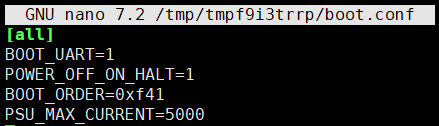
- Then reboot the device to take effect.
sudo reboot
Hardware
Video
Thanks for the video from HG Software! https://youtu.be/c0RpGxIV8sQ
FAQ
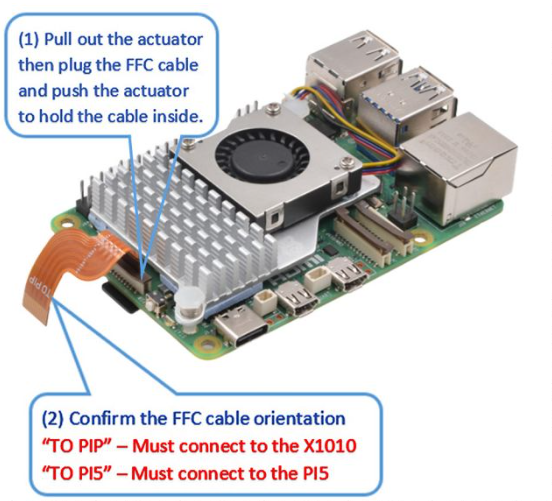
Q: Why the X1010 does not power on/No PWR LED on?
A: Please check and confirm the FFC cable orientation. "TO PiP"- Must connect to the X1010 , "TO Pi5"-Must connect to the Raspberry Pi 5.
Q: What generation of PCIe does this slot of X1010 support??
A: The X1010 is just an extension of the Raspberry Pi 5 PCIe interface. Whether it supports pcie 2.0 or pcie 3.0 is determined by the Raspberry Pi 5 and has nothing to do with X1010.
After-sales
Monday-Friday (9:30-6:30) Saturday (9:30-5:30)
Email: services01@spotpear.com