- sales/support
Google Chat:---
- sales
+86-0755-88291180
- sales01
sales@spotpear.com
- sales02
dragon_manager@163.com
- support
tech-support@spotpear.com
- CEO-Complaints
zhoujie@spotpear.com
- Only Tech-Support
WhatsApp:13246739196
- Purchase/Shipping/Refund
WhatsApp:13424403025
- HOME
- >
- ARTICLES
- >
- Common Moudle
- >
- LCD
ST25R3911B NFC Board
Introduction
This is an NFC development kit based on ST25R3911B, with STM32F103R controller, OLED display, user buttons, and common used interfaces. It is your ideal choice for learning and developing NFC applications.
Multiple NFC protocols are supported by the kit, with up to 1.4w output power, and low-power capacitive wakeup function. It suits applications which require high RF performance, flexibility, and low power consumption, such as access control, ticketing, industry, medical treatment, consumption product, and so on.
Feature
- Multi protocols support: ISO18092, ISO14443A, ISO14443B , ISO15693, FeliCa™
- Differential antenna design, output power up to 1.4W, longer sensing distance
- Embedded low-power capacitive sensor, allows sensing and capacitive wakeup, detecting the nearby card without enabling the magnetic field of the reader
- STM32F103RBT6 controller, easy for learning, evaluating, or direct integration, needs no other external controller
- 1.3" OLED display, allows visual operation
- Onboard SRAM, additional space to the inner RAM
- Micro SD slot, supports external TF card for storing data to be transferred via NFC
- 4x buttons, 2x user indicators, convenient for debugging
- Onboard programming interface, UART debugging interface, breakout all the unused IO pins for connecting other user peripherals
- Customized acrylic case, protective and dust-proof, better looking
- Comes with development resources and manual
Specification
- NFC chip: ST25R3911B
- Operating frequency: 13.56MHz
- Output power: 1.4W (max)
- Communication interface: SPI
- Protocol support:
- ISO18092 (NFCIP-1) active P2P
- ISO14443A, ISO14443B, and FeliCa™
- ISO15693
- Other customized protocols (like MIFARE™ Classic)
- Power supply voltage: 5V
- Operating voltage: 3.3V
Read NFC ID
- ST25R3911B NFC Board (NFC board hereafter) has a SW interface, you can program the NFC board via this SW interface.
- After programming, connect the micro USB of NFC board to 5V power adapter
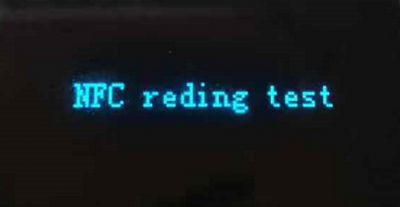
- Power on the NFC board and the OLED will display "NFC reading test' as below
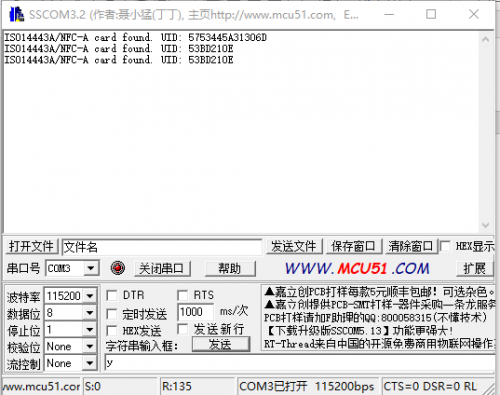
- Download the SCCOM software and open it
Update 4.2inch e-Paper
- Download the codes to NFC board via SW interface
- Save the 400*300 monochrome image in micro SD card. Inset the micro SD card into the slot of NFC board
- Connect 5V power adapter to the USB interface of NFC board
- The menu is displayed on the OLED, you should use the buttons to choose the image for updating
- Choose picture
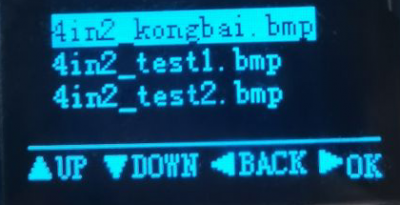
- Confirm the picture
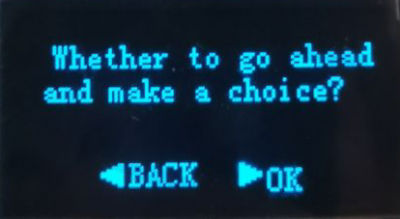
- Put the antenna area of the NFC board on the 4.2inch NFC-Powered e-Paper
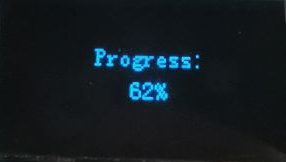
- Wait for updating
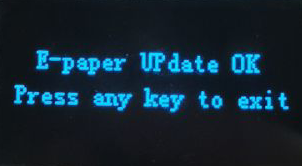
【Note】Because the communicating distance of NFC is short, to make the updating success, please do not move the device when updating.