- sales/support
Google Chat:---
- sales
+86-0755-88291180
- sales01
sales@spotpear.com
- sales02
dragon_manager@163.com
- support
tech-support@spotpear.com
- CEO-Complaints
zhoujie@spotpear.com
- Only Tech-Support
WhatsApp:13246739196
- Purchase/Shipping/Refund
WhatsApp:13424403025
- HOME
- >
- ARTICLES
- >
- Common Moudle
- >
- LCD
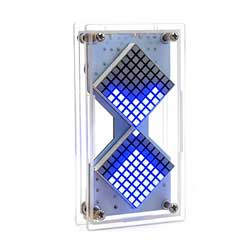
Dot-Matrix-(A)-DIY User Guide
【User Guide】
1、Press the power switch to turn on.
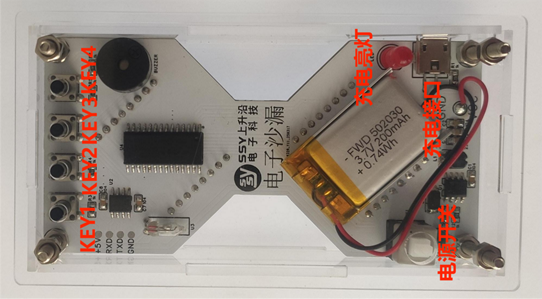
【Functional interface settings】
Key1 button toggles the display.
After powering on and displaying the logo, press key1 to switch to the default hourglass display interface with a one-minute timer.
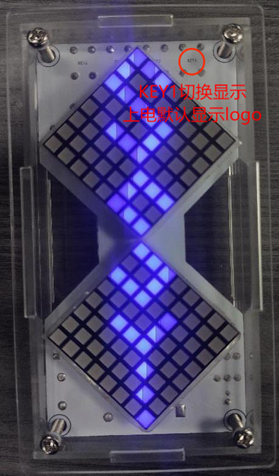
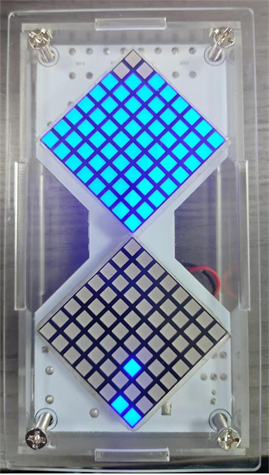
Press key1 again to enter time setting mode. The time unit is minutes (maximum 99 minutes, minimum 1 minute). The minimum value displayed can be 00, but pressing key1 will still set it to 1 minute.
It cannot save settings after power failure; you need to reset it after powering on.
-Key1 is used to enter settings and to switch displays after saving the settings.
-Key2 toggles between units and tens digits.
-Key3 is for increasing the number
-Key4 is for reducing numbers