- sales/support
Google Chat:---
- sales
+86-0755-88291180
- sales01
sales@spotpear.com
- sales02
dragon_manager@163.com
- support
tech-support@spotpear.com
- CEO-Complaints
zhoujie@spotpear.com
- Only Tech-Support
WhatsApp:13246739196
- Purchase/Shipping/Refund
WhatsApp:13424403025
- HOME
- >
- ARTICLES
- >
- Common Moudle
- >
- ESP
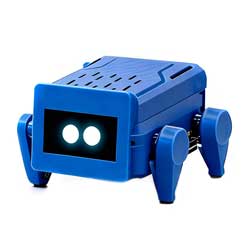
ESP32-S3-Ai-Dog-(A)-Case User Guide
【User Guide】
1:Open your phone and find the Wi-Fi network that starts with "xiaozhi".
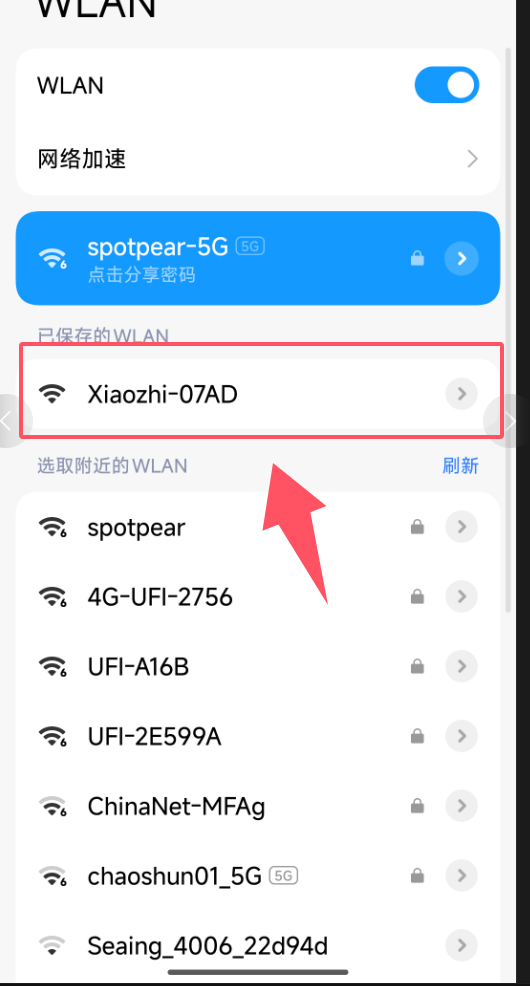
2:It will automatically redirect to the page below.
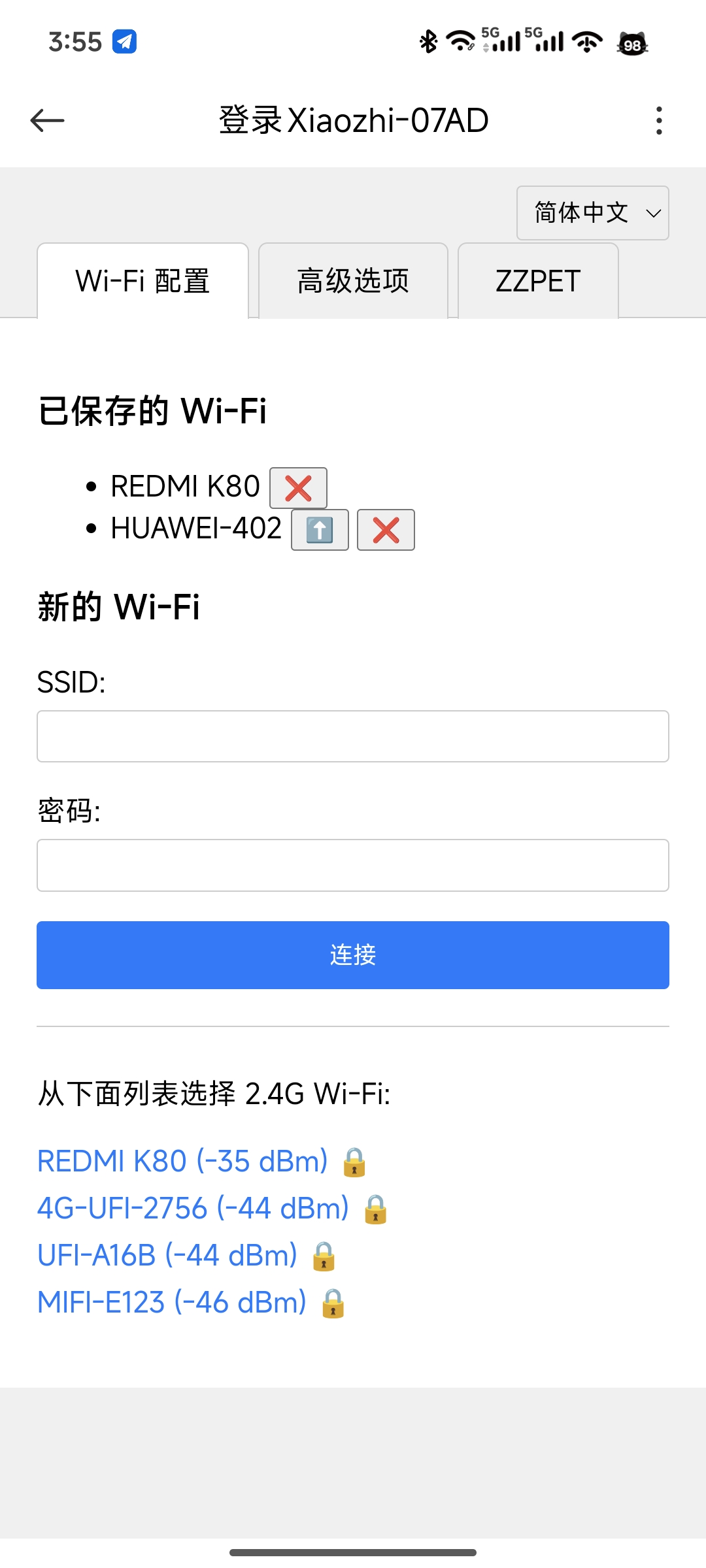
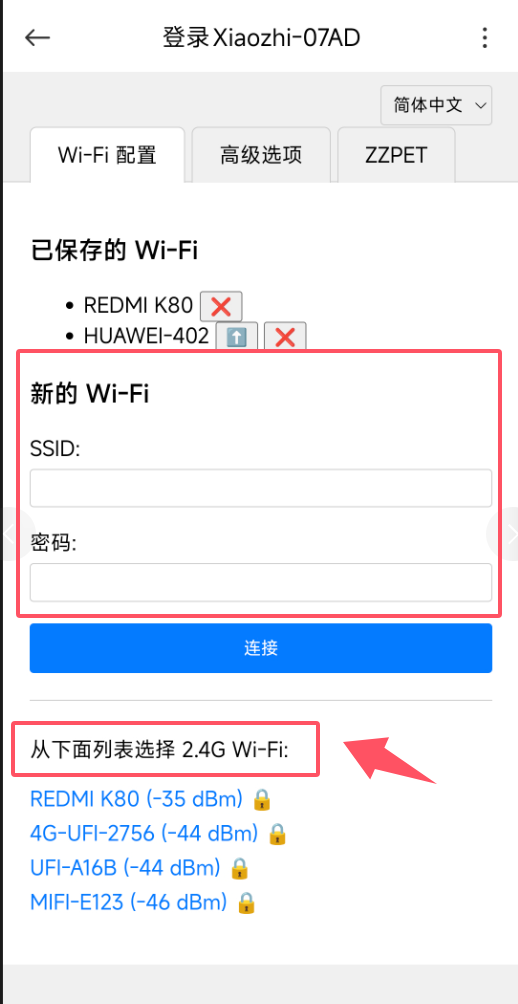
3:Select your home's 2.4GHz Wi-Fi network from the list below and then enter the password.(It must be 2.4G WiFi; others will not work.)
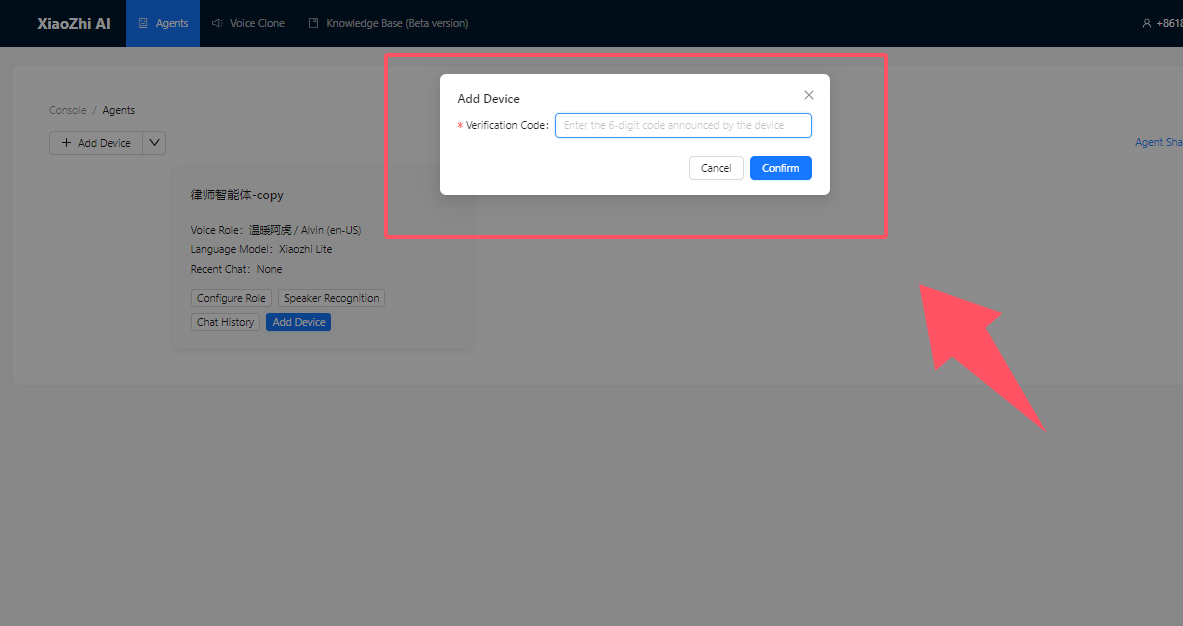
4:After successful connection, open the Xiaozhi official website to add the device.
5:The status below shows that it has been added successfully.

6:Press this button to wake up

7:You can start a conversation after waking up.(He can sway left and right Or dancing )such as【Swaying left and right】【Dance】
TAG:
Arduino IR Thermal Imaging Camera
NanoKVM-Lite
Raspberry Pi LCD
X1011 Raspberry Pi 5 PCIe to M.2 NVMe 4-Ports SSD Board HAT Pi5 Four-Times 2280
JETSON NANO
ESP32-P4-Core Board with 32MB PSRAM USB With Camera Port / Display Port
Raspberry Pi 5 PD Power
RK3566
Servo PWM motor WP5320 WP5335 35/20KG.CM 180° PWM digital servo double ball bearings
ESP32-S3 1.43inch AMOLED Display AI Development Board 466×466 1.43 inch TouchScreen Deepseek
ESP32 Thermal imaging camera
Modbus RTU Relay 32CH
CAN FD
X1006 Raspberry Pi 5 PCIe To 2.5 SATA And M.2 KEY-B 2280 SSD/HDD Double-SATA (NOT BOOT From SATA/SSD
Raspberry Pi 5 Fan
ESP32-P4-WIFI6 5inch LCD Display AI Development Board 720×1280 5 inch TouchScreen Deepseek
Raspberry Pi Triple LCD HAT
Raspberry Pi 6.25 inch DSI Display MIPI LCD (B) Capacitive TouchScreen 720x1560
RS232 to RJ45
EyeLink-RC-S1 Industrial Edition 5.5 inch Touchscreen Camera R1M Card Recording Flight Controller FPV Drone ground station image transmission remote