- sales/support
Google Chat:---
- sales
+86-0755-88291180
- sales01
sales@spotpear.com
- sales02
dragon_manager@163.com
- support
tech-support@spotpear.com
- CEO-Complaints
zhoujie@spotpear.com
- Only Tech-Support
WhatsApp:13246739196
- Purchase/Shipping/Refund
WhatsApp:13424403025
- HOME
- >
- ARTICLES
- >
- Common Moudle
- >
- Camera
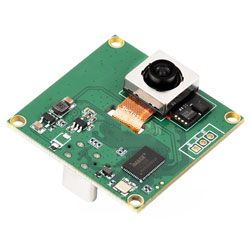
IMX563 12MP OIS USB Camera (A) User Guide
Specifications
| Type | Parameter | |
|---|---|---|
| Pixels | 12MP | |
| Sensor Chip | Sony IMX563 | |
| Interface Type | USB2.0 Type-C | |
| Camera Specifications | Sensor Size | 1/2.55 inch |
| Pixel Size | 1.4 × 1.4 μm | |
| Shutter Type | Rolling Shutter | |
| Aperture (F.No) | 2.2 | |
| Focal Length (EFL) | 2.17 mm | |
| Field of View (FOV) | 122°(D) × 107.2°(H) × 90.1°(V) | |
| Depth of Field | 10 cm to ∞ | |
| Distortion | < 5.6% | |
| Focus Type | Autofocus | |
| Filter | Built-in 650 nm filter | |
| Image Stabilization | OIS (stabilization angle ±3°, greater than 25 dB) | |
| VCM Driver IC | Focus DW9800V, OIS AKM7323 | |
| Image Capability | Supported Format | MJPEG |
| Resolution | 4032 × 3024 (12 MP) | |
| Frame Rate | 120fps@Full resolution / 240fps@4K2K / 960fps@1080p | |
| Operating Temperature | -20°C to 70°C | |
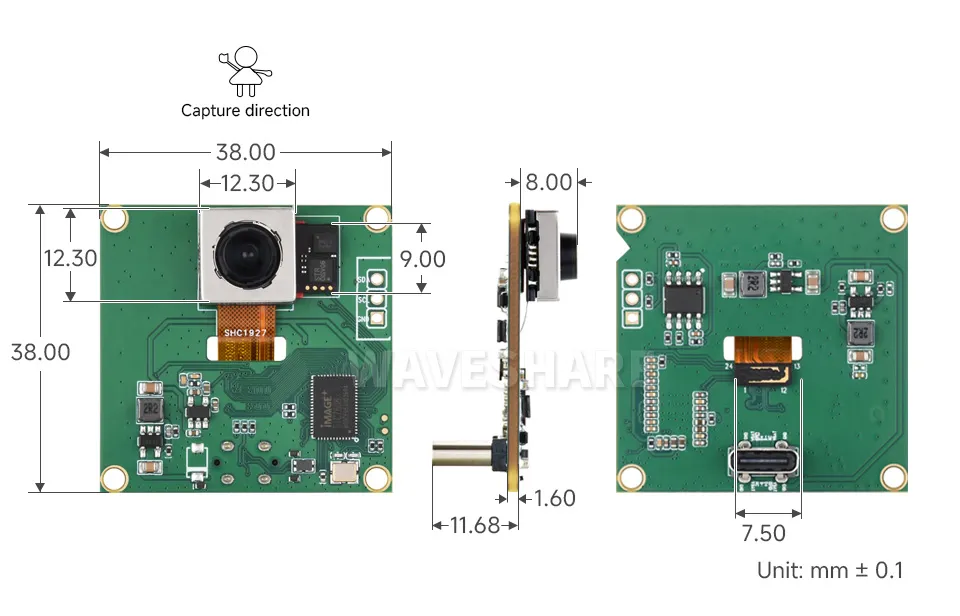
| Module Dimensions | 38.00 × 38.00 mm | |
Dimensions
Working with Windows PC
Test Software
Most current Windows 10 systems come with a built-in camera application. You can directly open this default Windows camera app for testing. If you are using Windows 7 or cannot find the camera application on your system, you can download and install the AMCAP test software we provide from the Resources and Documents.
Testing Steps
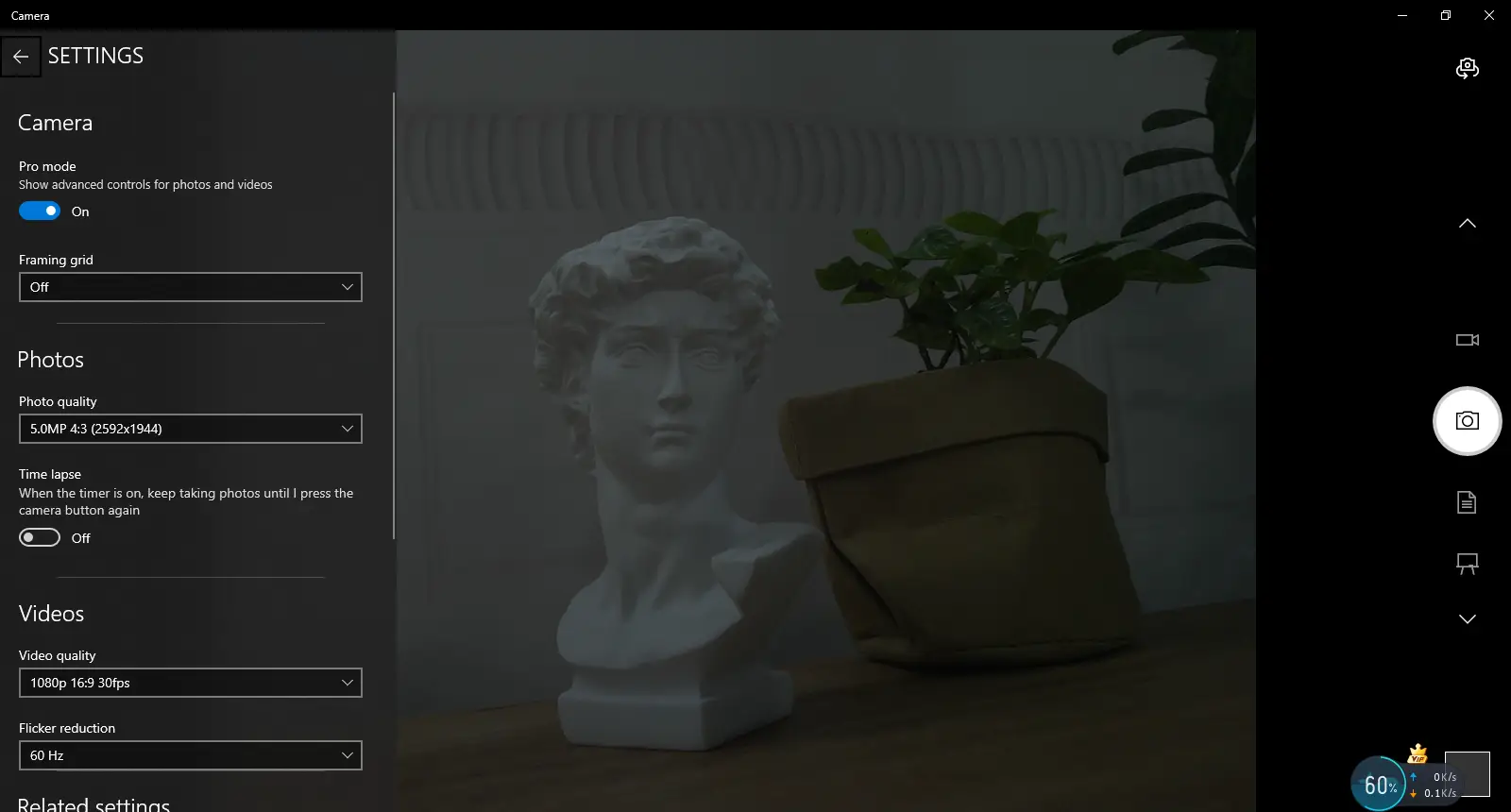
Windows Built-in Camera Application
- Search for "Camera" and open the app.
- Click the gear icon in the top-left corner to open the settings interface, where you can set the resolution for photos or videos.
Amcap Software
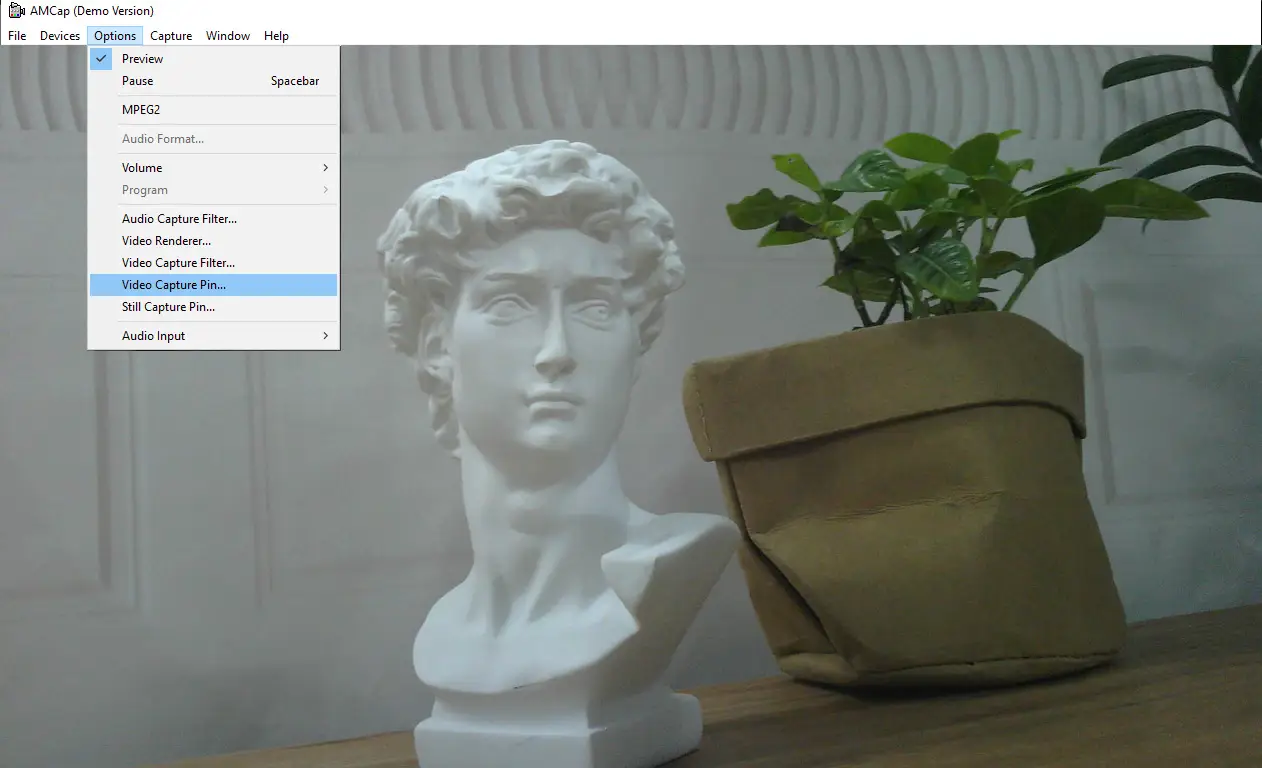
- Download and install the Amcap software.
- Click the "Options" menu, then select "Video Capture Pin..." or "Still Capture Pin..." to configure image and video parameters.
Working with Linux Embedded Board
Software Environment
On Linux embedded boards such as Raspberry Pi, Jetson Nano, and RDK, some systems support the UVC protocol by default, allowing image preview testing with OpenCV. To properly preview the image, please connect a display to the board.
Testing Steps
Open a terminal and enter the following command to install OpenCV:
sudo apt-get install python3-opencvDownload the example and test.
wget https://files.waveshare.com/wiki/common/Usb_camera_examples.zipunzip Usb_camera_examples.zipcd Usb_camera_examplessudo python3 Usb_camera_examples.py
Resources
1. Examples
2. Software Tools
Support
Monday-Friday (9:30-6:30) Saturday (9:30-5:30)
Email: services01@spotpear.com