- sales/support
Google Chat:---
- sales
+86-0755-88291180
- sales01
sales@spotpear.com
- sales02
dragon_manager@163.com
- support
tech-support@spotpear.com
- CEO-Complaints
zhoujie@spotpear.com
- Only Tech-Support
WhatsApp:13246739196
- Purchase/Shipping/Refund
WhatsApp:13424403025
IMX378-190 12.3MP Camera (B) User Guide
Specifications
| Category | Parameter |
|---|---|
| Sensor | Sony IMX378 |
| Resolution | 12.3MP (4056 × 3040) |
| Focus Type | Fixed focus |
| CMOS Size | 1/2.3inch |
| Aperture | F2.4 |
| Distortion | < 58% |
| Focal Length | 6.5mm |
| Diagonal Field of View (DFoV) | 190° |
| Shutter Type | Rolling Shutter |
| IR-cut Filter | 650 nm |
| Operating Temperature | 0°C ~ 50°C |
| Supported Devices | Compatible with all Raspberry Pi motherboards |
Dimensions
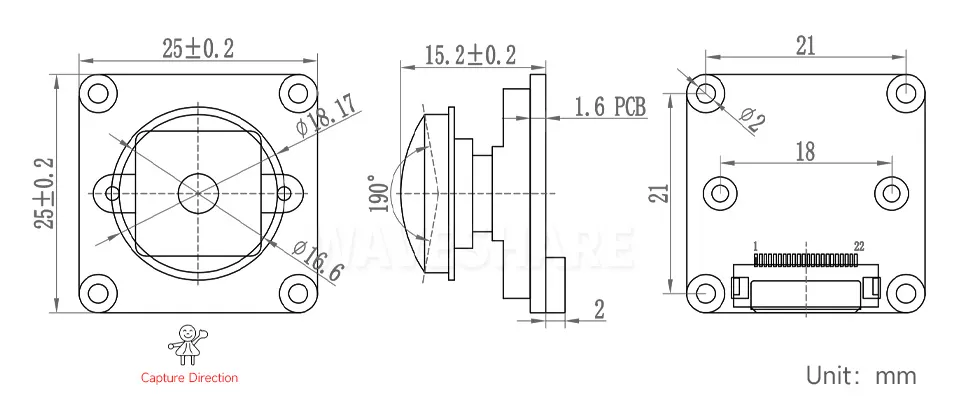
Working with Raspberry Pi
The IMX378-190_12.3MP_Camera_B module uses a 22PIN interface and comes with a 22PIN reverse ribbon cable by default. If you need to connect to a 15PIN interface such as on the Pi 4, remember to use the 22PIN to 15PIN adapter cable instead.
Hardware Connection
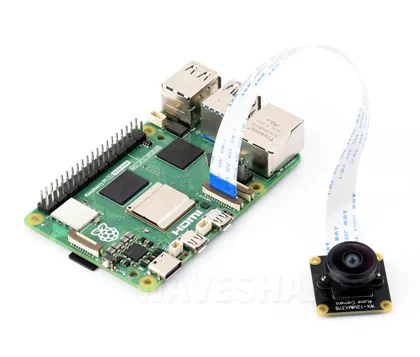 Connecting with Raspberry Pi 5 | 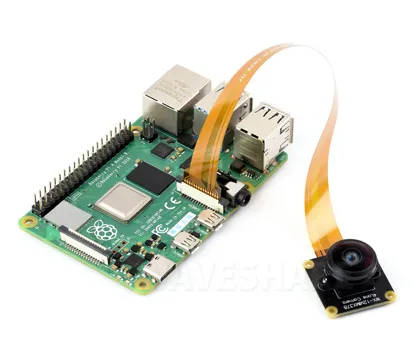 Connecting with Raspberry Pi 4 |
|---|
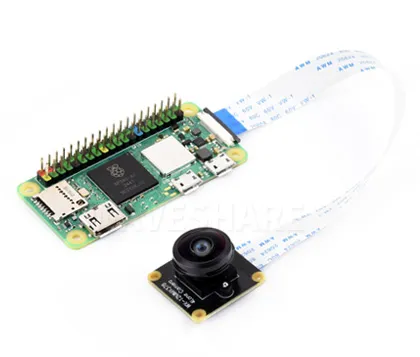 Connecting with Zero 2 W | 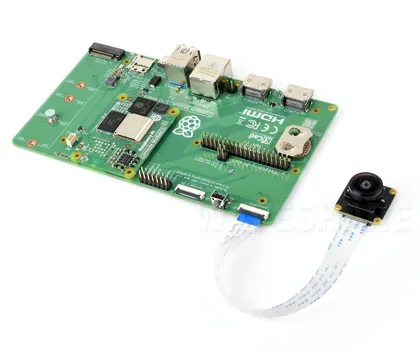 Connecting with CM5 IO Board |
|---|
Software Environment Configuration and Testing
Update System
To ensure the camera works properly, please use the Bookworm version of the Raspberry Pi system and update it with the following commands:
sudo apt-get update -y
sudo apt-get upgrade -y
If using only one camera, connect it to the CAM1 port.
Configure the config.txt File
Use the nano tool to open and edit the /boot/firmware/config.txt file:
sudo nano /boot/firmware/config.txt
Find the line camera-auto-detect=1 and change it to camera_auto_detect=0
At the end of the file, add the line dtoverlay=imx378. If multiple cameras are connected, you can specify the cam0 or cam1 parameter, for example:
dtoverlay=imx378,cam0
dtoverlay=imx378,cam1
After configuration, save the file and reboot the system with sudo reboot.
Test the Camera
After configuration, reboot the system and use the command sudo rpicam-hello --list-camera to check if the camera is detected.
If a screen is connected, you can preview the camera with sudo rpicam-hello -t 0.
For more information about rpicam commands, please refer to Raspberry Pi Camera Software Documentation.
Resources
Support
Monday-Friday (9:30-6:30) Saturday (9:30-5:30)
Email: services01@spotpear.com