- sales/support
Google Chat:---
- sales
+86-0755-88291180
- sales01
sales@spotpear.com
- sales02
dragon_manager@163.com
- support
tech-support@spotpear.com
- CEO-Complaints
zhoujie@spotpear.com
- Only Tech-Support
WhatsApp:13246739196
- Purchase/Shipping/Refund
WhatsApp:13424403025
- HOME
- >
- ARTICLES
- >
- Common Moudle
- >
- ESP
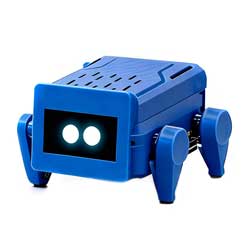
ESP32-S3-Ai-Dog-(A)-Case User Guide
【User Guide】
1:Open your phone and find the Wi-Fi network that starts with "xiaozhi".
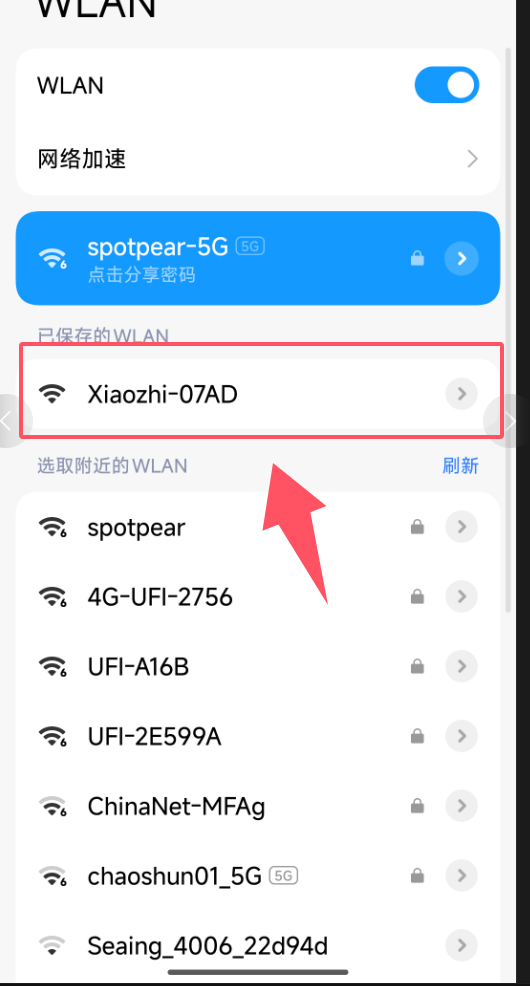
2:It will automatically redirect to the page below.
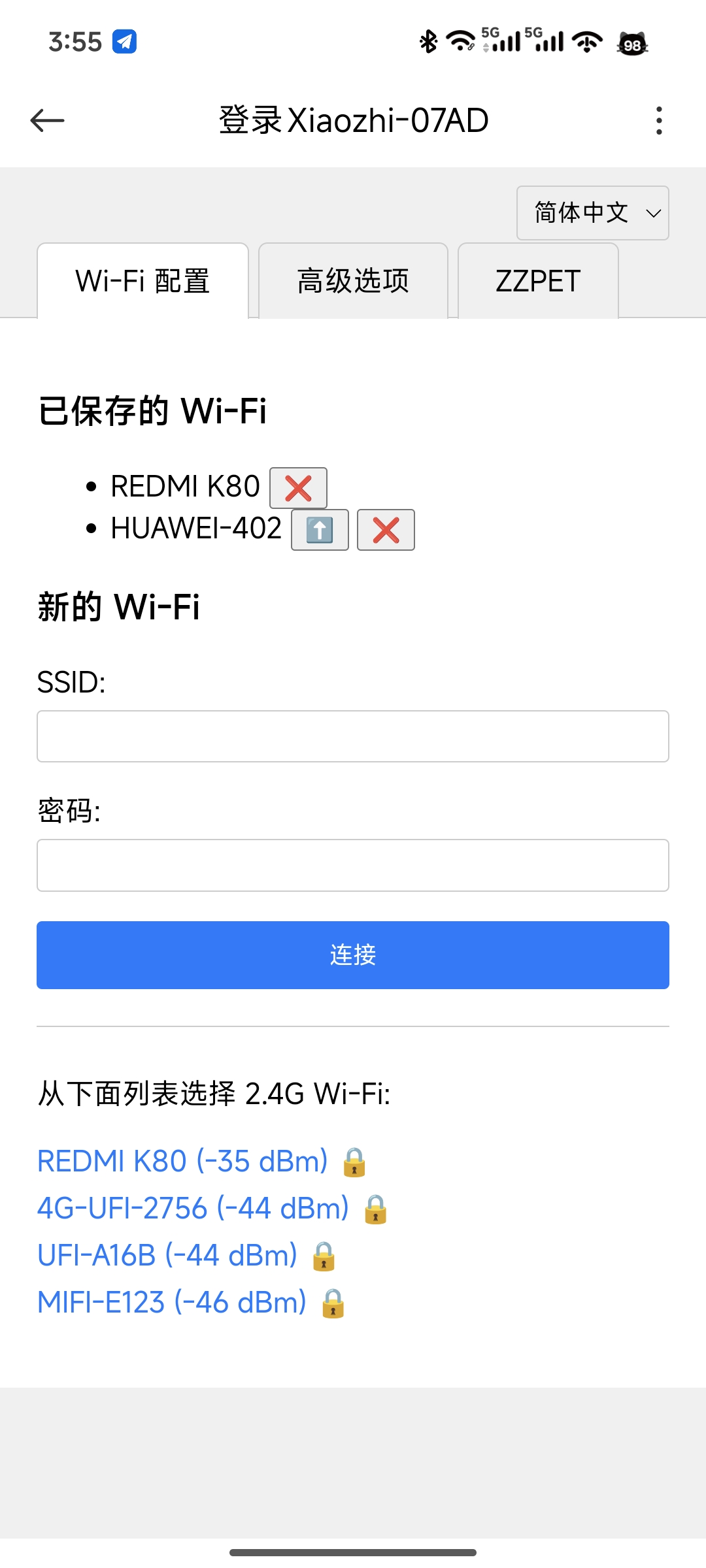
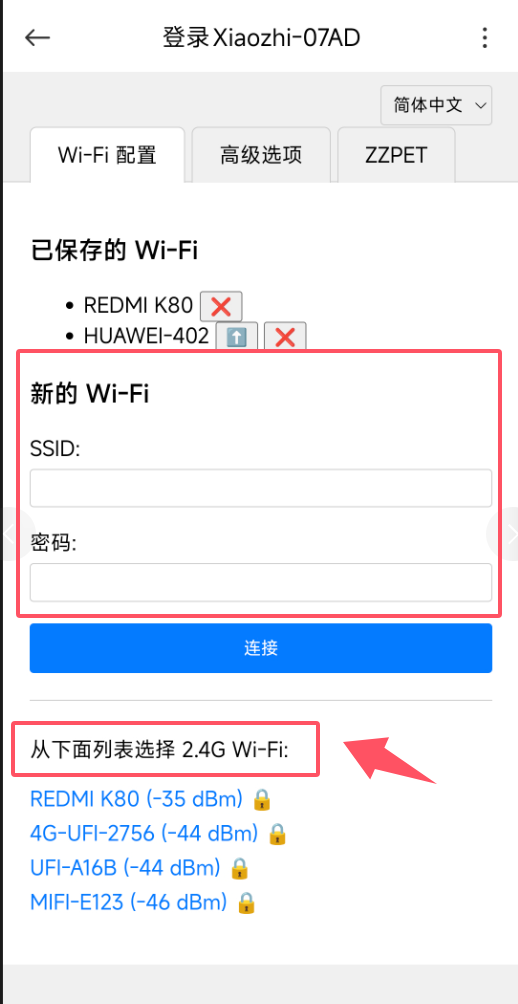
3:Select your home's 2.4GHz Wi-Fi network from the list below and then enter the password.(It must be 2.4G WiFi; others will not work.)
4:After successful connection, open the Xiaozhi official website to add the device.
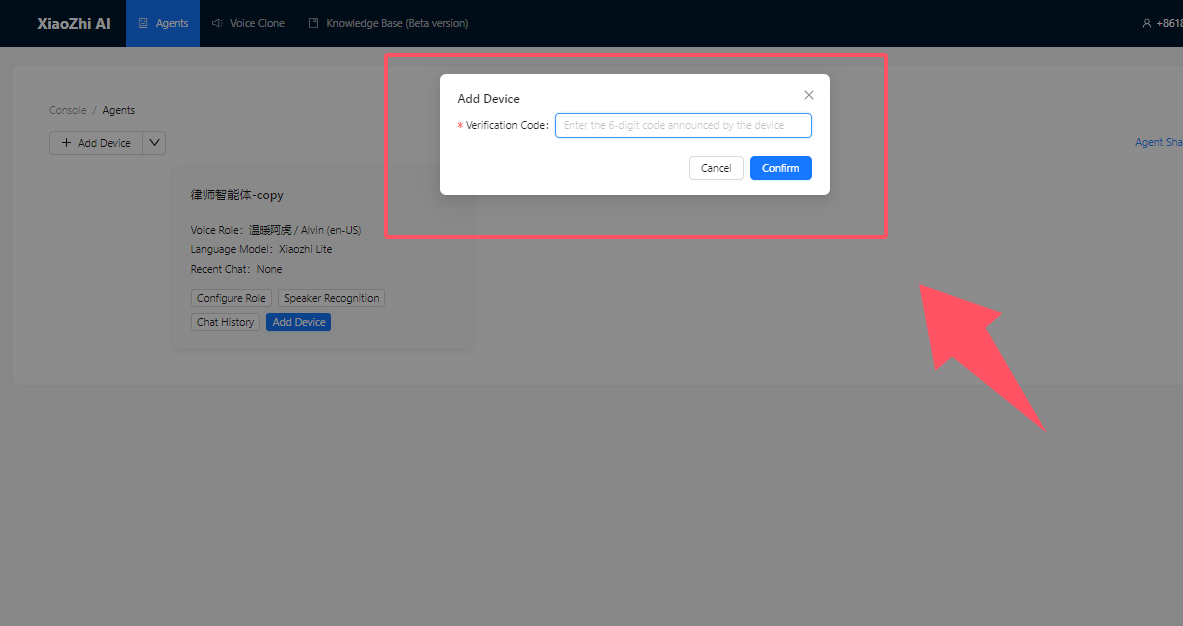
5:The status below shows that it has been added successfully.

6:Press this button to wake up

7:You can start a conversation after waking up.(He can sway left and right Or dancing )such as【Swaying left and right】【Dance】
TAG:
Raspberry Pi 5 PCIe to USB3 HUB Double 2.5G ETH RJ45 and M.2 NVMe SSD PI5 Expansion board HAT+
Modbus
4.2 inch e-Paper Display G Red/Yellow/Black/White 4.2inch E-link Screen For Arduino /Raspberry Pi /Jetson Nano /STM32
Raspberry Pi 5
D-Robotics RDK X3 Development Board Horizon Sunrise Pi ARM Cortex-A53 5Tops 2GB/4GB RAM
Spotpear
Milk-V Duo Ethernet
Raspberry Pi USB Global Shutter Camera 1MP OV9281 120fps Black/White 120fps also For Jeston RDK
ESP32-S3 LCD
Raspberry Pi 5 8 inch DSI LCD Captive TouchScreen MIPI Display 1280x800 Industrial One-Body Tablet PC With 5MP Front Camera
ST servo driver
ESP32 C3 1.44inch LCD
Raspberry Pi IR Thermal Imagi
ESP32 C3 Voice Robot Mini Development Board AI DeepSeek Toy Doll Core 1.28 inch 1.54inch LCD
UPS HAT D
Raspberry Pi 18.5inch FHD LCD 1920x1080 Capacitive TouchScreen Display For Raspberry Pi/Jetson Nano/
Milk V Duo
Raspberry Pi Pico 2 RP2350 3.5 inch LCD Capacitive 3.5inch TouchScreen Development Board 240x320 Display QMI8658 6-Axis /OV5640 Camera /SD
Spotpear
RP2350B-MINI-A picotool Tutorial