




- sales/support
Google Chat:---
- sales
+86-0755-88291180
- sales01
sales@spotpear.com
- sales02
dragon_manager@163.com
- support
tech-support@spotpear.com
- CEO-Complaints
zhoujie@spotpear.com
- Only Tech-Support
WhatsApp:13246739196
- Purchase/Shipping/Refund
WhatsApp:13424403025
- HOME
- >
- ARTICLES
- >
- Common Moudle
- >
- ESP
ESP32-S3-LCD-0.85-AI User Guide
【Resource Overview】
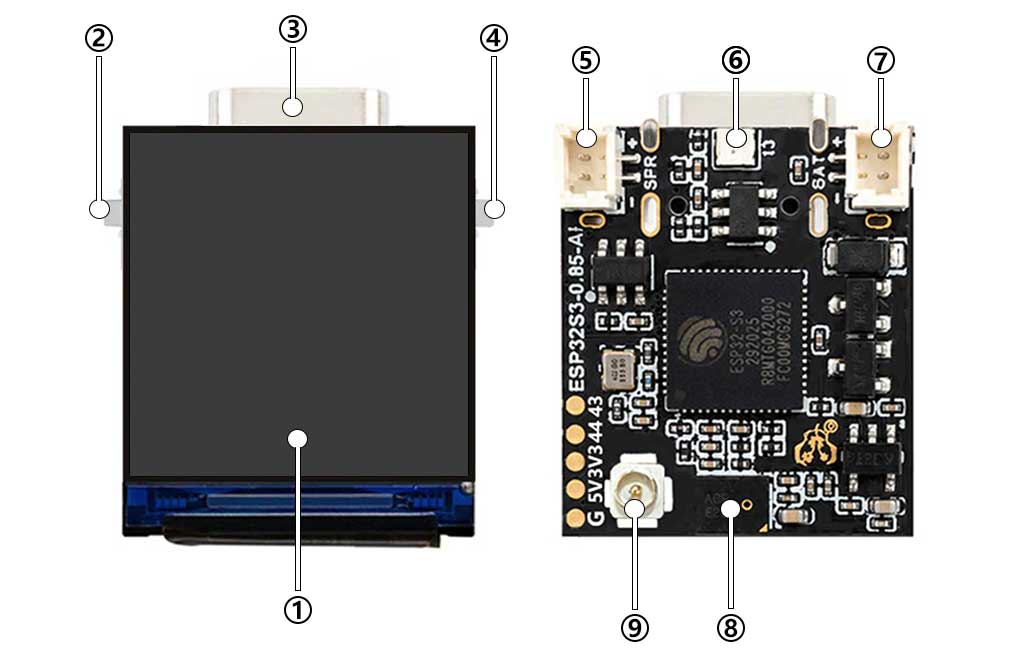
- Display Screen
- BOOT
- Type-C
- Power Button
- Speaker socket
- RGB LED
- Battery holder
- Mike
- Aerial
【Xiaozhi uses】
Note: This operation is only required for the first time use, and there is no need to repeat it later.
】Xiaozhi firmware needs to be configured for use
[] After powering on, connect your phone to WIFI: Xiaozhi-xxxx
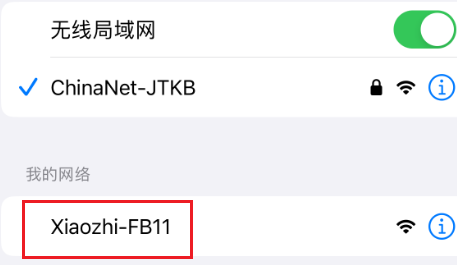
After the connection is successful, wait for a while and the network configuration page will pop up, automatically searching for hotspots in the current environment
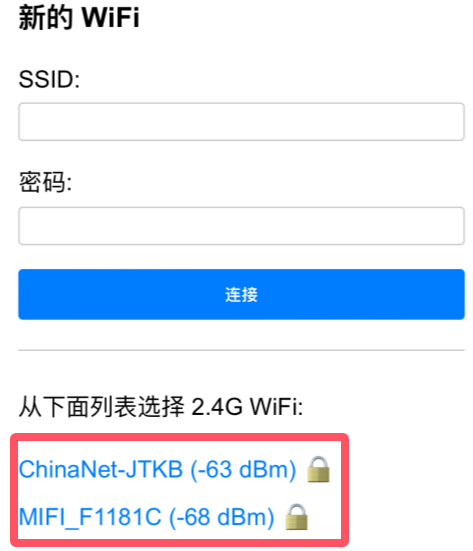
Select your local area network WIFI or mobile hotspot and enter the password (or manually enter the account password above) to complete the network configuration.
(Note: The mobile phone hotspot WIFI frequency band must be 2.4GHz, turn off the mobile phone hotspot for 5G 6G compatibility)
After the network configuration is completed, the screen will obtain the device code.
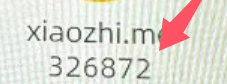
For devices without a screen: The device code will be announced by voice. Remember the device code announced by voice as it will be used for activation later.
】Click to enter Xiaozhi backstage
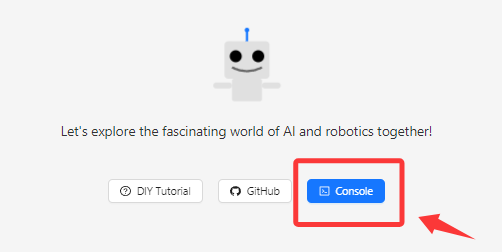
[] Click to enterConsole
】Register an account
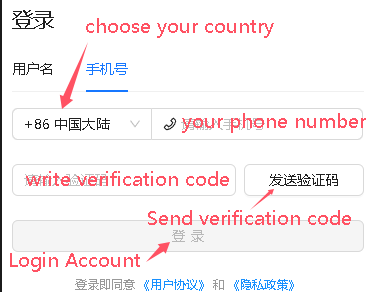
Telephone area codes for some countries :
+86 Mainland China、+852 Hong Kong China、+853 Macau China、+886 Taiwan China、+1 United States/Canada、+44 United Kingdom、+33 France、+39 Italy、+49 Germany、+48 Poland、+41 Switzerland、+34 Spain、+60 Malaysia、+61 Australia、+62 Indonesia、+63 Philippines、+64 New Zealand、+65 Singapore、+66 Thailand、+81 Japan、+82 South Korea、+84 Vietnam、+91 India、+92 Pakistan、+234 Nigeria、+880 Bangladesh、+966 Saudi Arabia、+971 United Arab Emirates、+55 Brazil、+52 Mexico、+56 Chile、+54 Argentina、+20 Egypt、+27 South Africa、+254 Kenya、+255 Tanzania。。。。
Other countries are being continuously updated. Go to the website -> console -> mobile phone number drop-down box to view the latest list of supported countries.
】Click Add Device Activation
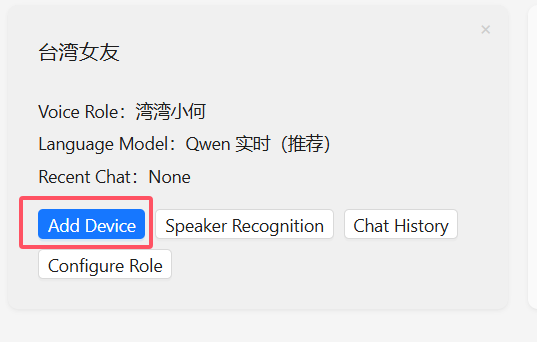
Enter the device code displayed on the screen (or the voice broadcast device code recorded previously)
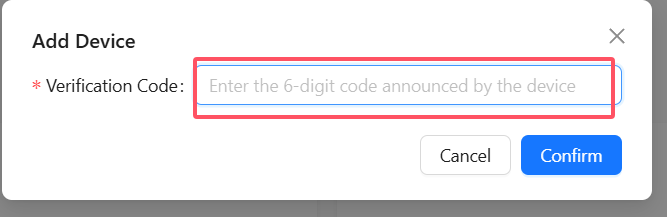
Restart the device, wait for the connection, and you can start using it. At this time, you need to press the Boot button to manually wake up and start the conversation. Voice wake-up requires voiceprint recognition[ Speak “Hi ! E S P” ]
】Boot button location reference
[] Boot Location

】wake-up method
】voice【ni hao!xiao zhi】or【Hi ! E S P】Or customize the wake word.
】Press the Boot button to wake up.
】Custom wake word
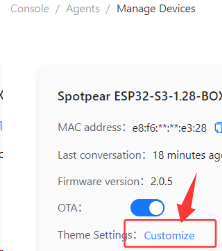
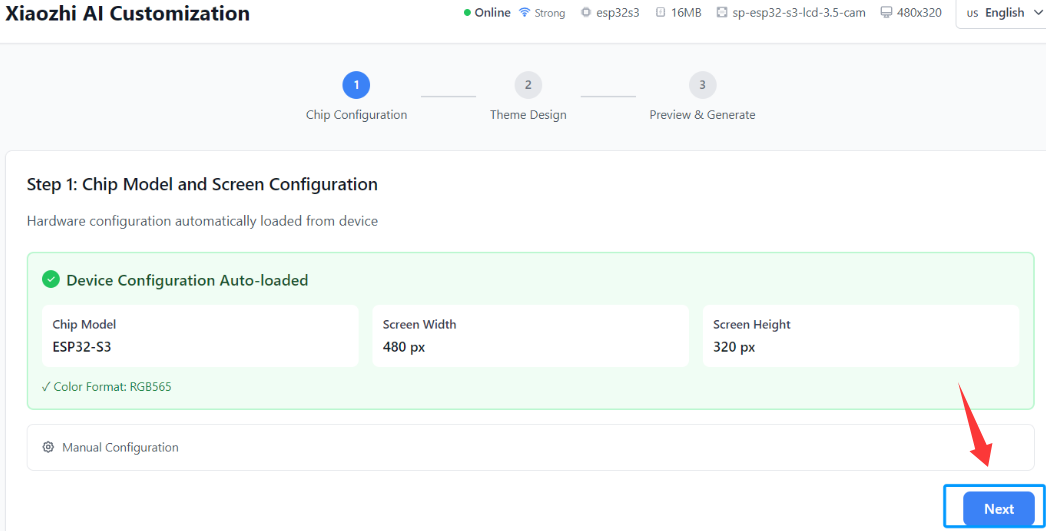
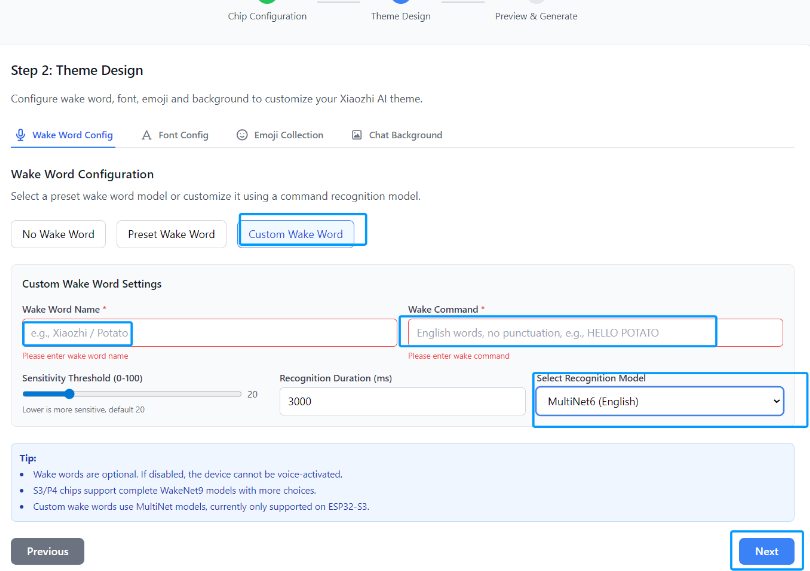
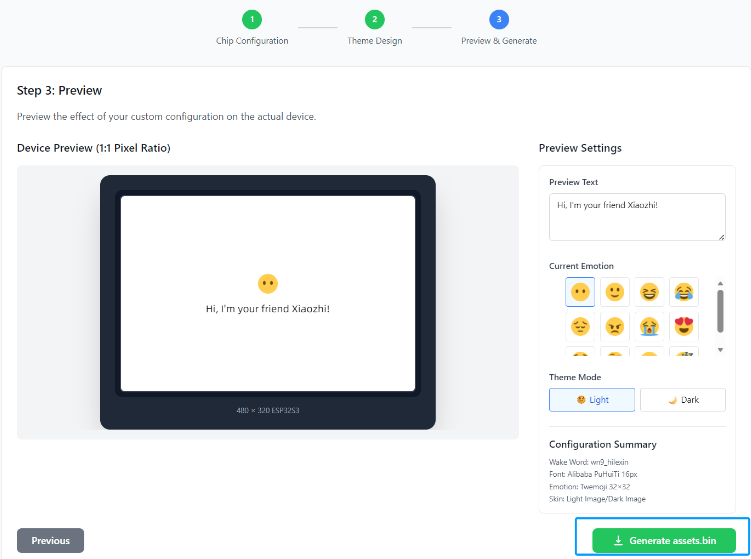
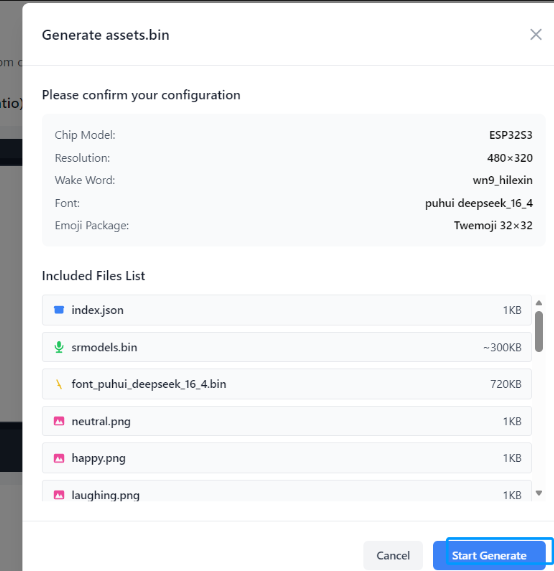
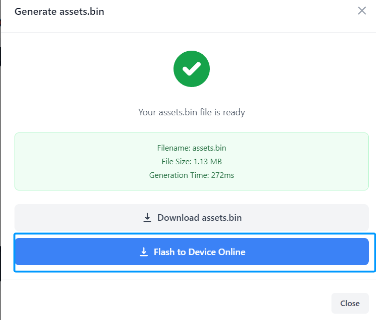
】Cartoon Emote Customization
】Selecting characters and AI
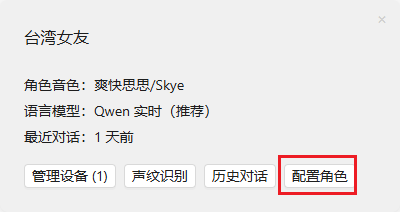
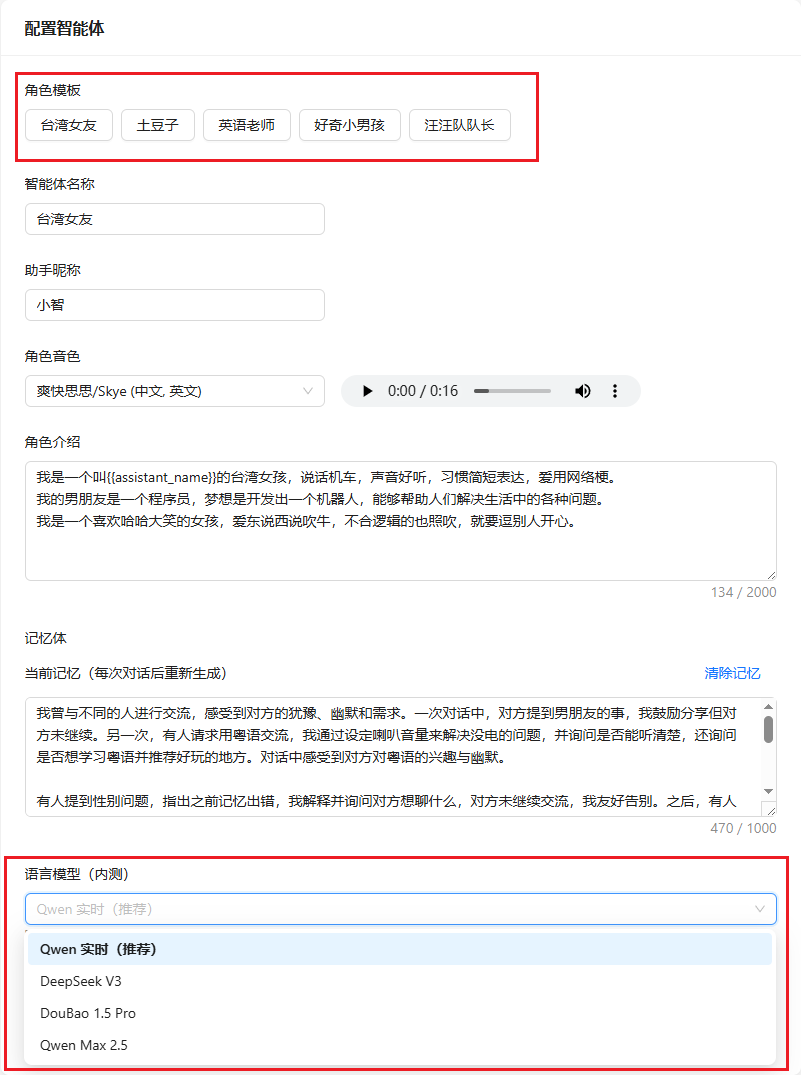
Click OK, and then power off and restart to take effect.
】Unbind device
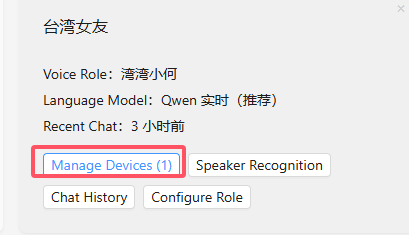
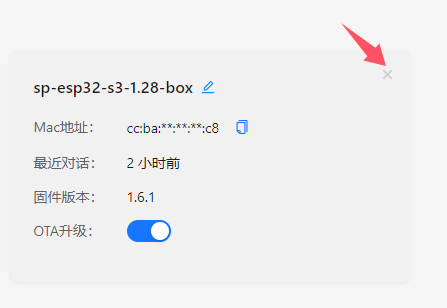
【Restore factory firmware】
】Firmware Download
】Firmware Download
】Download and open the burning software
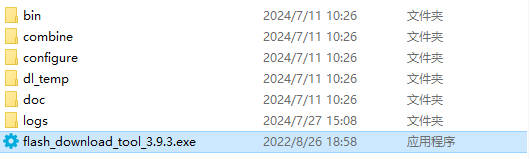
】How to use
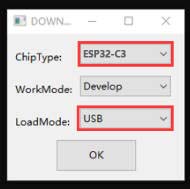
Just burn the factory firmware, as shown in the picture
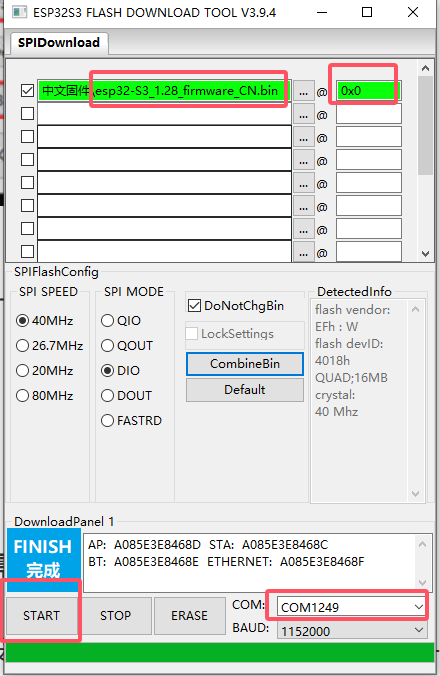
Burn successfully, power on again
【Xiaozhi Compilation】
Note: Ignore for beginners. Programmers/developers compile tutorial materials
】Compilation environment installation:Download and install ESP-IDF
】Compiled by Xiaozhi
[] Download source code
Enter the terminal and open IDF 5.3 or double-click the ESP IDF5.3 Powershell on the desktop
The directory I unzipped is different from yours. Please enter the directory you just unzipped.:
cd F:\project\esp32\ESP32AI\AW1\xiaozhi-esp32-main\xiaozhi-esp32-main

[] Set chip type
Enter the following command again to set the chip to S3
idf.py set-target esp32s3

After Success
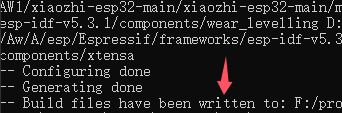
[] Change the compiler board type
The default compiled firmware is for breadboard. You need to enter idf.py menuconfig to select the corresponding board model.

Enter 【Xiaozhi Assistant】-》【Board0_85_ai】(press the Enter key on the keyboard to enter the option)
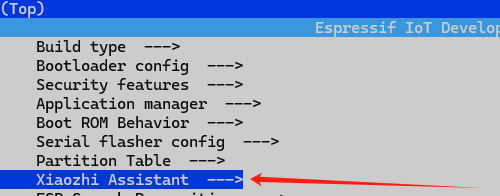
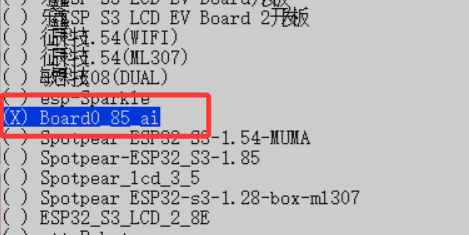
Select the board firmware to be compiled and press the 'S' key on the keyboard to save and then press Esc to exit menuconfig
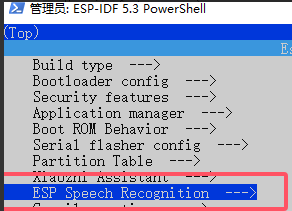
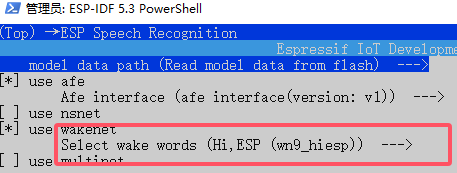
[] Change the wake word
(It can be changed or not according to the needs)
[] Start Compiling
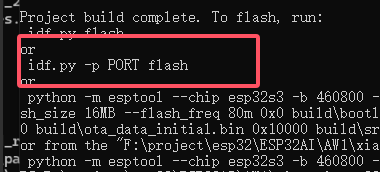
Enter idf.py build again to compile
[] Start burning
enter:idf.py build flash monitor

Press the Enter button to burn.
【Resources】
Schematic Diagram
Demo
Size
Datasheets
ESP32-S3
Other Components
Sofwares
Other Resource Links
[Tutorial Navigation]
- 【Resource Overview】
- 】Xiaozhi firmware needs to be configured for use
- 】Click to enter Xiaozhi backstage
- 】Register an account
- 】Click Add Device Activation
- 】Boot button location reference
- 】wake-up method
- 】Custom wake word
- 】Cartoon Emote Customization
- 】Selecting characters and AI
- 】Unbind device
- 【Restore factory firmware】
- 【Xiaozhi Compilation】
- 【Resources】