- sales/support
Google Chat:---
- sales
+86-0755-88291180
- sales01
sales@spotpear.com
- sales02
dragon_manager@163.com
- support
tech-support@spotpear.com
- CEO-Complaints
zhoujie@spotpear.com
- Only Tech-Support
WhatsApp:13246739196
- Purchase/Shipping/Refund
WhatsApp:13424403025
PCIe-TO-Gigabit-ETH-Board-C User Guide
Overview
Introduction
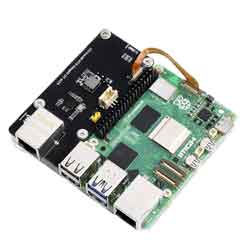
PCIe TO Gigabit ETH Board (C) for Raspberry Pi 5, supports Raspberry Pi OS, is driver-free, side-mounting, and comes with an transparent acrylic mounting plate.
Features
- PCI-E×1 Gen2 mode.
- Only support PI5B.
- Network working indicator:
- Accessing 1000M network: the green indicator keeps blinking.
- Accessing 100M network: the yellow indicator keeps blinking.
- Equipped with original RTL8111H high-performance controller.
Note
- PCIE interface is not enabled on the Raspberry Pi by default.
User Guide
Hardware Connection
Pay attention to the wiring direction: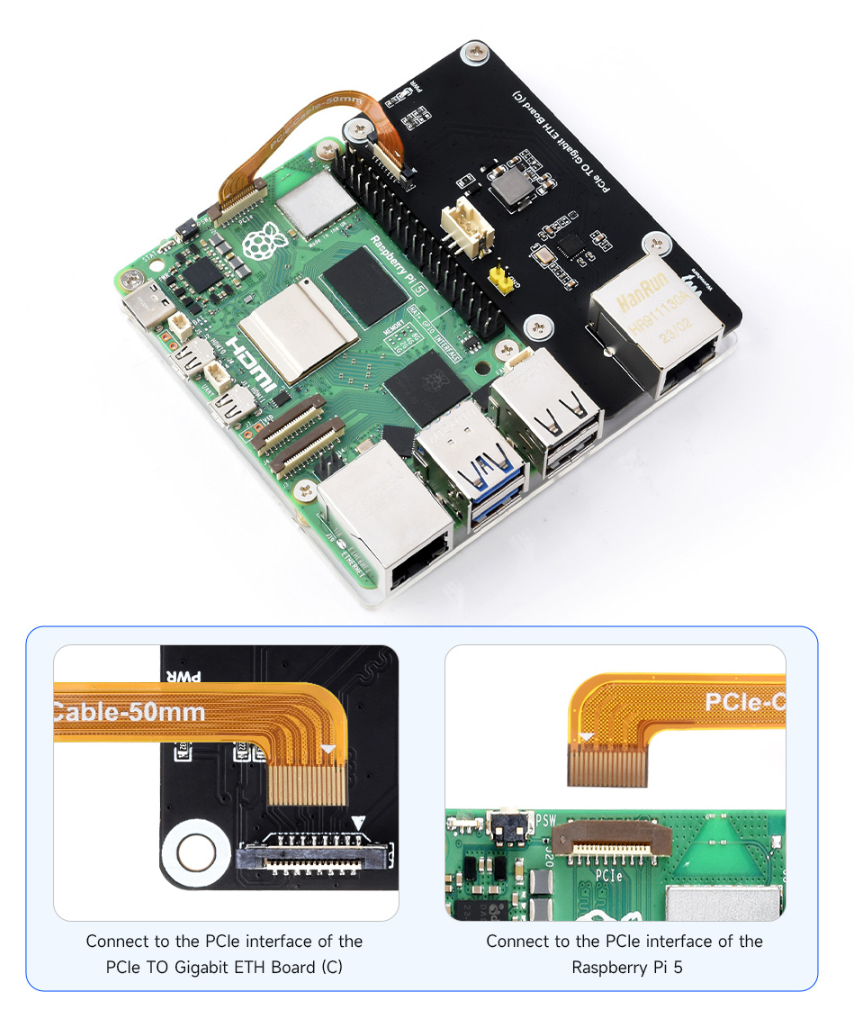
- No need for additional power supply when using the PCIE connector by default.
User Guide
1: Enable PCIE interface:
PCIE interface is not enabled on the Raspberry Pi 5 by default, you can add the following content at /boot/firmware/config.txt:
dtparam=pciex1
2: PCIE gen2 is the default setting, if you want to enable PCIE gen3, you need to add the following content at /boot/firmware/config.txt:
dtparam=pciex1_gen=3
#Please note that the module only supports gen2, so it is the same to set Gen3 or Gen2 on the PI5, and the speed will not be improved.
3: Reboot PI5 after modification, and the device can be recognized.
As shown below, the RTL8111 is recognized as our device, and the other PI5 is the RPI chip.
4: Execute "ifconfig" to get to the point where the NIC has been recognized.
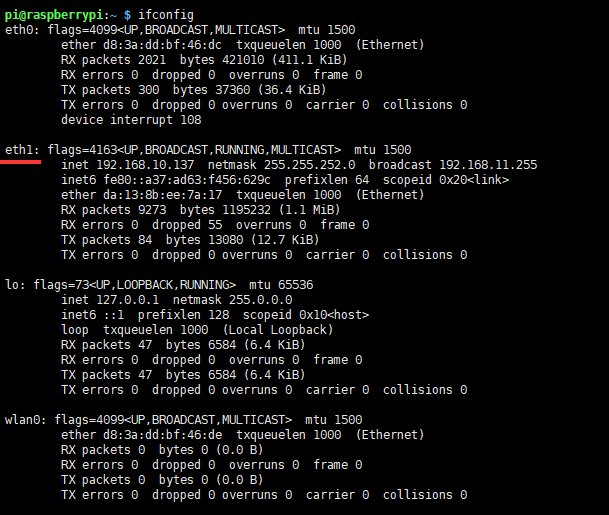
5: Use the ping command to test.
ping baidu.com -I eth1
#-I specify the Ethernet port:
Using Other OS
If you do not use Raspberry Pi OS and try other systems supported by Raspberry Pi, it may identify PCIE but cannot find the network card. In this case, you need to recompile the kernel:
Device Drivers
 > Network device support
   > Ethernet driver support
     > Realtek devices
       > Realtek 8169/8168/8101/8125 ethernet support
Also, you can directly download the driver to install (not recommended).
FAQ
Question:Could you please provide me with the CAD (STEP or similar) files for the following products?
Sorry, we only have 2D images: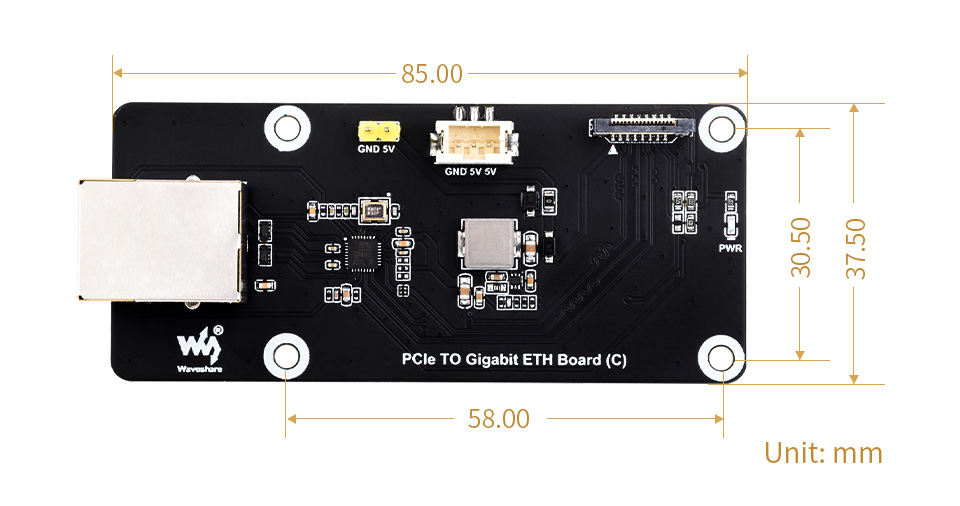
Support
Monday-Friday (9:30-6:30) Saturday (9:30-5:30)
Email: services01@spotpear.com