- sales/support
Google Chat:---
- sales
+86-0755-88291180
- sales01
sales@spotpear.com
- sales02
dragon_manager@163.com
- support
tech-support@spotpear.com
- CEO-Complaints
zhoujie@spotpear.com
- Only Tech-Support
WhatsApp:13246739196
- Purchase/Shipping/Refund
WhatsApp:13424403025
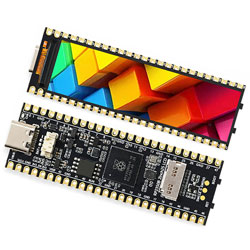
RP2350B-LCD-2.25 User Guide
【Hardware information】
】Hardware information
】Pin Definition
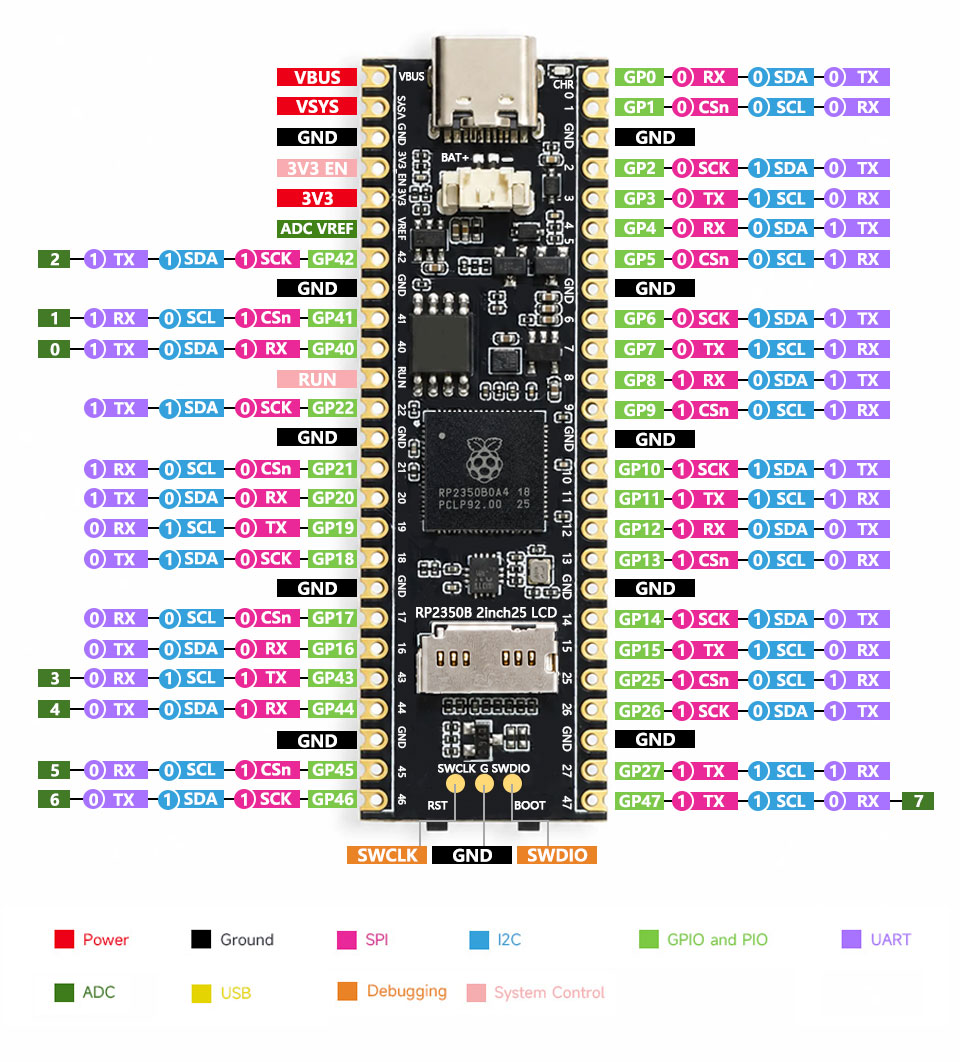
【Sample Code】
【How to run the example code】
】Run Python
1】Press Boot to enter firmware update mode. A U disk will appear on your computer.
2】Place firmware.uf2 on the newly displayed U disk. The U disk will automatically disappear after put it.
3】You can then run the *.py program using Thonny software.
】Running C
1】Press boot to enter firmware update mode; a USB drive will appear on your computer.
2】Drag the main.uf2 file from the build folder in the C file to the USB drive and the program will run automatically.
TAG:
Raspberry Pi Pico 2 RP2350 3.5 inch LCD Capacitive 3.5inch TouchScreen Development Board 240x320 Display QMI8658 6-Axis /OV5640 Camera /SD
Modbus RTU Relay 32CH
ESP32 1.44inch LCD
FT232RNL USB TO TTL Industrial UART Can For Raspberry Pi 5 Terminal Debug
ESP32 2 inch Capacitive TouchScreen LCD Display ST7789 CST816D 240x320 For Arduino/Raspberry Pi/Pico
Sipeed NanoCluster Mini Cluster Board mini data center For Raspberry Pi CM45 / Computer /LM3H /M4N
GC9107
Core1121 LoRa LR1121 HF LF SPI For Sub-GHz and 2.4GHz
DeepSeek XiaoZhi AI Voice Chat Robot BOX ESP32-S3 Development Board 1.85 inch Round LCD N16R8
NV3030B
RISC-V
ESP32 C3 Round LCD Development Board Electronic EYE 0.71 inch Display Watch Screen GC9A01 160x160
ESP32 S3 AI 1.75 inch Development Board with 1.75inch AMOLED Touchscreen Round Screen Deepseek
Industrial CAN FD ETH RJ45 bidirectional converter CAN2.0A/2.0B
WIFI Configuration
64MP
Raspberry Pi 5 RTC
English Character Display Principle
ESP32 S3 Development Board 4.3 inch LCD Capacitive Touch Screen 4.3inch Display 800×480 N16R8
ESP32 C3 Mini