- sales/support
Google Chat:---
- sales
+86-0755-88291180
- sales01
sales@spotpear.com
- sales02
dragon_manager@163.com
- support
tech-support@spotpear.com
- CEO-Complaints
zhoujie@spotpear.com
- Only Tech-Support
WhatsApp:13246739196
- Purchase/Shipping/Refund
WhatsApp:13424403025
PCIe-TO-2-CH-PCIe-HAT User Guide
Overview
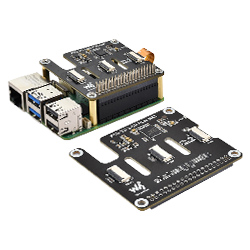
PCIe to 2-ch PCIe FFC adapter board designed for Raspberry Pi 5, PCIe 2.0 Version (PCIe Gen2)
Features
- PCI-E×1 only supports Gen2
- Only supports PI5B
- Onboard working indicator, PWR stays on when powered on
- Flexible combination, easy stacking of multiple PCIe HAT modules
Usage Instructions
Hardware Connection
Pay attention to the direction of the cable, and the connection is shown in the figure: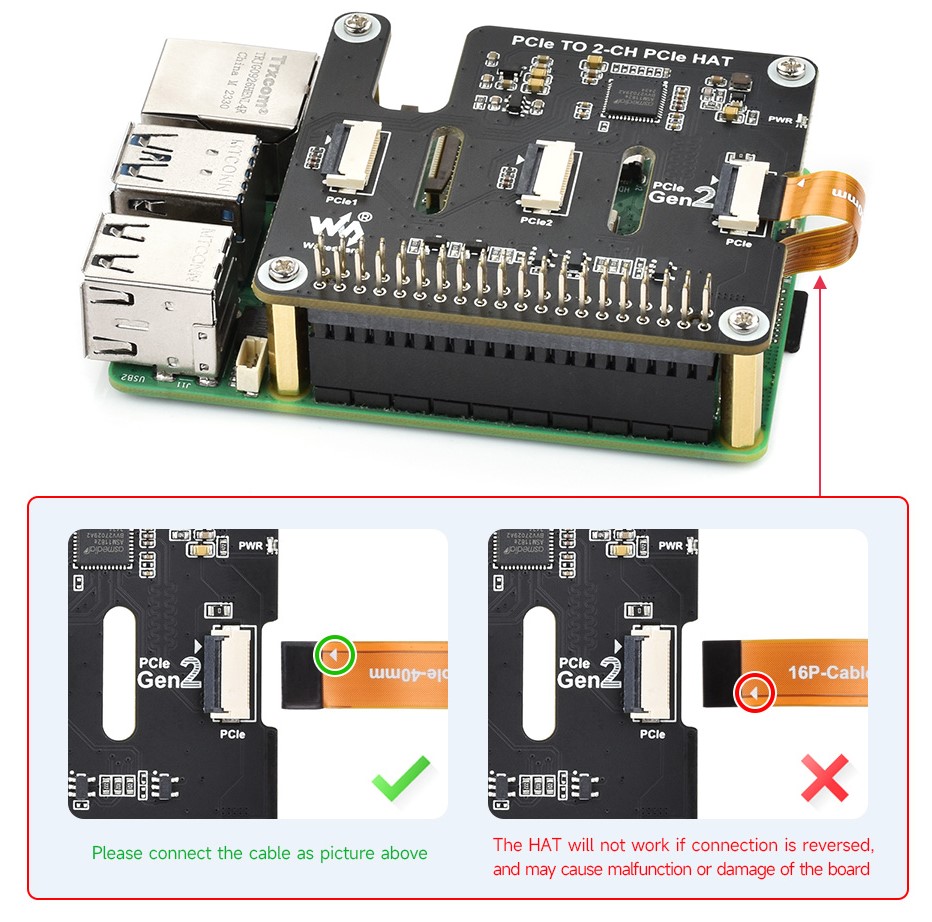
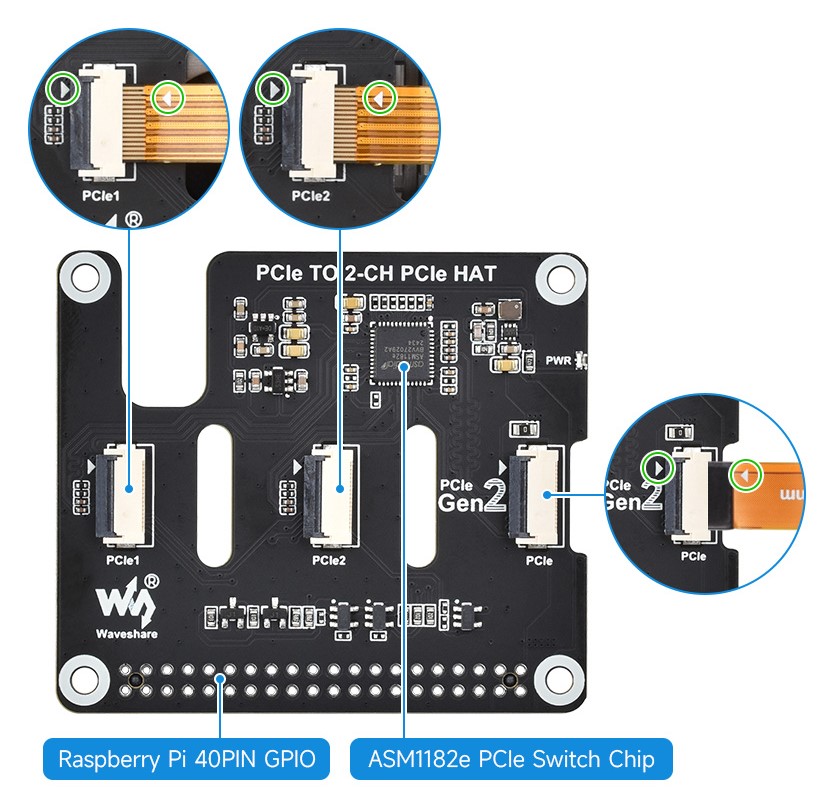
Boot PCIe
1. Enable PCIE interface
PI5B defaults to enabling the PCIE interface.
If it fails to boot, add the following to /boot/firmware/config.txt:
dtparam=pciex1
2. The module only supports PCIE Gen2 x1
Resources
FAQ
Question: Does it support Hailo-8?
Answer:
It's okay to use, but the rate can only support GEN2 mode, and the other channel also consumes the rate, which will result in being unable to fully utilize the performance
Support
Monday-Friday (9:30-6:30) Saturday (9:30-5:30)
Mobile: +86 13434470212
Email: services01@spotpear.com
TAG:
Industrial CAN FD ETH RJ45 bidirectional converter CAN2.0A/2.0B
EVAL-ADXL354CZ
1.3inch LCD RP2040-PiZero Game ST7789 Raspberry Pi Pico LCD Display Screen
Spotpear
Cortex-A7
Luckfox Pico Camera MIS5001 5MP wide-angle lenses For RV1106/Pro/MAX/Ultra (Not For RV1103 Pico)
Raspberry Pi 8.8 inch DSI MIPI Display LCD Capacitive TouchScreen 480x1920
Ranging Sensor
Raspberry Pi 13.3 inch FHD AMOLED 1080P Capacitive TouchScreen Display Type-C/HDMI For Computer PC
ESP32-S3 GEEK
Industrial Isolated USB TO 4CH RS485 (B) Converter UART CH344L For Wall/Rail-Mount
Milk-V Duo S Extend Partition on SD Card or eMMC
Bus Servo Adapter A
Jetson Nano Case
Raspberry Pi 1.54inch LCD Bookworm-Desktop Display and Touch
Sipeed-Lichee-Tang-Nano-FPGA-Series-IDE-Install
Pi5 Case
Serial Server
Raspberry Pi Pico 2 RP2350 Pico2 ARM Cortex-M33 And RISC-V Hazard3 520KByte 4MByte QSPI Flash
ESP32 C6 Development board 1.9 inch LCD display 1.9inch Screen 172×320 With SD slot RGB LED QMI8658 6-Axis-Sensor ST7789 CST816