- sales/support
Google Chat:---
- sales
+86-0755-88291180
- sales01
sales@spotpear.com
- sales02
dragon_manager@163.com
- support
tech-support@spotpear.com
- CEO-Complaints
zhoujie@spotpear.com
- Only Tech-Support
WhatsApp:13246739196
- Purchase/Shipping/Refund
WhatsApp:13424403025
RPI-PCM5122-HIFI-User Guide
【Basic information】
Use image: 2025-05-13-raspios-bookworm-armhf.img
Supported devices: Raspberry Pi 5B/4B/Zero and other Raspberry Pi series
Hardware Introduction:
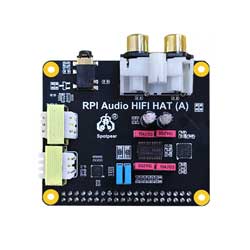
① 3.5mm headphone jack:
The 3.5mm headphone jack uses a low-power amplifier dedicated to headphones, so strictly speaking, the 3.5mm headphone jack output is not AUX OUT, nor does it have AUX IN function.
② RCA Lotus Stand:
RCA output is AUX OUT, not AUX IN。
The red port is the right channel (Right), and the white port is the left channel (Left).

【Tutorial】
】Step1 Download the driver script and install it
[] Download script link
[] Grant executable permissions
sudo chmod 775 ./argon1.sh
[] Execute the script
sudo ./argon1.sh
Finally, it will output "Use 'argon-config' to configure device", indicating that the installation is successful.
】Step 2 Enable the audio module
Execute the argon-config command and enter 4 (select the audio module), 1 (enable the audio module), and 0 (exit the current command) in sequence.
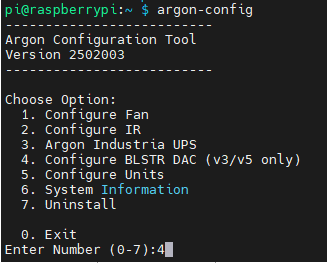
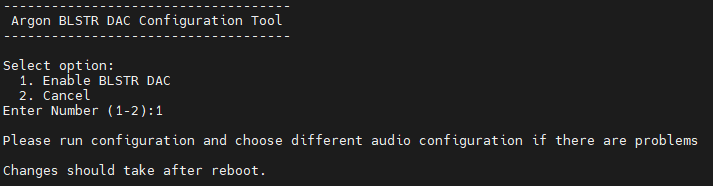
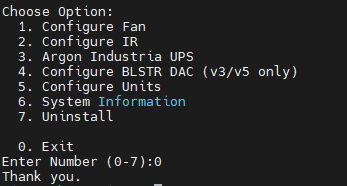
Restart to take effect
】Step 3 Select the audio device on the desktop system
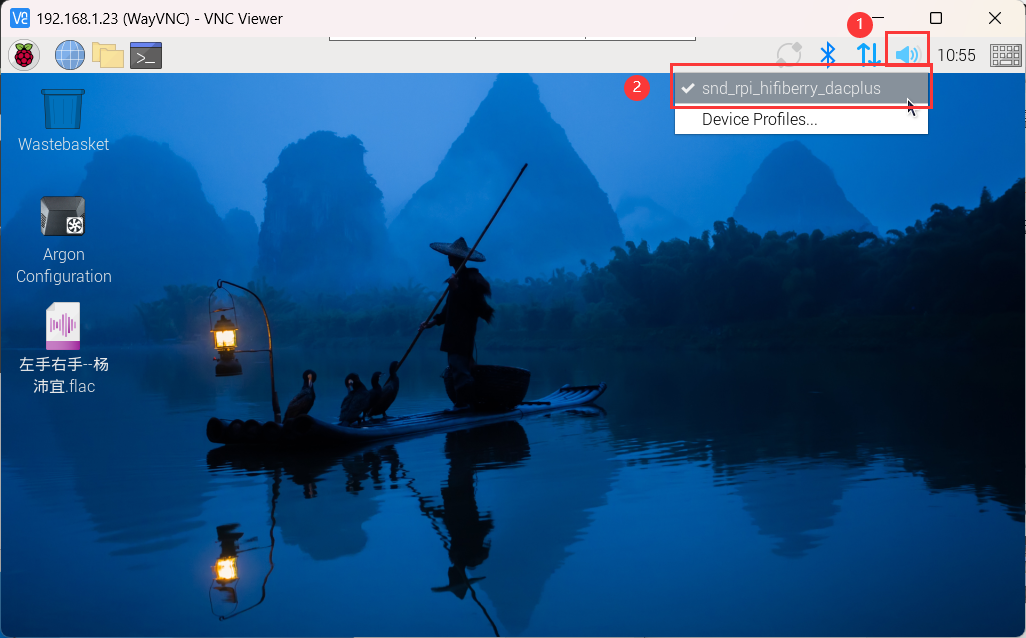
After entering the desktop system, right-click the "speaker" icon in the upper right corner and select the "snd_rpi_hifiberry_dacplus" device
】Step 4 Play audio
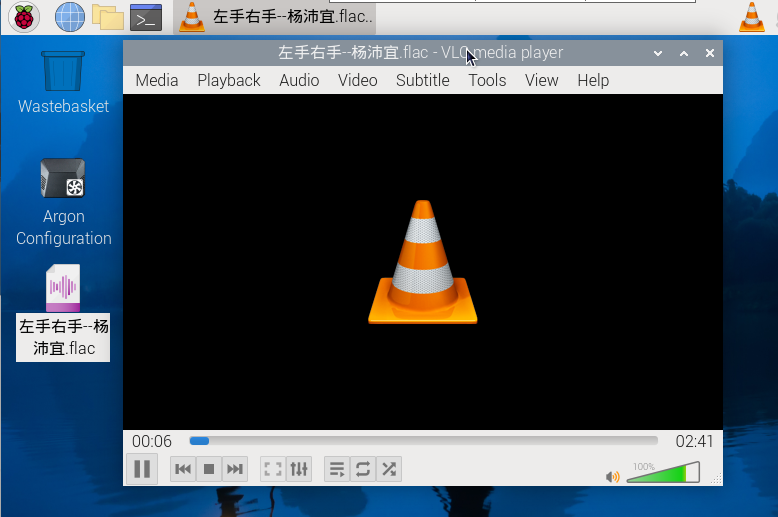
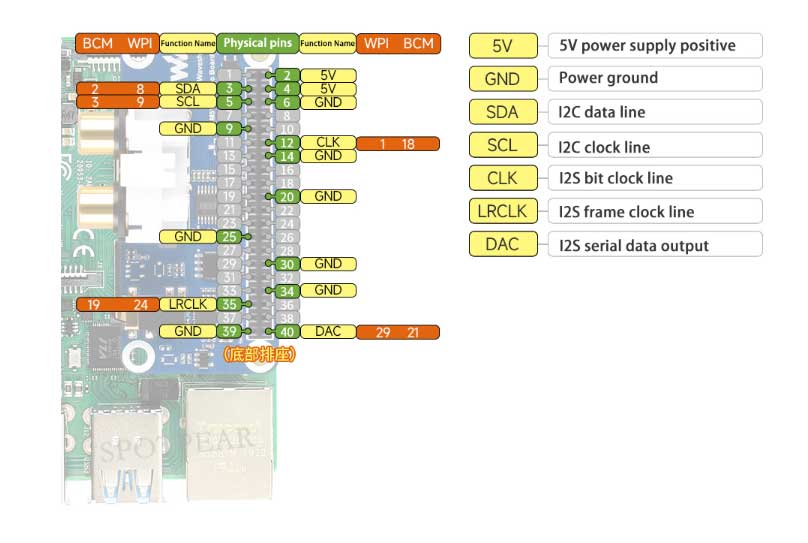
【Interface Definition】