- sales/support
Google Chat:---
- sales
+86-0755-88291180
- sales01
sales@spotpear.com
- sales02
dragon_manager@163.com
- support
tech-support@spotpear.com
- CEO-Complaints
zhoujie@spotpear.com
- Only Tech-Support
WhatsApp:13246739196
- Purchase/Shipping/Refund
WhatsApp:13424403025
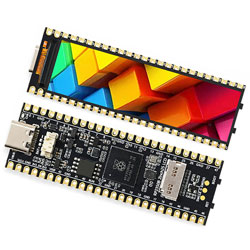
RP2350B-LCD-2.25 User Guide
【Hardware information】
】Hardware information
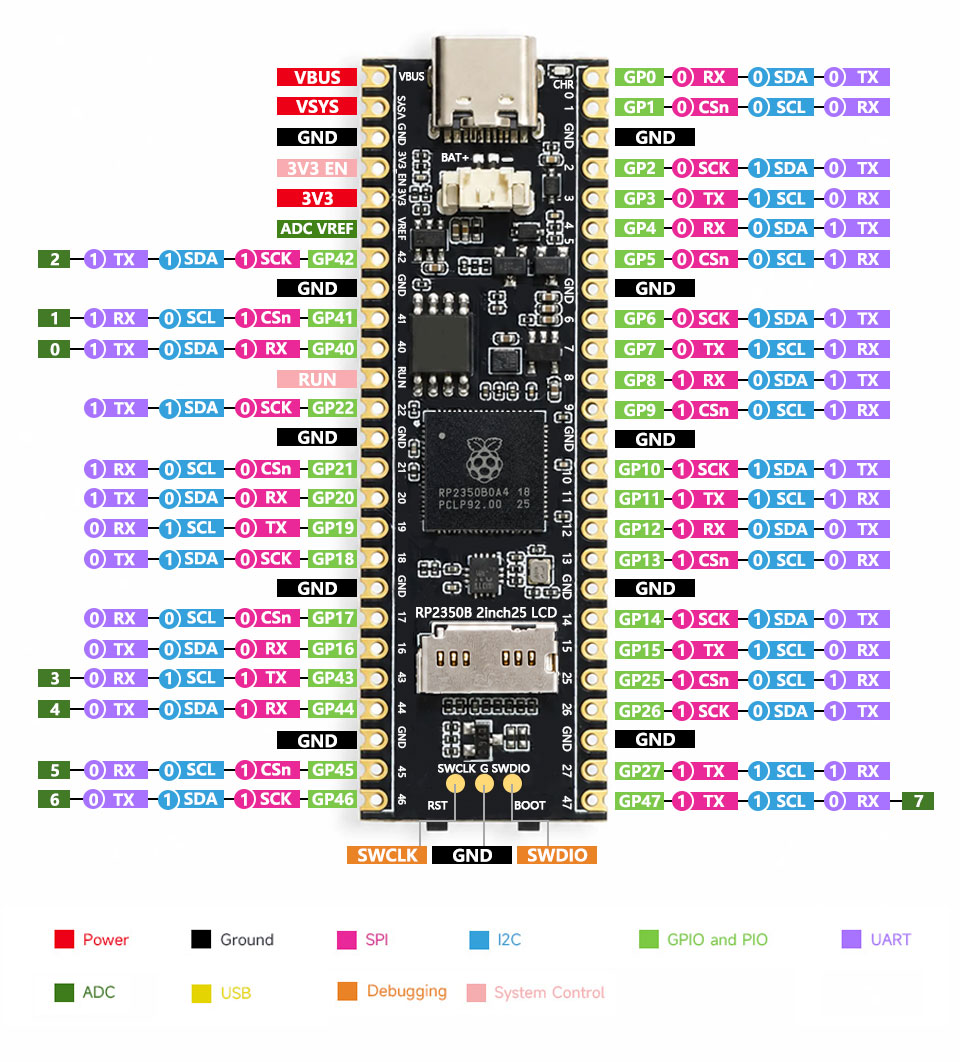
】Pin Definition
【Sample Code】
【How to run the example code】
】Run Python
1】Press Boot to enter firmware update mode. A U disk will appear on your computer.
2】Place firmware.uf2 on the newly displayed U disk. The U disk will automatically disappear after put it.
3】You can then run the *.py program using Thonny software.
】Running C
1】Press boot to enter firmware update mode; a USB drive will appear on your computer.
2】Drag the main.uf2 file from the build folder in the C file to the USB drive and the program will run automatically.
TAG:
AURORA AI Laser Radar And Dual Eye Camera IMU Integrated Positioning Map For Android/ROS+RoboStudio
ESP32-S3 AI Camera Development Board Dual Microphone with Display Port
ESP32 C3
SPI Communication
TTL UART To CAN
Industrial Isolated 4CH RS485 TO POE ETH (B) RJ45 Converter UART For Modbus
Arduino Board Managers Tutorial User Guide
Developer Kit
Raspberry Pi 4/5 UPS Uninterruptible Power Supply HAT Lithium Battery Module
TVBOX Kit Luckfox Pico Ultra And 4inch LCD RGB Captive TouchScreen Display
Raspberry Pi
Industrial 4-ch PWM RS485 pulse output module Modbus RTU rail
Milk-V Duo S eMMC version firmware burning
Raspberry Pi Zero Pi0 2W Digital Photo Frame 7.3 inch E6 Full Color E Paper Ink Calendar Art Poster
Sipeed MaixCAM Pro AI Camera Kit SG2002 RISC-V YOLO OpenCV Audio WIFI6 Linux Board IMU MicroPhone Speaker
WiFi Wireless ESP32 DDSM Motor Driver HAT For Direct Drive Servo Hub Motors For Raspberry Pi
ESP32 MLX90640
Raspberry Pi DSI Scr
AV to TTL
JSON Command Meaning