- sales/support
Google Chat:---
- sales
+86-0755-88291180
- sales01
sales@spotpear.com
- sales02
dragon_manager@163.com
- support
tech-support@spotpear.com
- CEO-Complaints
zhoujie@spotpear.com
- Only Tech-Support
WhatsApp:13246739196
- Purchase/Shipping/Refund
WhatsApp:13424403025
Raspberry Pi 1.54inch LCD-Retropie-Display configuration tutorial (fbcp-9341)
Official image version:
retropie-buster-4.7-xxxx.img
Board version:Raspberry Ri Zero/Zero 2/3B/4B/CM4
Raspberry Pi have updated their official image to bullseye version, We have tested the fbcp-ili9341 driver from https://github.com/juj/fbcp-ili9341 still can not support the bullseye image.
Retropie still is buster,the fbcp-ili9341 driver can work at Retropie-4.7.
But we can not make sure whether the fbcp-ili9341 will support the updated bullseye Retropie In the future.
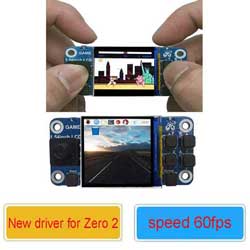
The 1.54 inch LCD Hat can run 60fps with the fbcp-ili9341 driver
sudo nano /boot/config.txt
Add this code
hdmi_force_hotplug=1
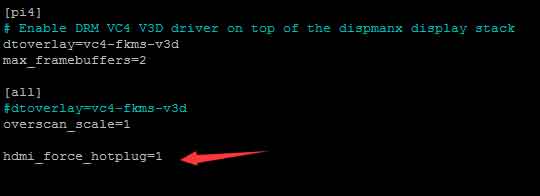
Then reboot
Download fbcp-ili9341 to your pi
git clone https://github.com/juj/fbcp-ili9341.git
(Make sure that you download fbcp-ili9341 under path /home/pi/)
cd fbcp-ili9341
sudo mkdir build
cd build
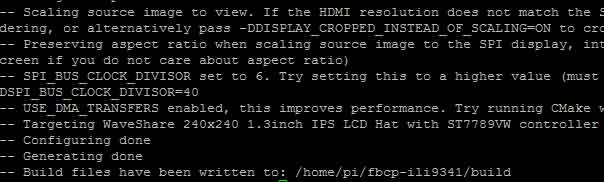
sudo cmake -DWAVESHARE_ST7789VW_HAT=ON -DGPIO_TFT_DATA_CONTROL=22 -DGPIO_TFT_RESET_PIN=27 -DSPI_BUS_CLOCK_DIVISOR=6 -DSTATISTICS=number ..
If all work well,you will get this following picture
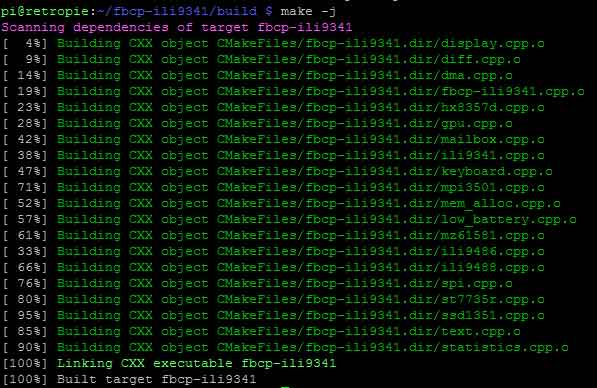
sudo make -j
If all work well,you will get this following picture
Run the display driver using :
sudo ./fbcp-ili9341
Then your LCD will display well, but the Fontsize is too small
Change the LCD display resolution
sudo nano /boot/config.txt
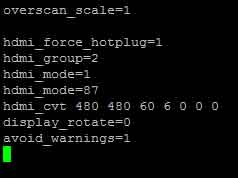
Add the following code
hdmi_group=2
hdmi_mode=1
hdmi_mode=87
hdmi_cvt 480 480 60 6 0 0 0
display_rotate=0
avoid_warnings=1
Make fbcp-ili9341 work automatically when your Pi boot
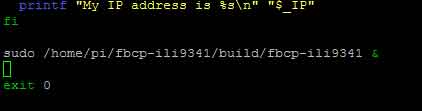
sudo nano /etc/rc.local
Add the following code
sudo /home/pi/fbcp-ili9341/build/fbcp-ili9341 &
sudo reboot
After your Pi reboot,Your LCD will display well