• sales

    +86-0755-88291180

pre configured images not working

2024-12-19 01:24:46 Ask

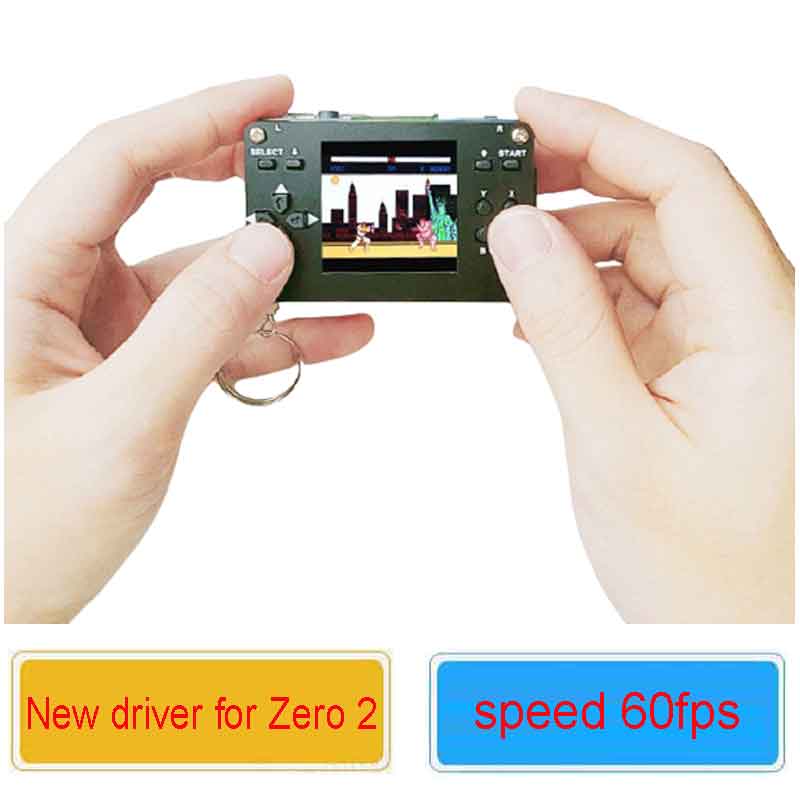
Hi, having issues getting this set up.  I've installed this to a pi zero (no wireless)

  • Gampi154-retropie-4.7.19-rpi1_zero-211209.zip
    • i tried this one, screen remains blank.
    • with an HDMI screen connected it just boots up to a prompt
  • Gampi154-retropie-4.7.19-rpi2_3_zero2-211108.zip
    • this one also just boots up to a prompt but the display comes up and shows the terminal prompt
    • HDMI output is 90 degrees rotated and matches what is being displayed on the LCD
  • dietpi-retro-64bit-bullseye[TEST]_ustix.zip
    • this one doesn't boot and flashes 7 times meaning corrupt bootloader


5answers
SpotPearGuest9a52c
Answer time:
2024-12-19 17:58:59

Hello, our pre-configured image can be used directly after burning. It takes a little time to boot up, please wait.

Like1

report

SpotPearGuest9a52c
Answer time:
2024-12-19 18:06:56

1.DietPi Retro 64bit Bullseye image does not support Pi Zero, it only supports Pi Zero 2W.

2.Pi Zero can only use this image: Gampi154-retropie-4.7.19-rpi1_zero-211209.

3.Where is the terminal prompt displayed? Is it on the HDMI display or on the Gampi154 screen?

4.How to connect the Raspberry Pi and display screen? Often, customers do not connect them properly, or the GPIO pins on the Raspberry Pi might be damaged, causing no display.

5.How to solder the header pins on the back? Some customers have issues because the header pins were not soldered correctly, leading to GPIO driver problems and no display.

6.Has your Raspberry Pi Zero been used for a long time? If it has been used for a long time, it could be that the GPIO pins are damaged, causing the display issue.


Like1

report

SpotPearGuest3c280
Answer time:
2024-12-19 18:34:26

ok, so you were right! I have put Gampi154-retropie-4.7.19-rpi1_zero-211209 back on and waited and waited and waited and sure enough the menu came up!

now another issue-  I can only get to the menu.  it goes left and right to select between the nintendo icon and retropie  but I cannot select anything.  If I hit "start" it goes into configuration menu and I can move the selection up and down but I also cannot select anything.

I tried every button and no response.  If I hit "select" the screen dims a bit but just sits there

Like0

report

SpotPearGuest3c280
Answer time:
2024-12-19 22:15:08

ok so in the end i discovered gpio 38 & 40 to be faulty on my zero, that is why A & B buttons were not working. (I remapped and everything works fine, lost two buttons) My solution now is to  jumper 38 & 40 to 26 & 27 and update the firmware to use those pins instead.

Like0

report

SpotPearGuestfb97a
Answer time:
2026-01-02 06:56:12

Hi, I use this configuration but my dispey is OFF . Can you help me ?


#define GC9A01_DRIVER // Driver per display tondi da 1.28"


// Configurazione risoluzione

#define TFT_WIDTH  240

#define TFT_HEIGHT 240


// Definizione PIN per Waveshare S3 Dual Eye

#define TFT_MOSI 11

#define TFT_SCLK 13 //10

#define TFT_CS    10//9  // Chip Select (comune o per il primo occhio)

#define TFT_DC    9//21  // Data/Command

#define TFT_RST    47 // Reset

#define TFT_BL    45  // Retroilluminazione

#define TFT_BACKLIGHT_ON HIGH


// Parametri SPI

#define SPI_FREQUENCY  27000000 // Frequenza massima per S3

#define SPI_READ_FREQUENCY  20000000

#define SUPPORT_TRANSACTIONS

Like0

report

Price: $16/20/37
Part Number: 1.54inch-LCD-with-case
Brand: Spotpear