• sales

    +86-0755-88291180

Incomplete data in the reading buffer

2025-01-07 00:10:10 Ask

Hi,

I'm receiving incomplete answers back from the node I'm communicating with.

I'm working in VB.NET 2022. before I was using a single usb to RS485 without any incomplete reception.

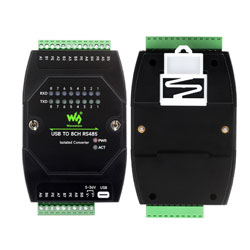
Now that I use your device it gives me lots of problem wit partial reception in the reading buffer.


Can I change somewhere a setting to avoid this issue?


Best Regards,

Johan

2answers
SpotPearGuest9a52c
Answer time:
2025-01-07 11:42:20

Program problem, please use the program to handle the buffer

1) In VB.NET, you can clear the serial port's receive buffer and send buffer in the following ways:

' Clear the receive buffer

SerialPort1.DiscardInBuffer()


' Clear the send buffer

SerialPort1.DiscardOutBuffer()


2) Adjust the size of the serial port receive buffer in VB.NET:


SerialPort1.ReadBufferSize = 4096 ' Set the buffer size


3) Block reading: If the amount of data is large, you can read the buffer data in a loop:


Dim buffer(1024) As Byte

Dim bytesRead As Integer = SerialPort1.Read(buffer, 0, buffer.Length)

Dim data As String = Encoding.ASCII.GetString(buffer, 0, bytesRead)

Like0

report

SpotPearUser3524
Answer time:
2026-04-16 09:43:42

I agree with the site agreement! It's always good to understand the rules before participating. Searching for products before asking a question is definitely a smart move – saves everyone time. It reminds me a bit of how I try to learn the layout before diving into a game. Speaking of games, sometimes the learning curve can feel like a tough challenge, like navigating the tricky levels in fnf

Like0

report