




Hello, friends. I have problems with my Luckfox Pico Pro Max. I am just learning the Linux system. I have been struggling with the first GPIO example from your manual for several weeks. I can't, apparently I don't understand something, configure the SDK and cross compiler. For Windows 11 I installed Ubuntu 22.04.3. Apparently these boards have a high entry threshold? I don't quite understand how I need to work with the SDK and cross-compiler, the system constantly gives different errors. Please help, this board is very interesting for me and my projects.
- sales/support
Google Chat:---
- sales
+86-0755-88291180
- sales01
sales@spotpear.com
- sales02
dragon_manager@163.com
- support
tech-support@spotpear.com
- CEO-Complaints
zhoujie@spotpear.com
- Only Tech-Support
WhatsApp:13246739196
- Purchase/Shipping/Refund
WhatsApp:13424403025
Problem with setting up SDK and cross-compiler under Windows 11 and Ubuntu 22.04.3.
2024-10-01 00:33:37 Ask
6answers

SpotPearGuest59b61
- Answer time:
which steps have which errors ?
This may be a difficult process. You need to solve each problem individually.
Like1
report
SpotPearGuesteb676
- Answer time:
First of all, thank you very much for answering my question.
1)Am I right in understanding that the Luckfox Pico Pro Max board is not capable of compiling the program itself? That's why I need another computer with Ubuntu LTS 22.04 installed on which I need to run SDK Environment Deployment? After installing the system on the PC, do I need to perform SDK Environment Deployment(on the PC)? I performed step 1.1 and on step 1.2 SDK Directory Structure I encountered the first problems, what else do I need to do to get started development?
2) I skipped the further steps of point 1 and tried to compile the project on a PC using Cross-Compilation. The first thing I tried to do was open the file vi ~/.bashrc , in it I did not find the PATH variable to specify the path to the cross-compilation tool, so I moved the cursor to the end of the file bashrc and tried to add the line export PATH=<SDK Directory>/tools/linux/toolchain/arm-rockchip830-linux-uclibcgnueabihf/bin:$PATH, replacing <SDK Directory> with my path according to the PC dirrectory/ but I can't make changes to the file.
When running the command arm-rockchip830-linux-uclibcgnueabihf-gcc gpio.c -o gpio I get an error arm-rockchip830-linux-uclibcgnueabihf-gcc: command not found.
Answering these questions will help me begin to understand the structure of my Luckfox Pico Pro Max board, so thank you very much for Your help!
Like0
report
SpotPearGuest59b61
- Answer time:
It seems you are encountering a few issues while setting up the SDK and cross-compiler for your Luckfox Pico Pro Max board. I'll try to guide you step by step.
### 1) Understanding the Board and SDK Setup
You are correct in assuming that the Luckfox Pico Pro Max board does not have the capability to compile programs on its own. Instead, you need to use another computer (in your case, Windows 11 with Ubuntu 22.04.3 installed) to perform the SDK environment deployment. Here's a general outline of the process:
#### Steps for SDK Environment Deployment:
1. **Install Ubuntu or use WSL (Windows Subsystem for Linux)**: You are using Ubuntu 22.04.3, which is fine. If you're using WSL, make sure it's the latest version.
2. **Install dependencies**: You need to ensure the necessary dependencies are installed on Ubuntu for compiling and cross-compiling. You can do this by running:
   sudo apt update
   sudo apt install build-essential gcc-arm-none-eabi cmake libstdc++-arm-none-eabi-newlib
3. **Clone the SDK Repository**: If your SDK requires cloning from GitHub or another repository, you should follow the instructions for downloading the SDK.
#### Addressing the Problems:
1. **SDK Directory Structure Errors**: If you are stuck on this step, double-check the SDK structure provided in the manual. Make sure all necessary directories (such as `tools`, `src`, etc.) are in place.
2. **Cross-Compilation PATH setup**:
When adding the path to your `~/.bashrc` file, you're right to place it at the end of the file. Here’s what to do:
- Open `~/.bashrc`:
nano ~/.bashrc- Add the following line at the end (replace `<SDK Directory>` with the correct path to your SDK's toolchain):
export PATH=<SDK Directory>/tools/linux/toolchain/arm-rockchip830-linux-uclibcgnueabihf/bin:$PATH- Save the file (`Ctrl+X`, then `Y`, and press Enter).
- Apply the changes by running:
source ~/.bashrc3. **Cross-Compiler Not Found Issue**:
- If running the command `arm-rockchip830-linux-uclibcgnueabihf-gcc gpio.c -o gpio` results in a "command not found" error, it means the cross-compiler is not in your system's PATH. Make sure:
- The path to the cross-compiler in your `~/.bashrc` is correct.
- The cross-compiler is actually present in that directory.
- After updating the `PATH`, verify that the cross-compiler is in your PATH by running:
echo $PATHThis will show you all directories currently included in your PATH. Verify if the directory with the cross-compiler is listed.
### Next Steps:
1. **Check the SDK and Toolchain Setup**: Ensure that your SDK is installed correctly, and the toolchain is properly set up. Run:
arm-rockchip830-linux-uclibcgnueabihf-gcc --versionIf this command works, your toolchain is set up correctly.
2. **Compilation**: Once your environment is set up, you should be able to compile the code using the correct commands provided in the manual.
Let me know if you encounter any specific errors at these steps, and I can help further debug them.
Like2
report
SpotPearGuestf6c49
- Answer time:
It seems that I figured it out a little bit, I specified the path
/home/nizor/luckfox-pico/tools/linux/toolchain/arm-rockchip830-linux-uclibcgnueabihf/bin
in the ~/.bashrc file:
and now, when executing command
arm-rockchip830-linux-uclibcgnueabihf-gcc --versionI got
arm-rockchip830-linux-uclibcgnueabihf-gcc (crosstool-NG 1.24.0) 8.3.0 Copyright (C) 2018 Free Software Foundation, Inc. This is free software; see the source for copying conditions. There is NO warranty; not even for MERCHANTABILITY or FITNESS FOR A PARTICULAR PURPOSE.
As I understand it, is the compiler configured correctly?
Can I run the command arm-rockchip830-linux-uclibcgnueabihf-gcc gpio.c -o gpio to compile my project?
but I don't understand where the gpio.c file should be located and in which folder will the final gpio file be after compilation?
Like0
report
SpotPearGuesteb676
- Answer time:
I have good news, I managed to set up the cross compiler and managed to compile my program. Now the problem is with transferring the file to the development board. I can't access it at 172.32.0.93, there is no such address on the network, there is only 172.32.0.70, and through it I can't perform the File Transfer item.
Like0
report
SpotPearGuestb6838
- Answer time:
Look at these two links
https://wiki.luckfox.com/Luckfox-Pico/SSH-Telnet-Login
https://wiki.luckfox.com/Luckfox-Pico/Luckfox-Pico-File-Transfer
Like0
report
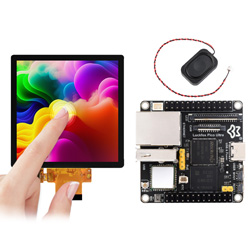
Price:
$34.99-49.99
Part Number:
Luckfox-Pico-Ultra-W-LCD-Kit
Brand:
Luckfox