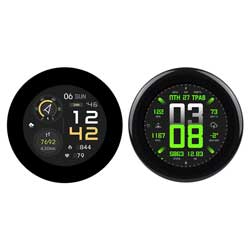
Hello.
I need help.
I bought :ESP32-S3-Touch-LCD-2.1
https://spotpear.com/wiki/ESP32-S3R8-2.1-inch-Round-LCD-Captive-TouchScreen-Display-LVGL-HMI-480x480-QST-QMI8658C-TCA9554.html
Install ARDUINO IDE
Library: I have installed
- GFX Library for Arduino by moon on our netion version 1.6.5
- lvgl 9.5
Board manager :
-esp32 3.3.7
I have done every posible code and can't see the screen. The best I can get is no buzzer sound (somthinems it goes ON) and backlight ON.
But there is no way I can see anything on the screen.
What am I doing wrong.
This is the last code I did:
#include <Arduino.h>
#include <Wire.h>
#include <Arduino_GFX_Library.h>
#include <lvgl.h>
/* --- Pins Mapped from your Image --- */
#define I2C_SDA 15
#define I2C_SCL 7
#define LCD_SDA 1
#define LCD_SCL 2
#define LCD_BL 6
#define TCA9554_ADDR 0x20
/* --- 1. Create the Command Bus (3-wire SPI on GPIO 1 & 2) --- */
Arduino_DataBus *bus = new Arduino_SWSPI(
-1 /* DC */, -1 /* CS - Handled by EXIO3 */,
LCD_SCL /* SCK */, LCD_SDA /* MOSI */, -1 /* MISO */
);
/* --- 2. RGB Panel Configuration (Exact Pin Match) --- */
Arduino_ESP32RGBPanel *rgbpanel = new Arduino_ESP32RGBPanel(
40 /* DE */, 39 /* VSYNC */, 38 /* HSYNC */, 41 /* PCLK */,
-1 /* R0 NC */, 46 /* R1 */, 3 /* R2 */, 8 /* R3 */, 18 /* R4 */,
14 /* G0 */, 13 /* G1 */, 12 /* G2 */, 11 /* G3 */, 10 /* G4 */, 9 /* G5 */,
-1 /* B0 NC */, 5 /* B1 */, 45 /* B2 */, 48 /* B3 */, 47 /* B4 */,
1 /* hsync_p */, 50 /* h_front */, 1 /* h_pulse */, 30 /* h_back */,
1 /* vsync_p */, 20 /* v_front */, 1 /* v_pulse */, 30 /* v_back */,
1 /* pclk_active_neg */, 12000000, true
);
/* --- 3. GFX Display Object (Using Type 1 for Stability) --- */
Arduino_RGB_Display *gfx = new Arduino_RGB_Display(
480, 480, rgbpanel, 0, true,
bus, -1 /* RST handled by EXIO1 */,
st7701_type5_init_operations, sizeof(st7701_type1_init_operations)
);
/* --- LVGL 9.5.0 Flush Callback --- */
void my_disp_flush(lv_display_t *disp, const lv_area_t *area, uint8_t *px_map) {
uint32_t w = lv_area_get_width(area);
uint32_t h = lv_area_get_height(area);
gfx->draw16bitBeRGBBitmap(area->x1, area->y1, (uint16_t *)px_map, w, h);
lv_display_flush_ready(disp);
}
void setup() {
Serial.begin(115200);
delay(1000);
// --- 4. EXIO HARDWARE UNLOCK ---
Wire.begin(I2C_SDA, I2C_SCL);
// Configure TCA9554 Expanders to Output mode
Wire.beginTransmission(TCA9554_ADDR);
Wire.write(0x03);
Wire.write(0x00);
Wire.endTransmission();
// PIN LOGIC (Binary 0000 0010 = 0x02):
// Bit 1 (EXIO1 / LCD_RST): HIGH to release reset
// Bit 3 (EXIO3 / LCD_CS): LOW to select the chip
// Bit 8 (EXIO8 / Buzzer): LOW to stay quiet
Wire.beginTransmission(TCA9554_ADDR);
Wire.write(0x01);
Wire.write(0x02);
Wire.endTransmission();
delay(200);
// --- 5. INITIALIZE GRAPHICS ---
if (!gfx->begin()) {
Serial.println("GFX Failed! Check PSRAM settings.");
}
// Turn on Backlight
pinMode(LCD_BL, OUTPUT);
digitalWrite(LCD_BL, HIGH);
// --- 6. LVGL SETUP ---
lv_init();
lv_display_t * disp = lv_display_create(480, 480);
lv_display_set_flush_cb(disp, my_disp_flush);
// Buffer Allocation in PSRAM
size_t buffer_size = 480 * 20 * sizeof(lv_color_t);
uint8_t *buf = (uint8_t *)heap_caps_malloc(buffer_size, MALLOC_CAP_SPIRAM | MALLOC_CAP_8BIT);
if (buf) {
lv_display_set_buffers(disp, buf, NULL, buffer_size, LV_DISPLAY_RENDER_MODE_PARTIAL);
Serial.println("Memory OK.");
}
// --- 7. BMW UI ELEMENTS ---
lv_obj_set_style_bg_color(lv_screen_active(), lv_color_hex(0x0000FF), 0); // BLUE
lv_obj_t *label = lv_label_create(lv_screen_active());
lv_label_set_text(label, "BMW MOTORRAD\nTRIPLE BLACK");
lv_obj_set_style_text_color(label, lv_color_white(), 0);
lv_obj_set_style_text_align(label, LV_TEXT_ALIGN_CENTER, 0);
lv_obj_center(label);
Serial.println("Triple Black Dash Online.");
}
void loop() {
lv_timer_handler();
delay(5);
}