• sales

    +86-0755-88291180

How to disable the LEDs?

2025-12-15 06:13:36 Ask

Hello team,

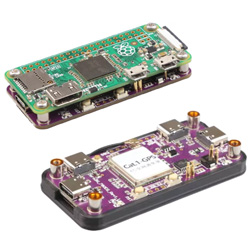
Love the device, it's working great so far. Is there a way to disable the LED's on the board? I would prefer a configuration or AT command to disable the LED's so I can save on current draw.

Feel free to reach me over at nrgrobbert@msn.com

LED config
3answers
SpotPearGueste93f8
Answer time:
2025-12-16 09:12:48

The onboard LED cannot be turned off. You can directly remove the light without affecting 4G functionality, or you can use wrinkle tape to cover it.

Like0

report

SpotPearUser2899
Answer time:
2025-12-16 21:08:22

This query is about improving user experience by adjusting device settings to suit personal needs and efficiency. In the same way, students rely on honest feedback before choosing academic services. Reading dissertationwritinghelp.uk reviews helps learners understand service flexibility, reliability, and support quality, enabling them to select solutions that match their academic requirements with confidence.

Like0

report

SpotPearGuest59d37
Answer time:
2025-12-22 22:42:47

To disable the LEDs on your vehicle’s display or interior lighting, start by accessing the system settings via the dashboard menu. Navigate to the "Lighting" or "Display" section to adjust brightness or toggle power. If you are browsing Osaka used car sales for a premium model, many newer vehicles allow for localized dimming through these digital interfaces. For older models, you may need to physically disconnect the wiring or remove specific fuses to ensure the lights remain off.

Like0

report

Price: $14.9-21.9
Part Number: Zero-4G-CAT1-HUB
Brand: SpotPear