Hello,
I am using your product:
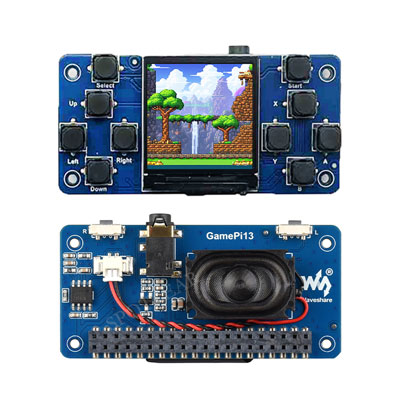
Raspberry Pi LCD Display Screen 1.3 inch LCD Game RP2040-PiZero WS (GamePi13)
Product link:
https://spotpear.com/shop/Raspberry-Pi-LCD-Display-Screen-1.3-inch-LCD-Game-RP2040-PiZero-WS.html
Hardware setup:
- Board: Raspberry Pi Zero 2 W
- OS: RetroPie (Buster based, Kernel 5.10.63-v7+)
- Display: 1.3 inch LCD Game HAT (ST7789V, 240x240)
- Connection: Direct GPIO HAT (not SPI wired manually)
Current status:
- SPI enabled
- fb_st7789v driver loads correctly
- /dev/fb1 is created (240x240)
- dmesg shows ST7789 framebuffer initialized
- However, the screen remains completely black (backlight on)
Important test:
Even writing directly to the framebuffer:
sudo fbi -T 1 -d /dev/fb1 -noverbose /usr/share/splash.png
the display stays black.
Technical observations:
- lcd154.dtbo from your tutorial is only ~1.6KB
- This overlay creates fb1 but does NOT initialize the panel correctly
- No image appears even with direct framebuffer writes
- This suggests incorrect initialization sequence or wrong overlay for GamePi13
Questions:
- Does the GamePi13 (1.3 inch LCD Game HAT) require a specific driver different from lcd154.dtbo?
- Do you provide a dedicated DTBO or driver package for Raspberry Pi Zero 2 W (Linux 5.10)?
- What are the correct GPIO pins for: DC pin RESET pin CS pin
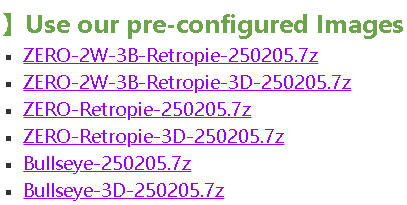
- Is there an official RetroPie or Raspberry Pi OS image specifically for this display?
- Which exact controller variant is used on this board (ST7789V or ST7789VW)?
Could you please provide:
- The correct driver package (NOT only dtbo)
- Proper config.txt overlay settings for GamePi13
- Any updated tutorial for Linux kernel 5.x compatibility
Thank you very much for your support.
Best regards