




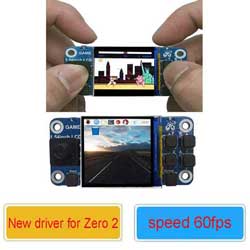
Hi! Could you provide a ready-made Raspbian system image for the Raspberry Pi Zero where the joystick acts as a mouse—with Y as the left mouse button and B as the right mouse button? I would really appreciate it if you could take the time to help me out! Thanks in advance.
- sales/support
Google Chat:---
- sales
+86-0755-88291180
- sales01
sales@spotpear.com
- sales02
dragon_manager@163.com
- support
tech-support@spotpear.com
- CEO-Complaints
zhoujie@spotpear.com
- Only Tech-Support
WhatsApp:13246739196
- Purchase/Shipping/Refund
WhatsApp:13424403025
Please help me
2026-08-10 03:04:25 Ask
1answers

SpotPearGuest57d4d
- Answer time:
Preferred reference: the official python-uinput repository
https://github.com/pyinput/python-uinput
This is the most relevant reference — python-uinput is a Python interface to the Linux uinput kernel module, and it makes creating virtual joysticks, keyboards, and mice very simple. The examples/mouse.py in the repository is the minimal working example of mouse movement (the early Raspberry Pi forum posts and various GPIO joystick tutorials were all adapted from this example): pypi
python
import uinput
with uinput.Device([uinput.REL_X, uinput.REL_Y,
                    uinput.BTN_LEFT, uinput.BTN_RIGHT]) as device:
    device.emit(uinput.REL_X, 5)
emit() sends mouse movement, emit_click() sends button clicks — that's basically the whole API.
A constant-speed implementation based on it (for a digital 5-way joystick):
python
import uinput, time
from gpiozero import Button

# The four direction pins of the 5-way joystick; change to match your actual wiring
PINS = {'up': 5, 'down': 6, 'left': 13, 'right': 19}
btns = {k: Button(v, pull_up=True) for k, v in PINS.items()}

SPEED = 8      # pixels moved per frame; adjust this to change speed
INTERVAL = 0.01  # 100Hz

with uinput.Device([uinput.REL_X, uinput.REL_Y, uinput.BTN_LEFT]) as dev:
    while True:
        dx = (SPEED if btns['right'].is_pressed else 0) - (SPEED if btns['left'].is_pressed else 0)
        dy = (SPEED if btns['down'].is_pressed else 0) - (SPEED if btns['up'].is_pressed else 0)
        if dx: dev.emit(uinput.REL_X, dx, syn=False)
        if dy: dev.emit(uinput.REL_Y, dy)
        elif dx: dev.emit_syn()
        time.sleep(INTERVAL)
Diagonal movement is automatically supported (when two direction keys are pressed at the same time), and speed is tuned via the two values SPEED and INTERVAL. Before running, do sudo modprobe uinput, and add uinput to /etc/modules to ensure it loads at boot.
Other projects/resources worth referencing:
- https://github.com/adafruit/Adafruit_CircuitPython_ADS1x15 — If you're using an analog joystick + ADS1115, just copy the reading code from this library's examples, then add a threshold check to determine direction (for constant-speed movement with an analog joystick, you only need to check whether the reading exceeds a threshold and then move at a fixed speed — much simpler than scaling speed by deflection).
- https://github.com/adafruit/Adafruit-Retrogame — Adafruit's retrogame maps GPIO buttons to keyboard/gamepad events. It's written in C, efficient, and has a mature auto-start-on-boot setup. Although it maps to keyboard events by default, changing it to emit mouse events is straightforward. It's more production-grade than a Python script, making it suitable for an actual product.
- pynput (https://github.com/moses-palmer/pynput) — An alternative route with an even simpler API (
mouse.move(dx, dy)), but it depends on a desktop environment and has compatibility issues under Wayland; it works fine only on an X11 desktop.
Like1
report
Price:
$15.89
Part Number:
rpi-1.54inch-lcd
Brand:
Spotpear