




- sales/support
Google Chat:---
- sales
+86-0755-88291180
- sales01
sales@spotpear.com
- sales02
dragon_manager@163.com
- support
tech-support@spotpear.com
- CEO-Complaints
zhoujie@spotpear.com
- Only Tech-Support
WhatsApp:13246739196
- Purchase/Shipping/Refund
WhatsApp:13424403025
- HOME
- >
- ARTICLES
- >
- Jetson Series
- >
- Jetson Kits
Jetson Nano JetBot AI Kit Assemble Manual User Guide
JetBot AI Kit Assembly
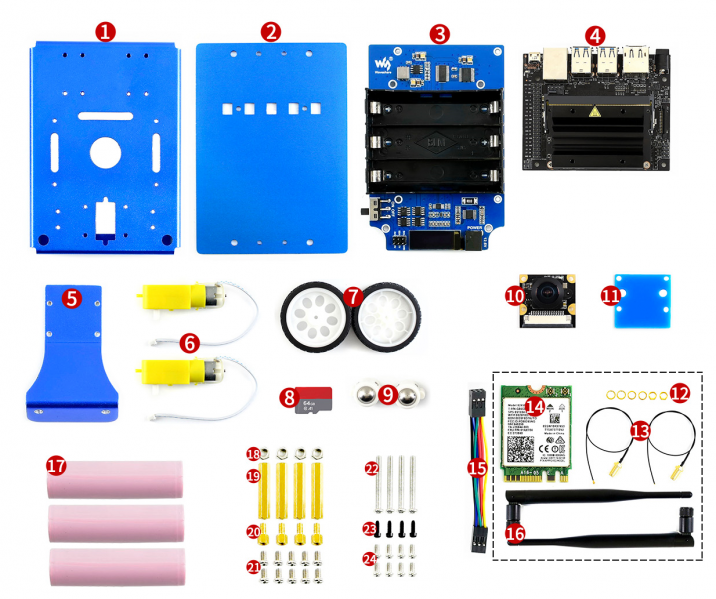
- Components and screws
- Please check the components and screws
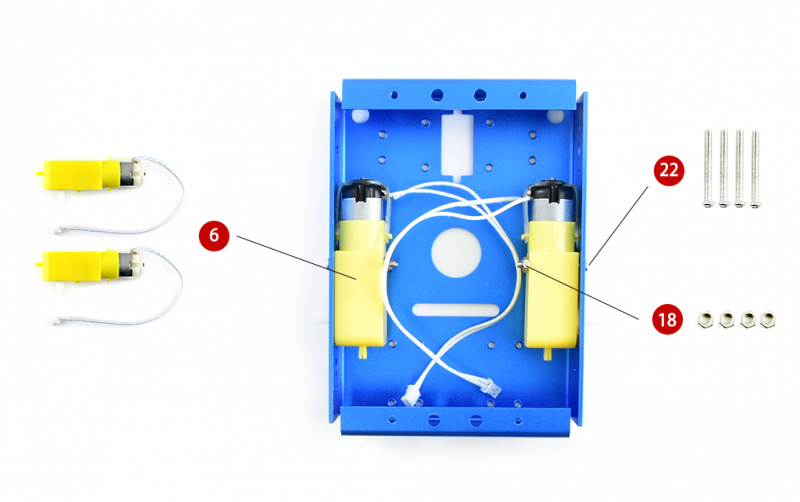
1. Assemble motors
2. Assemble the antennas

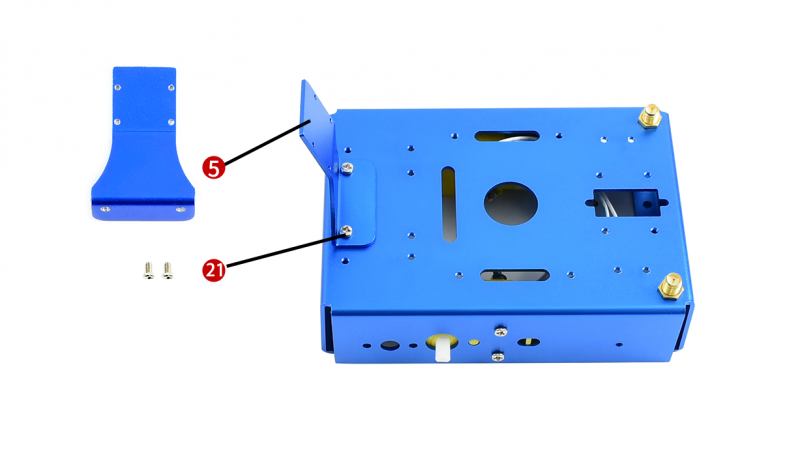
3. Mounting the Camera holder to metail box
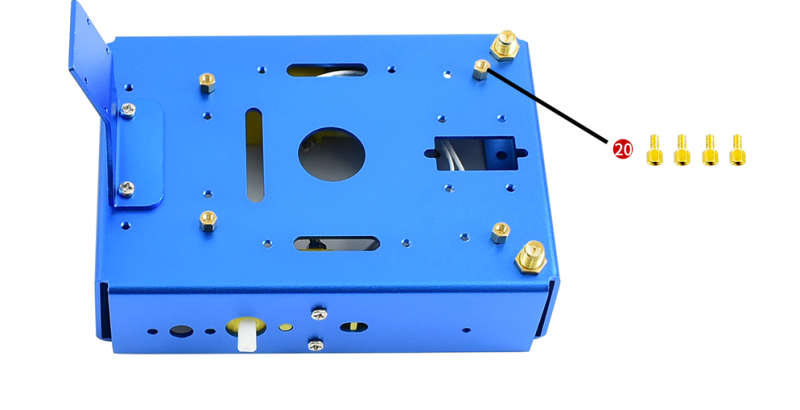
4. Set standoffs on metal box for assembling JetBot expansion board
5. Set standoffs on jetbot expansion board for assembling jetson nano developer kit
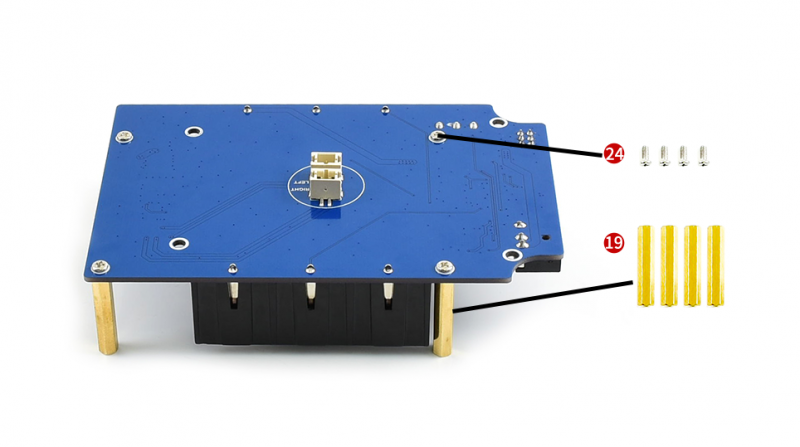
6. Assemble Jetbot expansion board, adjust place of antennas
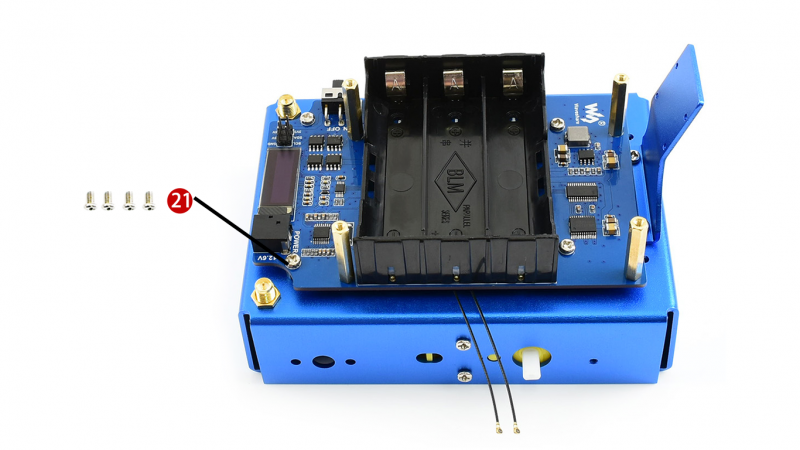
- Connect motors to jetbot expansion board, connect left motor to the left interface, and right to the right
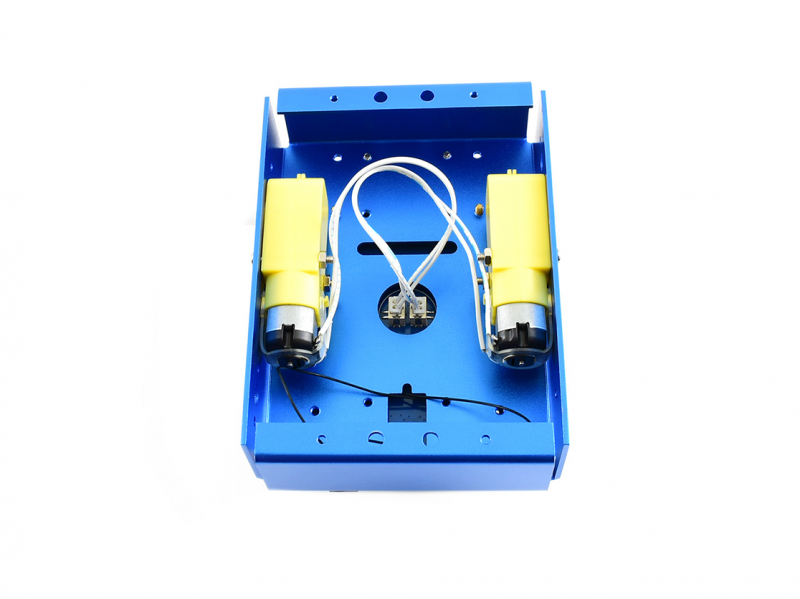
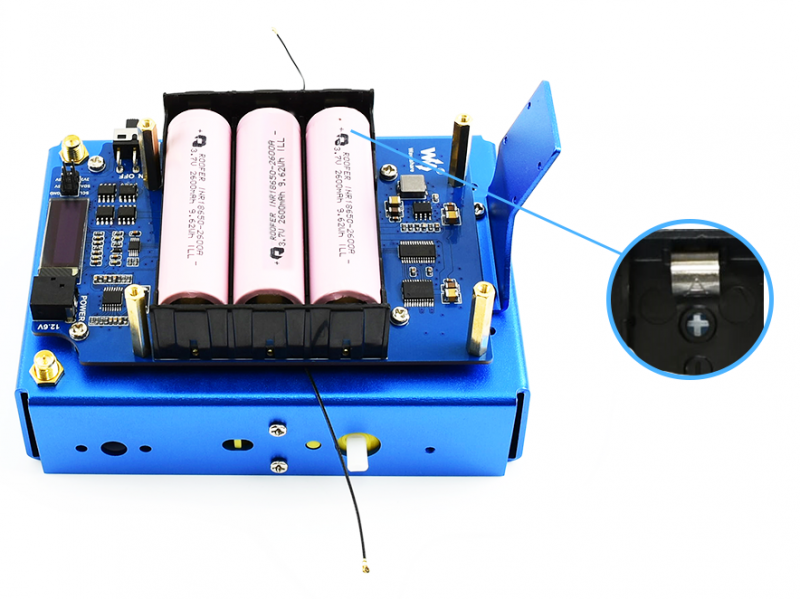
7. Mounting 18650 batteries to batteries holder, note that you should recognize direction of batteries according to the white screen silk printing.
8. Turn out screws from Omni-direction wheels, then fixing the wheels to metal bottom board
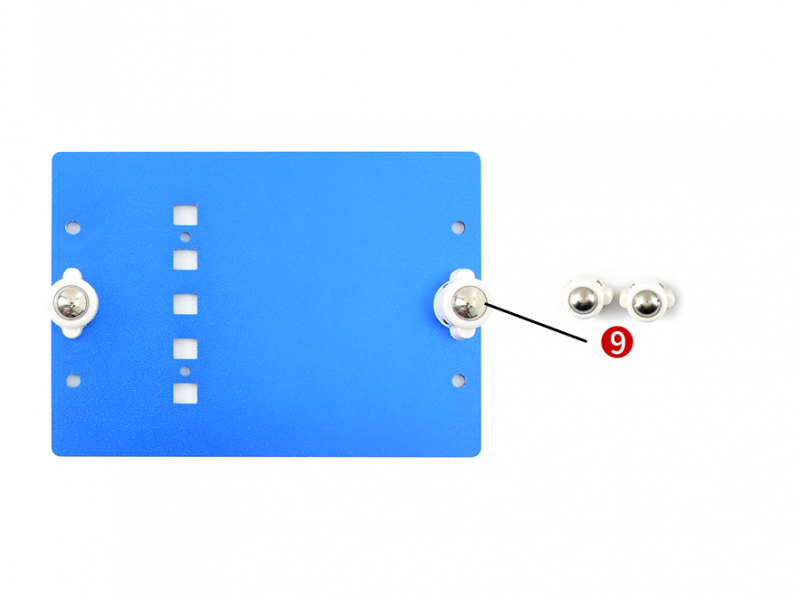
9. Assemble metal box
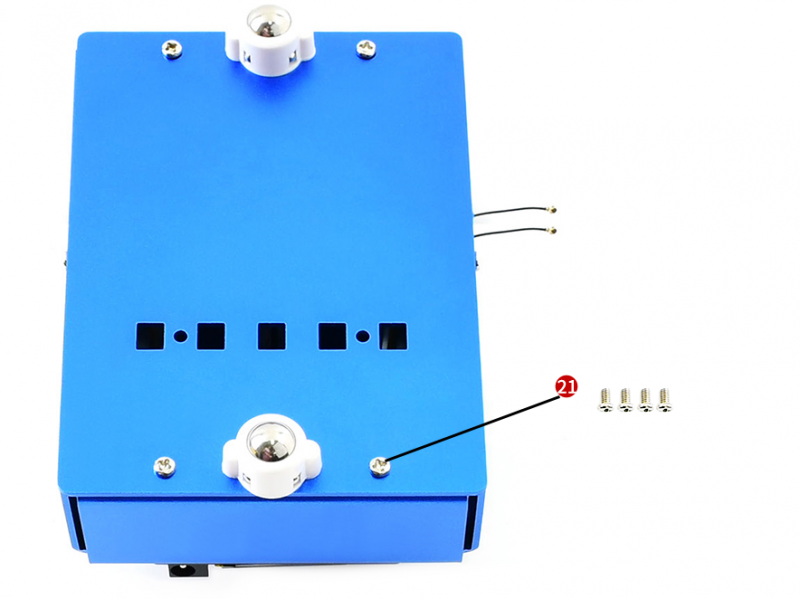
10. Assemble wheels
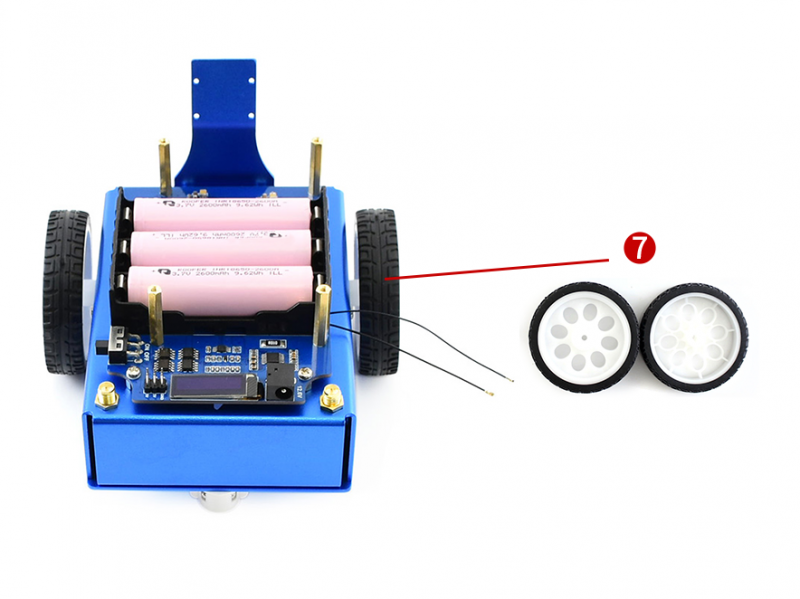
11. Assemble camera, don't forget the set the Acrylic piece between holder and camera
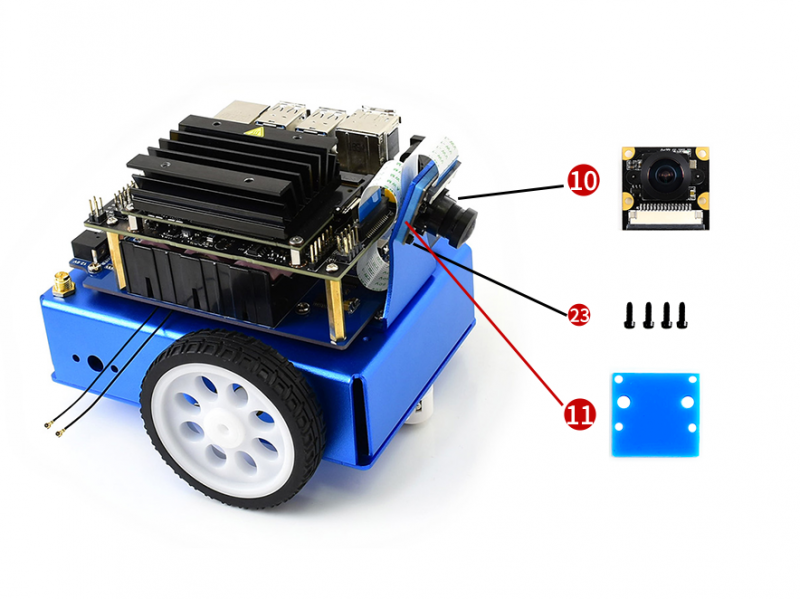
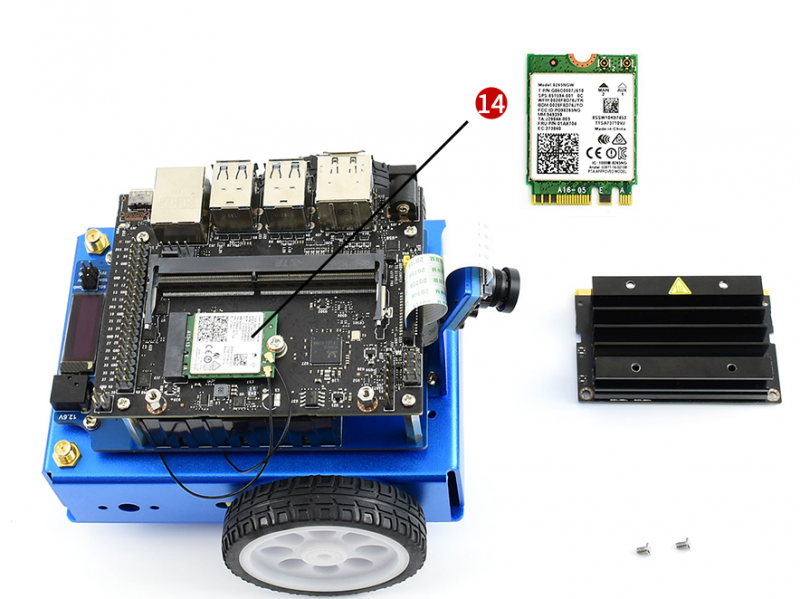
12. Take out the jetson nano board, and assemble wireless-AC 8265
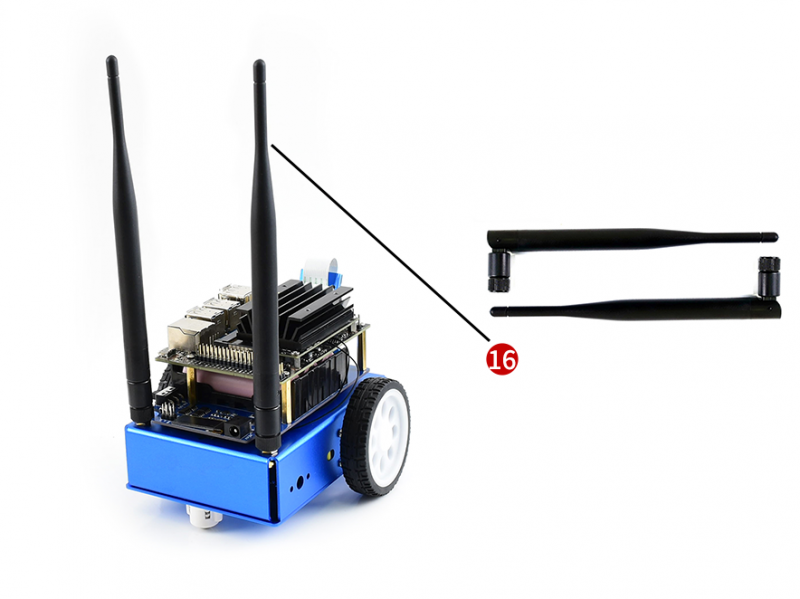
13. Connect antennas
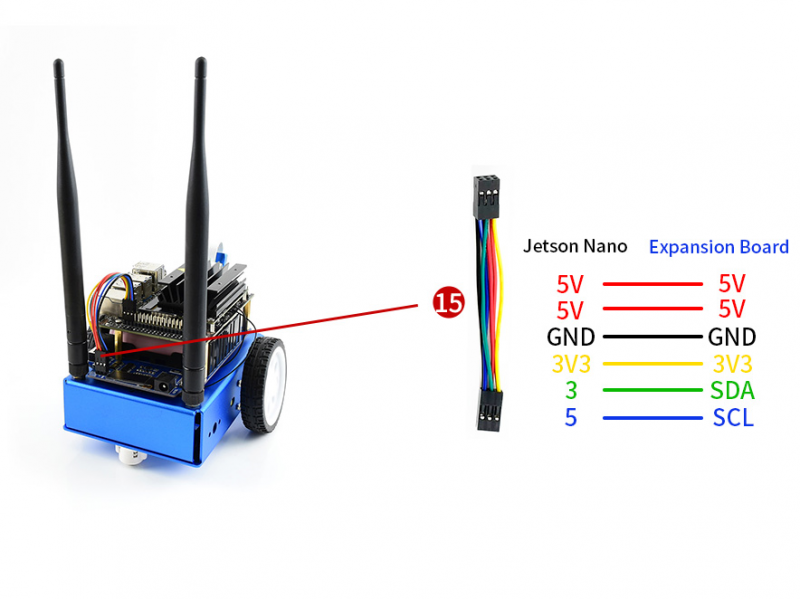
14. Finally, connect the 8PIN cable according to screen silk printing.
TAG:
Code
Electronic EYE 0.71 inch Round Double LCD Display Dual Screen For Arduino Raspberry Pi ESP32 Pico ST
RTL8723 WIFI SDIO Expansion Module Board For Luckfox Pico Mini B /Luckfox Pico Plus /Luckfox Pico Pro /Luckfox Pico Max
Raspberry Pi 9.7 inch e-Paper HAT+ (E) E-Ink E6 Full color 1120x784 Screen Display For Arduino /STM32 /ESP32/Jetson Nano
Raspberry Pi Monitor Official Original DisplayScreen 15.6 inch LCD Full HD 1920x1080 15.6inch
Metal Case
BPI-M4 Zero
ADXL355BEZ
Raspberry Pi RTC
Core3566002032
Raspberry Pi Pico Display
Milk-V Duo
TTL UART To CAN Mini
ESP32 ST7789 configuration
ESP32 ST7789 tutorial
Core3566104000
4.26inch
X1203 Raspberry Pi 5 UPS Board Uninterruptible Power Supply For Li-Battery (NOT includ)
ESP32 S3 Development Board 1.85 inch Round LCD Display 360×360 QMI8658 Sensor / MIC / SD /MP3 Audio /Battery Port LVGL/HMI For Arduino
ESP32 Portable Pendant
TAG:
Raspberry Pi Pico ST7789
ADXL354CEZ
Arducam
Intel Wireless WLAN BE200 WiFi7 Bluetooth 5.4
Raspberry Pi IR-CUT 2MP Camera with IMX327 Starlight Sensor
3.5 inch Capacitive TouchScreen LCD Display ST7796 Arduino Raspberry Pi ESP32 Pico
5.79inch e Paper Ink (G) Red-Yellow-Black-White display 792x272 Arduino Raspberry Pi Jetson STM32
Raspberry Pi
Raspberry Pi 5 PCIe M.2 NVMe SSD Pi5 2242 2230 X1003 MINI
LuckFox SC3336
voice module
ESP32 MLX90641
LCC-14
Raspberry Pi 4.3 inch DSI LCD Display MIPI 800x480Capacitive TouchScreen
and Audio Speaker
ESP32-H2-MINI-1-N4
Raspberry Pi 7inch DSI LCD B Display MIPI IPS 800x480 Capacitive TouchScreen
SpeedyBee Bee35 3.5 inch Frame RC FPV Drone
Raspberry Pi 5 Case
UGV Rover PT AI 4G 5G OpenCV Robot Car MediaPipe Jetson Orin Nano